

This article explains how to delete a folder in a Document Library using REST. Develop the project using the following Method in NAPA Tool.
On your Developer Site, open the "Napa" Office 365 Development Tools and then choose Add New Project.
- Choose the App for SharePoint template, name the project Create Site and then choose the Create button
- Replace APP.js with the following source code below.
- Publish Your App.
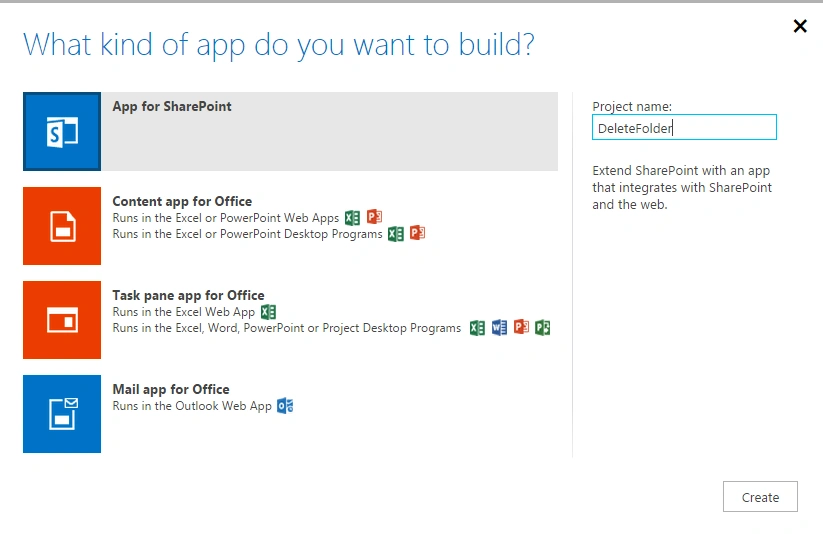
Prerequisites:These are important steps to be done before creating the app.Specify the permissions that your app needs as in the following:
Choose the Properties button at the bottom of the page.
- In the Properties window, choose Permissions.
- In the Content category, set Write permissions for the Tenant scope.
- In the Social category, set Read permissions for the User Profiles scope.
- Close the Properties window.
Default ASPX: Add the following div content to default aspx page in app.
- <div>
- <p>
- <b>Create Folder</b>
- <br />
- <input type="text" value="List Name Here" id=" DeleteFolder " />
- <button id="btnclick"> Delete Folder </button>
- </p>
- </div>
URI: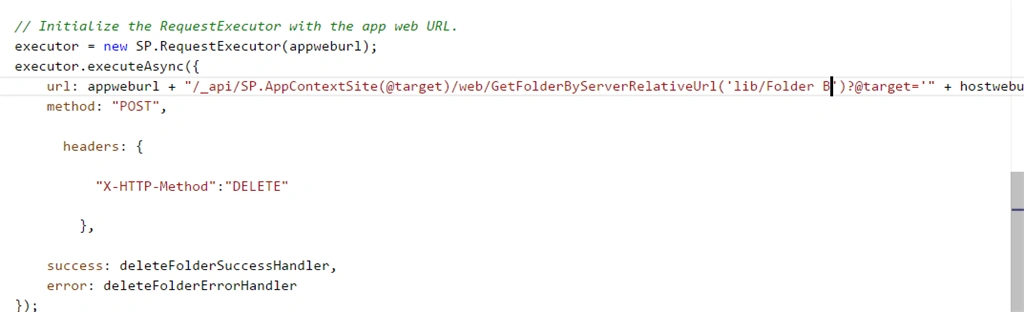
Lib=SharePoint Library Name
Folder B=New Folder Name
SourceCode:
- 'use strict';
- var hostweburl;
- var appweburl;
- // Get the URLs for the app web the host web URL from the query string.
- $(document).ready(function ()
{ - //Get the URI decoded URLs.
- hostweburl = decodeURIComponent(getQueryStringParameter("SPHostUrl"));
- appweburl = decodeURIComponent(getQueryStringParameter("SPAppWebUrl"));
- // Resources are in URLs in the form:
- // web_url/_layouts/15/resource
- $("#btnclick").click(function (event)
{ - FolderCreation();
- event.preventDefault();
- });
- // Load the js file and continue to load the page with information about the folders.
- // SP.RequestExecutor.js to make cross-domain requests
- $.getScript(hostweburl + "/_layouts/15/SP.RequestExecutor.js");
- });
- //Retrieve all of the folders from root Site
- function FolderCreation()
- {
- var executor;
- var getfoldername= document.getElementById("DeleteFolder").value;
- // Initialize the RequestExecutor with the app web URL.
- executor = new SP.RequestExecutor(appweburl);
- executor.executeAsync({
- url: appweburl + "/_api/SP.AppContextSite(@target)/web/GetFolderByServerRelativeUrl('lib/Folder B')?@target='" + hostweburl + "'",
- method: "POST",
- }
- headers:
- {
- "X-HTTP-Method":"DELETE"
- },
- success: FoldersSuccessHandler,
- error: FoldersErrorHandler
- });
- }
- //Populate the selectFolders control after retrieving all of the folders.
- function FoldersSuccessHandler(data) {
- alert("Folder Deleted successfully in Library");
- }
- function FoldersErrorHandler(data, errorCode, errorMessage) {
- alert("Could not Delete a Folder in Library: " + errorMessage);
- }
- //Utilities
- // Retrieve a query string value.
- // For production purposes you may want to use a library to handle the query string.
- function getQueryStringParameter(paramToRetrieve) {
- var params = document.URL.split("?")[1].split("&");
- for (var i = 0; i < params.length; i = i + 1) {
- var singleParam = params[i].split("=");
- if (singleParam[0] == paramToRetrieve) return singleParam[1];
- }
- }
Publish:
Publish the App and Click the Trust it Button.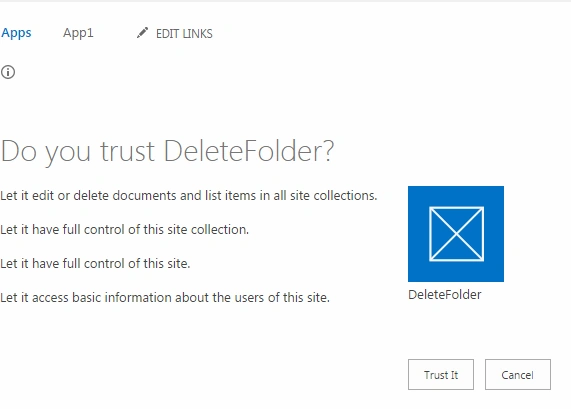
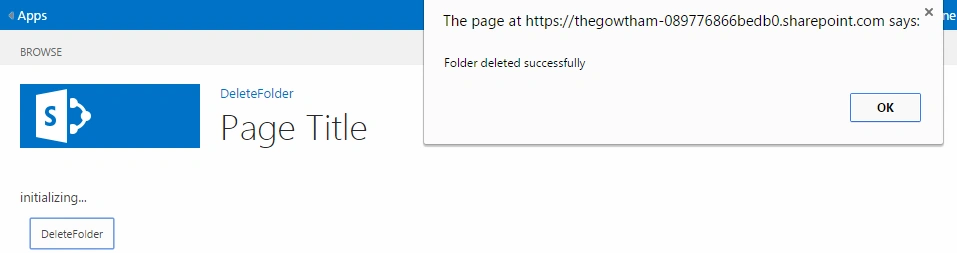
Output:
Folder Deleted Successfully in Document Library SharePointLibraray,
Gowtham RajamanickamPosted Mar 26, 2015, 10:09 PM
thank u vithal wadje..
Vithal WadjePosted Mar 26, 2015, 2:21 PM
nice keep it up
Vijay SPosted Mar 25, 2015, 2:42 AM
Informative
Gowtham RajamanickamPosted Mar 24, 2015, 11:28 PM
thank u tom
Gowtham RajamanickamPosted Mar 24, 2015, 11:28 PM
thnak u karthik
Tom MohanPosted Mar 24, 2015, 12:17 PM
good show
Karthik Muthu KaruppanPosted Mar 24, 2015, 10:58 AM
simple and cool