

In my previous article, I clearly discussed how to delete records from a DataGridView using ContextMenuStrip. In that we deleted record one by one. Here's the article link:
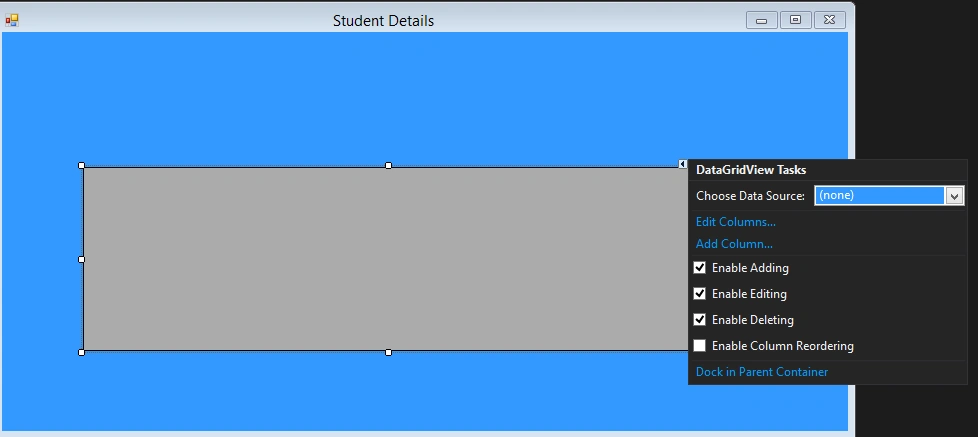
Here in this article I decided to delete multiple records using Checkbox. So for this in my project I have taken a GridView as shown below.

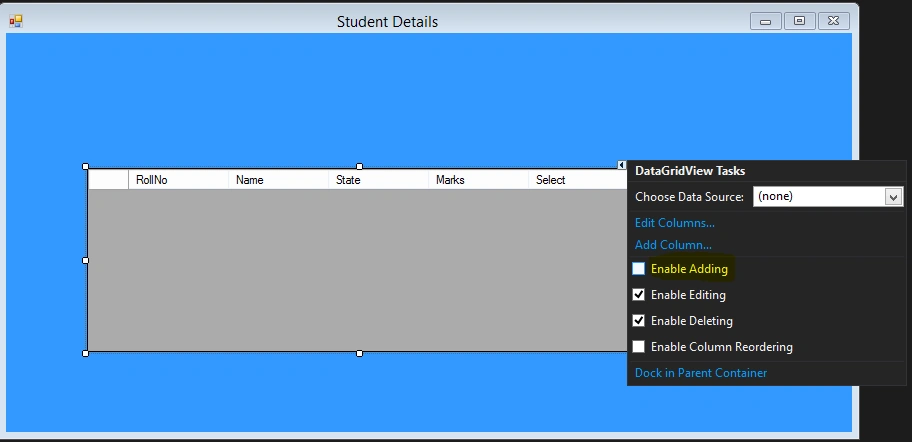
Just click the GridView Task.
After that to add columns by mapping my database table click Add Columns.
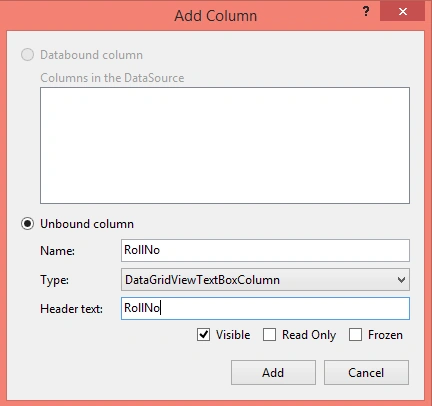
So In this way you can add column in the DataGridView. Now to add Checkbox inside the GridView choose GridViewCheckbox column as follows.
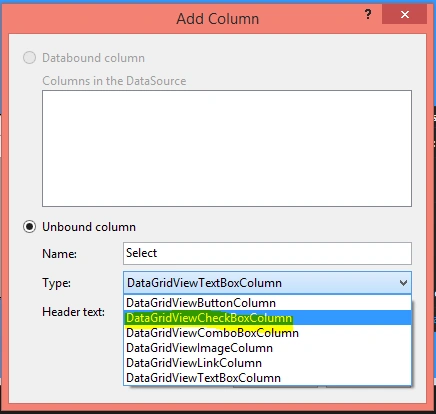
It will add Checkbox in the Gridview for a column. After adding all these it will appear as follows.
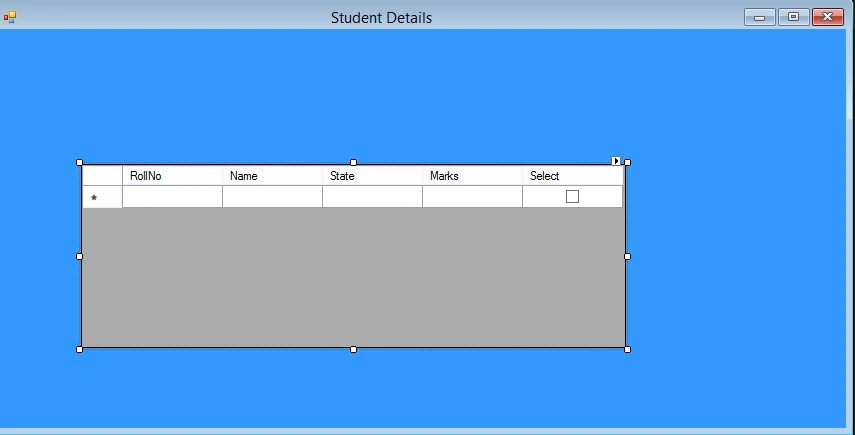
Now to disable the default empty row just check the following Checkbox as shown below.
Now to bind data in the DataGridView write the following code.
- public partial class Form1: Form
- {
- SqlConnection con = new SqlConnection("Data Source=DEBENDRA;Initial Catalog=Students;User ID=sa;Password=123");
- int Index = 0;
- SqlDataAdapter da;
- public Form1()
- {
- InitializeComponent();
- }
- private void Form1_Load(object sender, EventArgs e)
- {
- filldata();
- }
- public void filldata()
- {
- da = new SqlDataAdapter("select * from tbl_studentdetails", con);
- DataTable dt = new DataTable();
- da.Fill(dt);
- dataGridView1.AutoGenerateColumns = false;
- foreach(DataRow row in dt.Rows)
- {
- int i = dataGridView1.Rows.Add();
- dataGridView1.Rows[i].Cells[0].Value = row["RollNo"].ToString();
- dataGridView1.Rows[i].Cells[1].Value = row["Name"].ToString();
- dataGridView1.Rows[i].Cells[2].Value = row["State"].ToString();
- dataGridView1.Rows[i].Cells[3].Value = row["Mark"].ToString();
- }
- }
- }
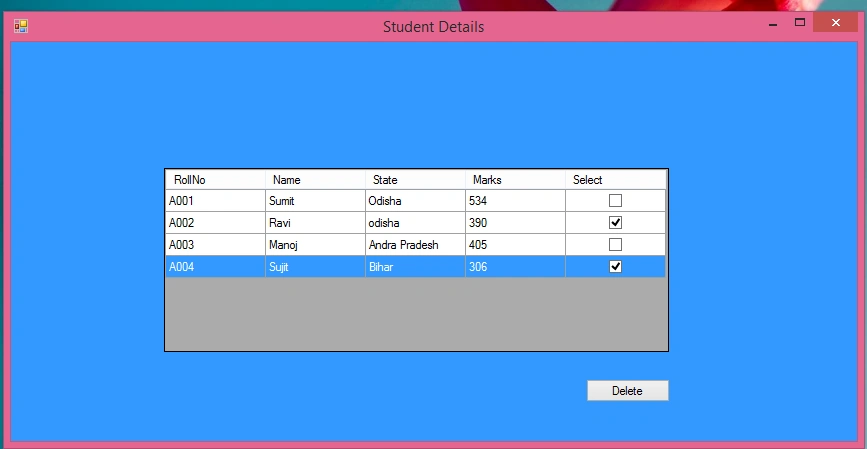
Now it will show me the data like this. And one more thing add a Delete button just below the form.

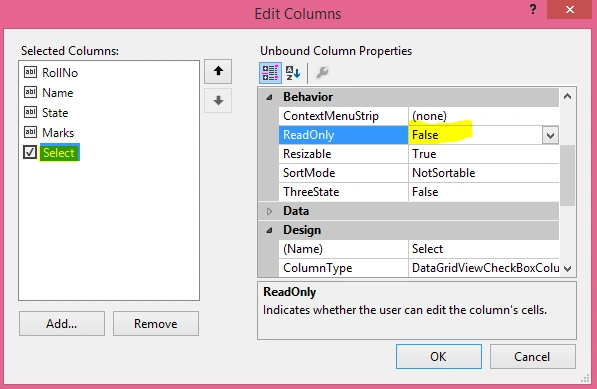
Now just make the ReadOnly false to the Checkbox. Neither it will allow you to click on them.
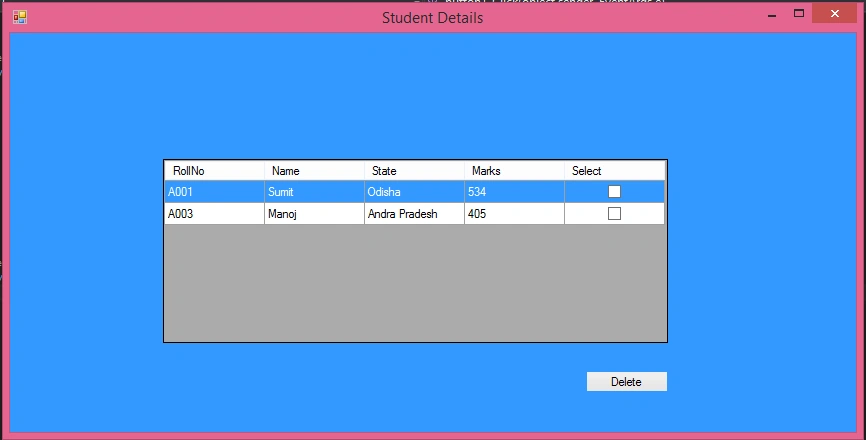
Now write the following code to delete the selected item from the Gridview. It mainly consists of 2 steps:
Cetin BasozPosted Jul 13, 2016, 1:13 PM
You shouldn't code this way. First, never ever use SQL command texts as concatenated strings, use parameters instead. Otherwise you are opening your database to SQL injection attack (if first column was editable you would be allowing attackers to inject SQL in this particular sample). Second, if there are a lot of rows to delete, then this code would be unnecessarily sending as many "delete" commands as selected items count when only one delete command would be sufficient.
Santhakumar MunuswamyPosted Oct 25, 2015, 11:33 AM
Good one
Sibeesh VenuPosted Oct 23, 2015, 1:36 AM
Nice Share
Debendra DashPosted Oct 22, 2015, 1:34 PM
thanks priyaranjan.........
Priyaranjan K SPosted Oct 22, 2015, 12:26 PM
Nice Share
Nilesh JadavPosted Oct 22, 2015, 2:52 AM
Good Work !! I was doing the same today !! :)