
In SSIS errors may occur because of the following reasons.
- Data conversion errors
- Lookup errors
- Expression evaluation errors
Dataflow components support row-level error details in both the input as well in the output data. One error output can be connected as the input for the other data component.
Types of errors in SSIS
There are two types of errors in SSIS.
- Truncation
A truncation generates results that might be usable. For example, if you trying to insert 10 character values into 5 charter length column.
- Error:
This is failure of the SSIS component and it generates the NULL result. For example: If you are trying to convert alpha-numeric string to an integer. This will result in a data conversion error.
We can configure the SSIS component to handle the error and truncation in SSIS transformations.
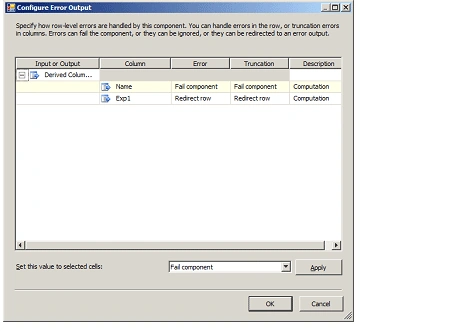
Fail Component: The Data Flow task fails when an error or a truncation occurs. Failure is the default option for an error and a truncation.
Ignore Failure: The error or the truncation is ignored and the data row is directed to the output of the transformation or source.
Redirect Row: The error or the truncation data row is directed to the error output of the source, transformation, or destination.
How to Configure Error handling in SSIS?
Step 1: Drag and drop and file Flat file destination component.
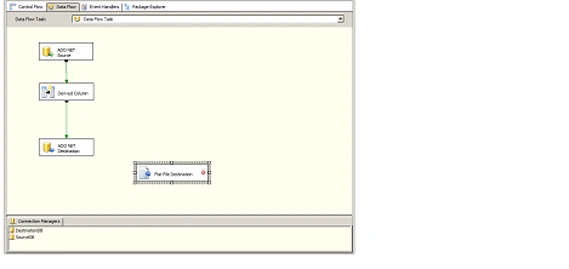
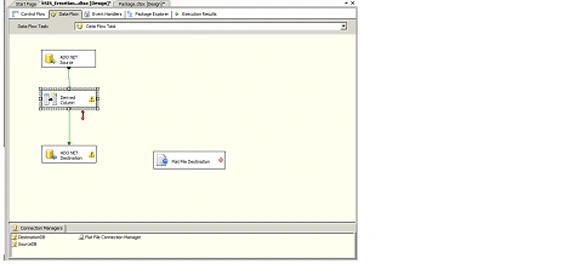
Step 2: Connect the error output to Flat file destination input .
Step 3: Configure Error output as Redirect Row.
Step 4: Configure Flat file Destination
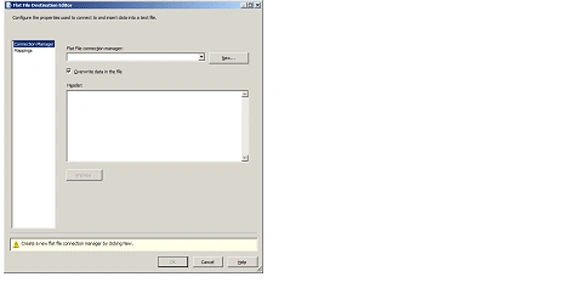
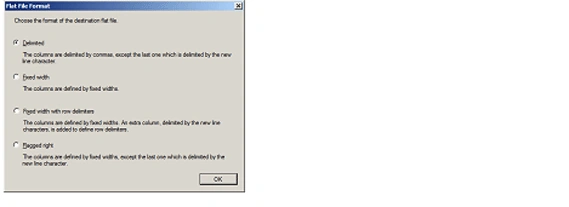
Step 5 : Click New and select delimited in Flat File Format option.
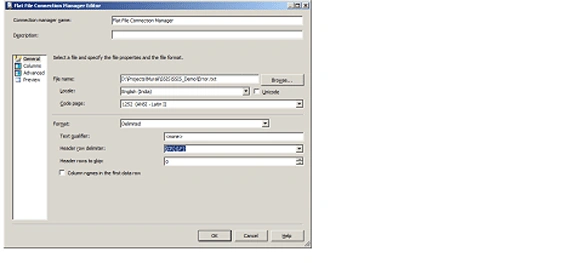
Step 6 : Give valid file path and press OK .
Step 7: From the Flat File Destination Editor, click on Mapping option.
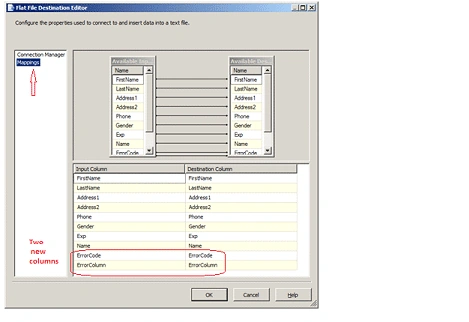
Step 8 : Click Ok.
Step 9 : Now run the package.
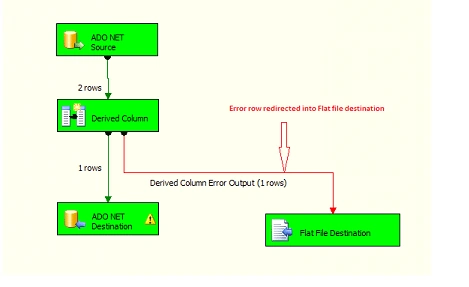
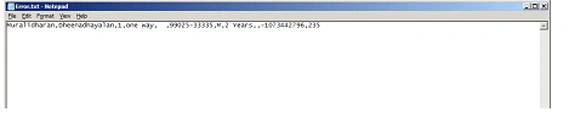
Step 10 : Error Details. Open the file and you can see the Error Code and Error details
Gowtham RajamanickamPosted Apr 16, 2016, 8:25 AM
Very good one....