

Dependency Properties
- Create a windows store blank app.
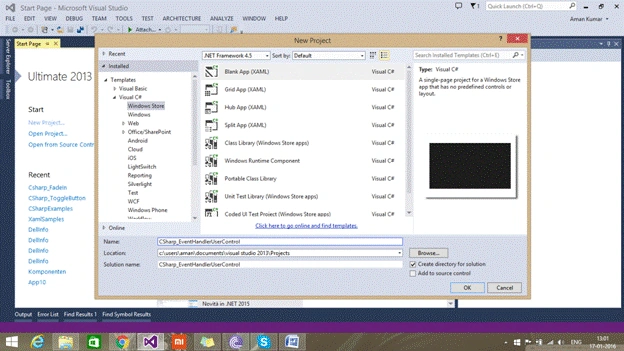
- Add a user control in app,


- Create a textblock in usercontrol,
- <Grid>
- <TextBlock HorizontalAlignment="Center" VerticalAlignment="Center" FontSize="50" Foreground="Aqua" />
- </Grid>
- Create a dependency property in code behind of user control either by coding or using shortcut propdp.
- public string TextBlockText
- {
- get
- {
- return (string) GetValue(TextBlockTextProperty);
- }
- set
- {
- SetValue(TextBlockTextProperty, value);
- }
- }
- // Using a DependencyProperty as the backing store for TextBlockText. This enables animation, styling, binding, etc...
- public static readonly DependencyProperty TextBlockTextProperty =
- DependencyProperty.Register("TextBlockText", typeof(string), typeof(MyUserControl1), new PropertyMetadata(string.Empty));
- Bind the textblock’s text property to the TextBlockText dependency property,
- <TextBlock Text="{Binding TextBlockText}"
- Set datacontext for usercontrol so that the binding can work.
- public MyUserControl1()
- {
- this.InitializeComponent();
- (this.Content as FrameworkElement).DataContext = this;
- }
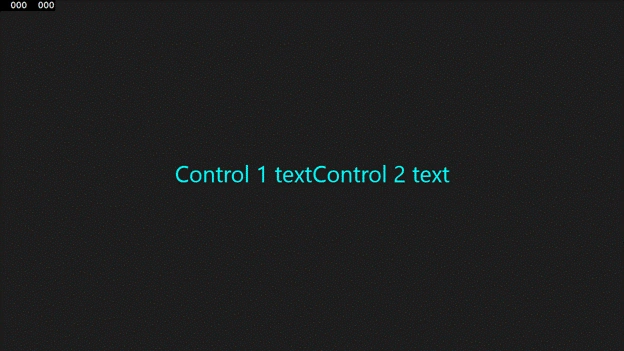
- In main page create two instances of usercontrol to show the functioning of dependency properties.
- <StackPanel Orientation="Horizontal" HorizontalAlignment="Center" VerticalAlignment="Center">
- <local:MyUserControl1 x:Name="control1" TextBlockText="Control 1 text" />
- <local:MyUserControl1 x:Name="control2" TextBlockText="Control 2 text" />
- </StackPanel>
- Run your application and check.
Mohammed IbrahimPosted Jan 18, 2016, 9:00 AM
nice
Ankit BansalPosted Jan 18, 2016, 12:35 AM
Really helpful..
Aman KumarPosted Jan 17, 2016, 10:36 PM
Thnx
Santhakumar MunuswamyPosted Jan 17, 2016, 1:59 PM
Welcome
Santhakumar MunuswamyPosted Jan 17, 2016, 1:59 PM
Good Start