

In this article, you will learn how to deploy and manage the BitLocker Drive Encryption on windows server 2012 and later versions.
What is BitLocker?
BitLocker is a windows data protection feature that allows you to encrypt the disk and protect the data from theft or unauthorized access. BitLocker is installed by default in the windows client operating system since windows Vista came. Still, if you want to use BitLocker in the Windows server operating system, you must install the BitLocker Drive encryption feature from the server manager.
BitLocker requires Trusted Platform Module (TPM) version 1.2 or later. If you need to enable TPM, you can enable that from the UEFI Firmware Settings.
Deploy BitLocker on Windows Server
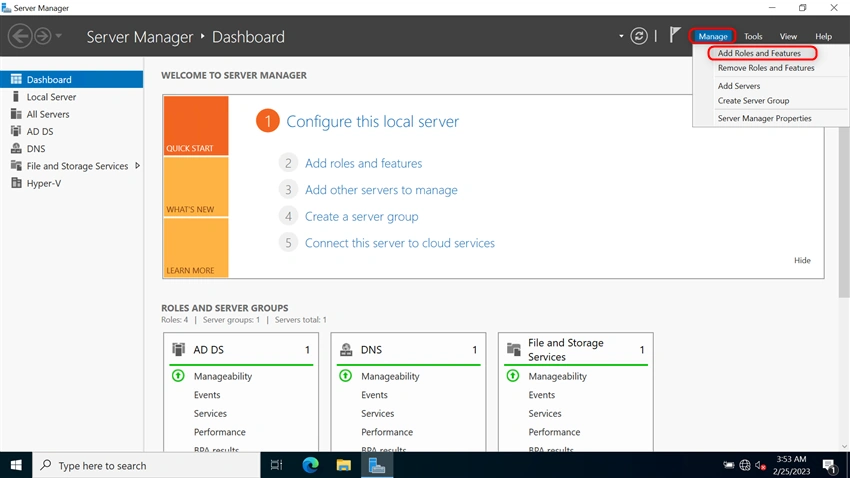
Go to the Server Manager
Then Select Manage and then select Add Roles and Features
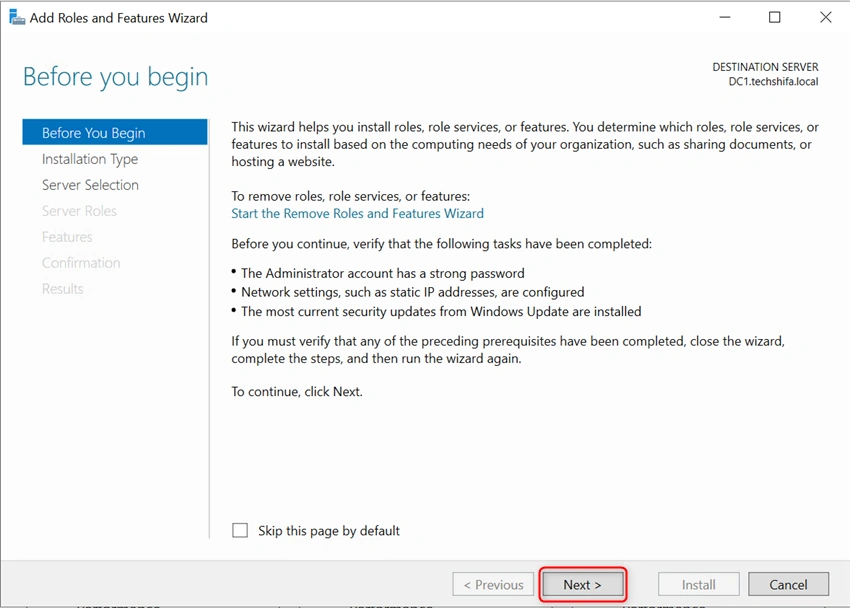
Click Next
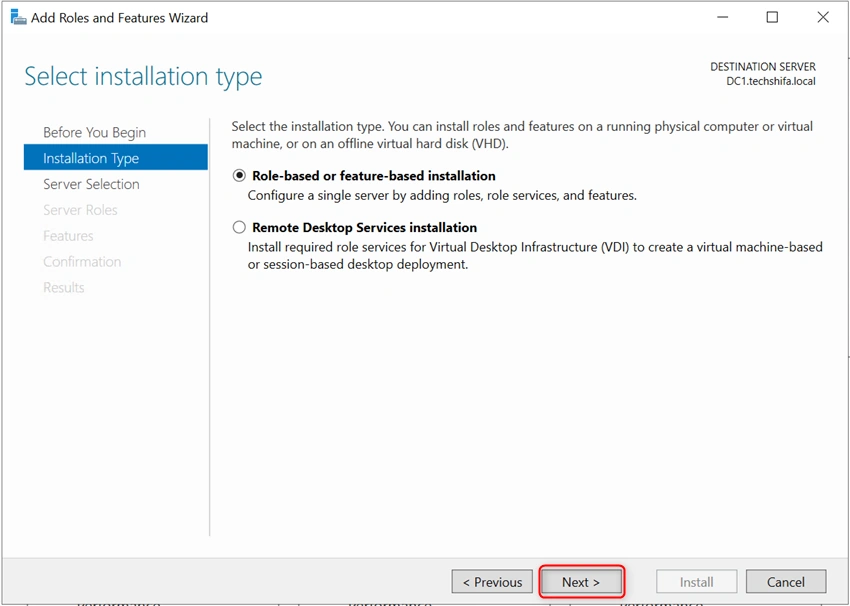
Select the Installation Type, then Click Next
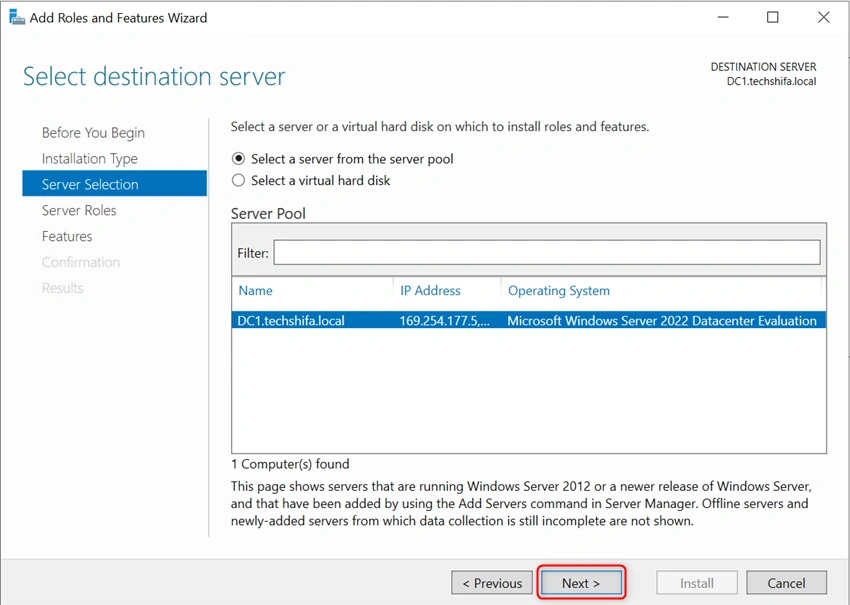
Select the Destination Server and Click Next
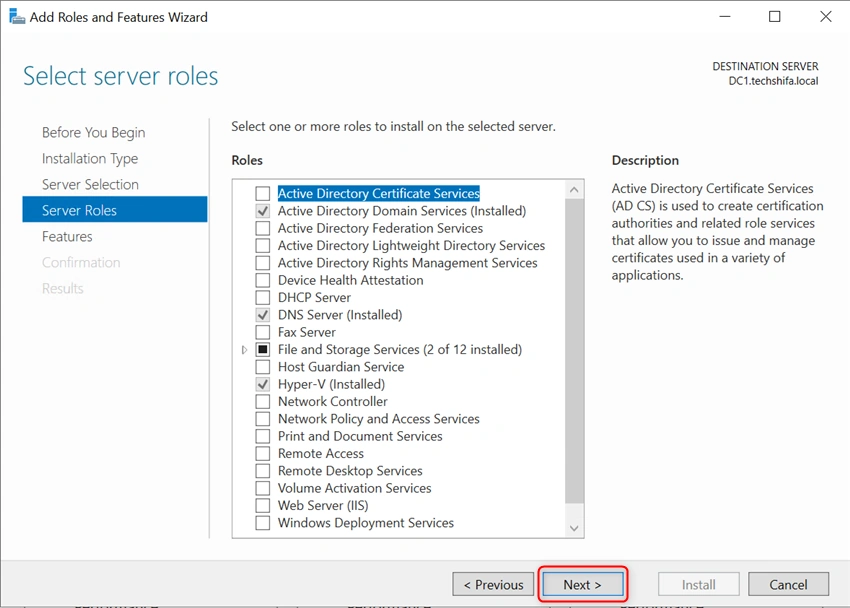
It does not require any server role to configure the Bit Locker Encryption,
Click Next
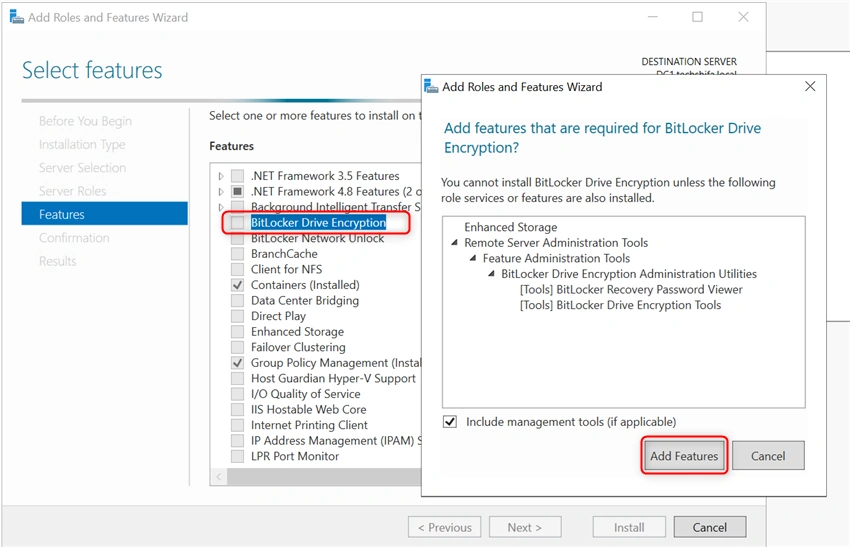
In the Features, Select the BitLocker Drive Encryption and Add feature that is required for bit locker drive encryption.
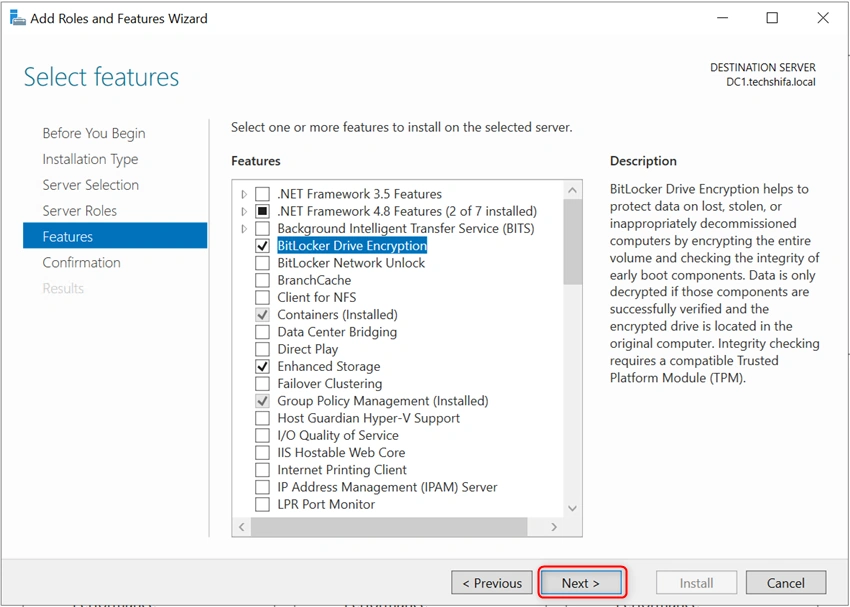
Then Select Next
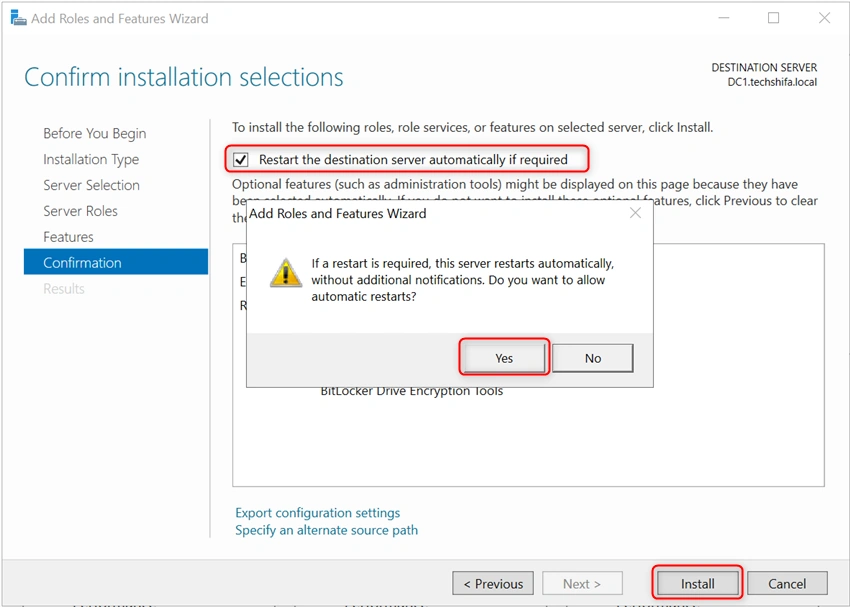
Select to restart the destination server automatically if required
And then select Yes
Then Click Install
Once Bitlocker Drive Encryption is installed, the server will restart automatically.
Join the conversation! Your thoughts help the community grow.