

In this article I would like to share the procedure to add, activate and update the solution in SharePoint Online.
SharePoint Online solution
- In SharePoint Online we can only deploy the sandboxed solutions. Farm level deployments are not allowed in SharePoint Online.
- Sandboxed solutions: Sandboxed solutions provide a framework for developers to create, and for SharePoint Online administrators to upload and activate, custom code solutions to SharePoint Online. Sandboxed solutions run in an environment that has access to a core subset of the server object model. The sandboxed solutions framework gives developers access to the major objects at and below the site collection level.
- Using PowerShell, we can deploy the farm level solutions (SharePoint On-premise). Using SharePoint Online we can add the solutions to the Site Collection Solution Gallery.
Procedure to deploy the solution
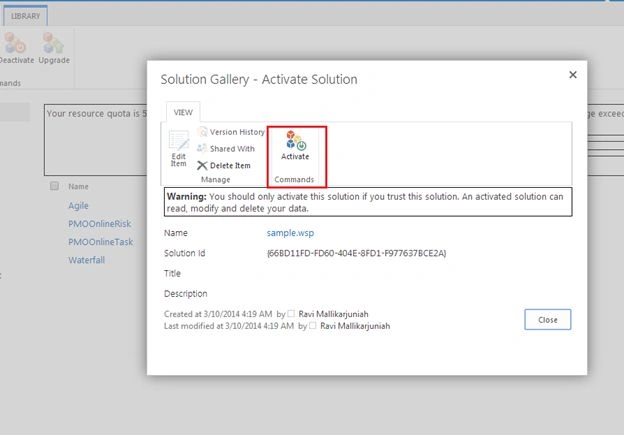
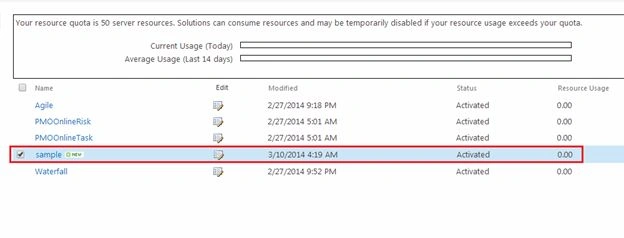
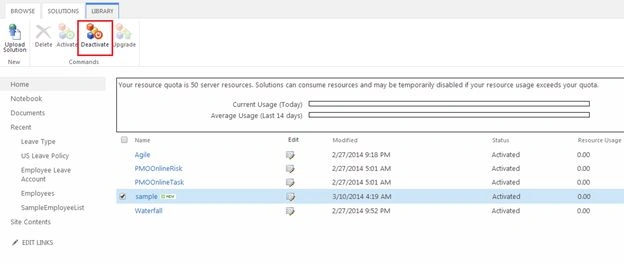
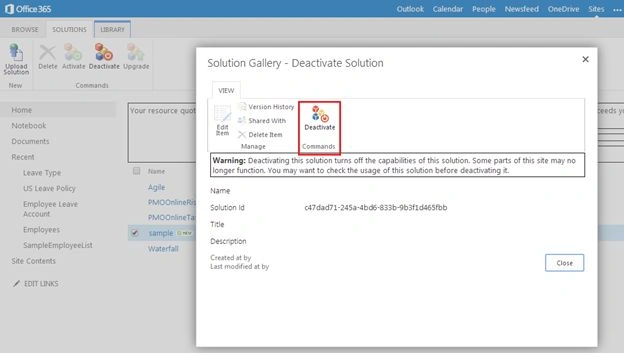
Use the following procedure to upload and activate the solutions.
Step 1: Open your site and go to the “settings” from your top level site as in the following: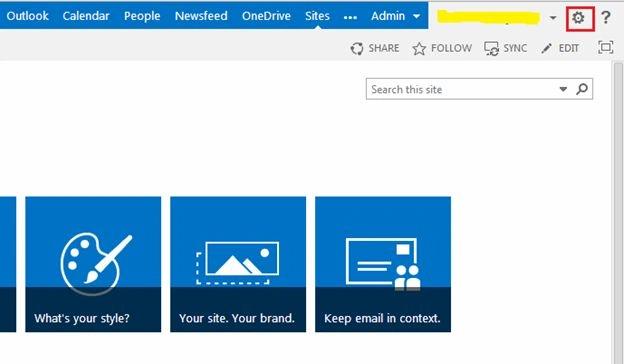
Step 2: Then select the “site settings” from your settings (drop down) as shown below: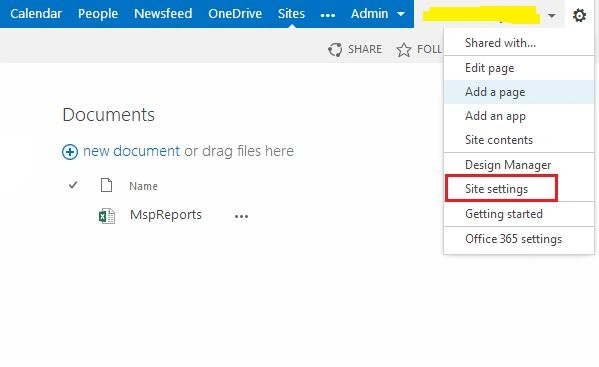
Step 3: When you click on the site settings, you will navigate to the site settings page as shown below: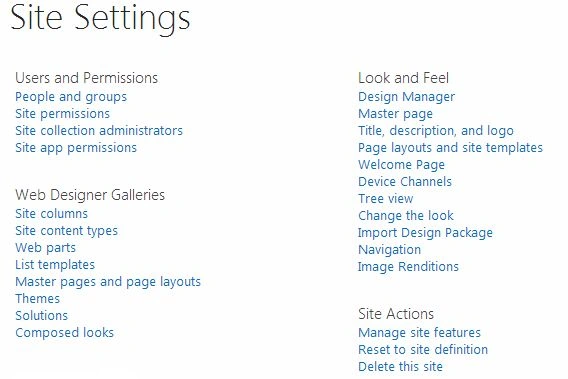
Step 4: On the site setting page, you can see the “Web Designer Galleries” section as in the following: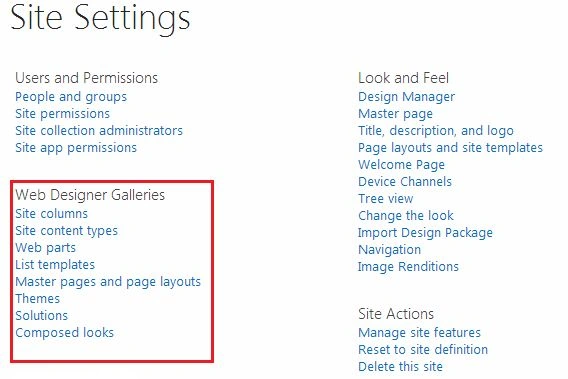
Step 5: Under the “Web Designer Galleries” section, you can find the “Solutions” as shown below, then click on the Solutions in the Site Settings page.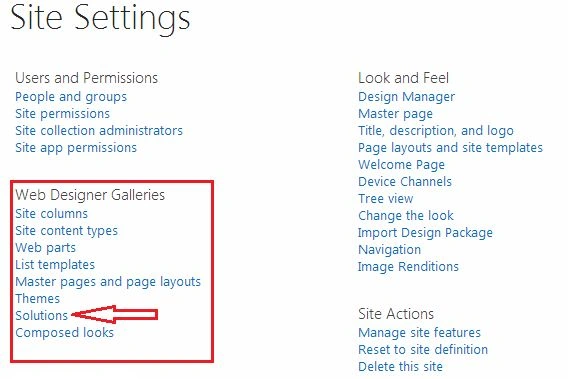
Step 6: When you click on the solutions, you will get the solution page as in the following:
Step 7: On the solutions page, you have the option to upload the solutions (WSP). Then click on the upload solution option from the top ribbon bar as in the following: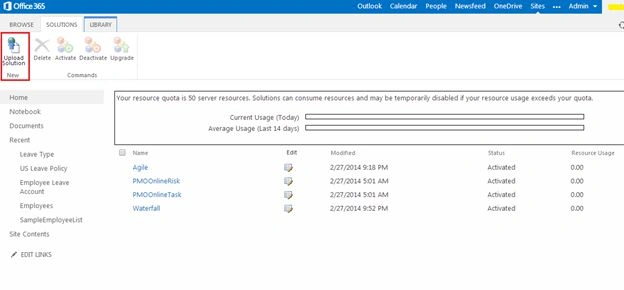
Step 8: When you click on the “Upload solution”, you will get the pop-up to upload the solution as shown in the following: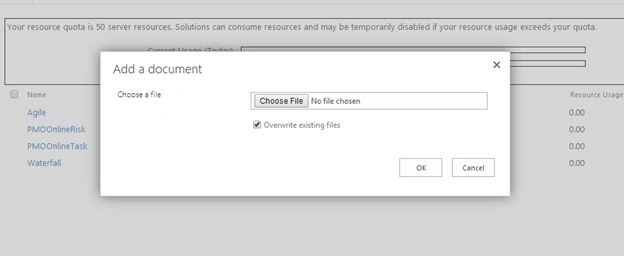
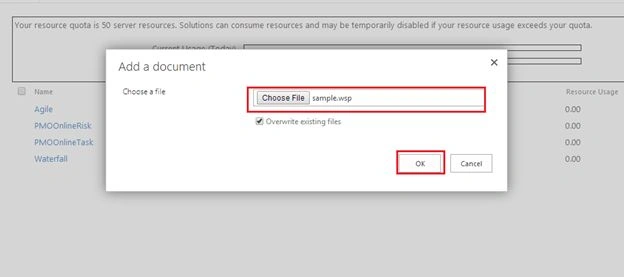
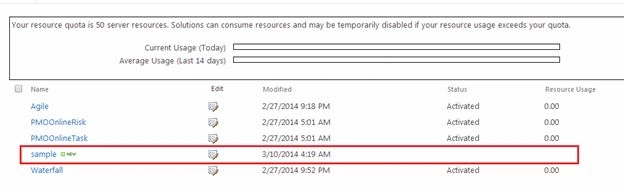
Step 9: Then click on the “choose file” from the pop-up and then click “Ok” to activate the solution,.

Waleed BishoutyPosted Oct 14, 2021, 9:48 AM
I am using Sharepoint online, is it possible to deploy a solution to an existing site? I am creating solutions that I can successfully upload and activate. However, the Solution does not apply to the Site. I can use it to create subsites, but I need to apply it to the Site itself.
kishore aPosted Nov 5, 2018, 11:34 PM
Very good article.it helped to me
Shiva Krishna PPosted Jun 6, 2017, 10:44 AM
Started working on sharepoint online. Irrespective of time it helped me
Vipin TyagiPosted Sep 2, 2016, 2:21 AM
Now depreciated Sandbox
Kaviya BalasubramanianPosted Mar 11, 2014, 4:50 AM
Thank you lakshmanan :)
Lakshmanan Sethu SankaranarayanPosted Mar 11, 2014, 4:07 AM
Very good article. I guess it should go under SharePoint 2013?