

JSTL XML TAG:
In this part of the tutorial on JSTL, I explain the use of the XML tags of JSTL and show their wonderful simplicity, ease of use and raw power. The XML tag
library is used to work with XML data used in JSP pages. The XML tag library
helps parse and transform the data used in a JSP page. The XML tags can be
used with the JSP pages after importing the following tag library by using the
following code:
<%@ taglib prefix="x" uri="http://java.sun.com/jsp/jstl/xml"%>
XML tags are accessed by using the prefix 'x'.
It is a predefined prefix used for XML tag libraries.
Types of XML Tags:
XML Core Tags: The Core tags include the tags for parsing XML documents
and performing X path operations. The XML Core tags are of three types:
- The<x:parse> Tag: It parses the
given XML document and stores the resulted XML document object model into
the specified variable. The syntax for it is:
<x:parse attributes>[body content]</x:parse> - The<x:out> Tag: The <x:out> tag
evaluates an XML xpath expression and writes the result of the evaluation to
the current JSP writer. The syntax for it is:
<x:out attributes/> - The <x:set> Tag: The <x:set> tag
evaluates an XML xpath expression and stores the result of the evaluation in
a scoped variable. The syntax for it is:
<x:set attributes/>
XML Flow Control Tags: The flow control
tags help perform various operations such as easily parse and access XML data ,
iterate over elements in an XML document, and conditionally process JSP code
fragments depending on the result of the given XPath expression.
The Xml Flow Control tags are of five types:
- The<x:if> Tag: The <x:if> Tag evaluates an xPath expression
that is given in its 'select' attribute. If the resulting value is true,
then the body of the <x:if> tag is evaluated; othervise not.
The syntax for it is:
<x:if attribue> body content</x:if> - The<x:choose> Tag: The <x:choose> tag acts similar to the
java switch statement. The <x:choose> tag encloses one or more <x:when>
tags and a <x:otherwise> tag. The syntax
for it is:
<x:choose>body content<x:choose> - The<x:when> Tag: It encloses a
single case within the <x:choose> tag.The syntax for it is:
<x:when> body content</x:when> - The<x:otherwise> Tag: It is
same as <x:when> but it is unconditional; this is equivalent to default
case in the java switch statement.The syntax for it is:
<x:otherwise> body content</x:otherwise> - The <x:forEach> Tag: the <x:forEach>
tag is used for looping over a list of elements obtained after
evaluating the given XPath expression. The syntax for it is:
<x:forEach> body content</x:forEach>
XML Transformation Tags: This tag provide
support to transform the XML document with the given XSL stylesheet. This tag
contain two tags:
- <x:Transform> Tag: This tag transforms an XML
document using the given XSL style sheet.
The syntax for it is:
<x:transform attributes>body content</x:transform> - <x:param> Tag: It is used
to set transformation parameters. The<x:param> tag should be
used within the body of the <x:transform> tag. The syntax
for it is:
<x:param >body content</x:param>
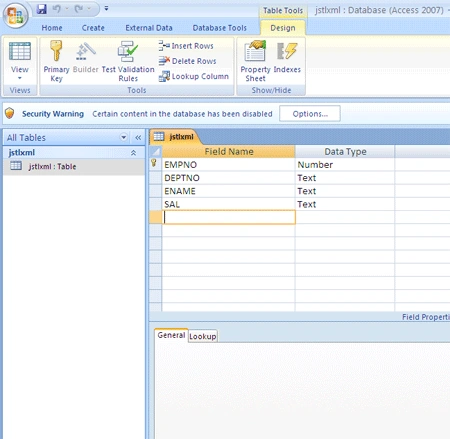
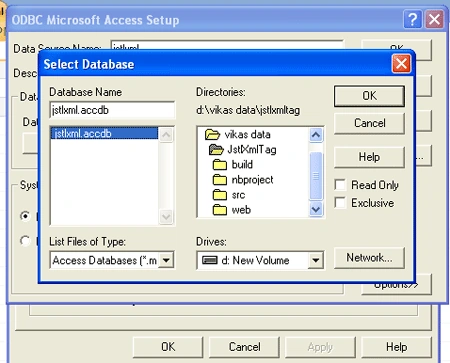
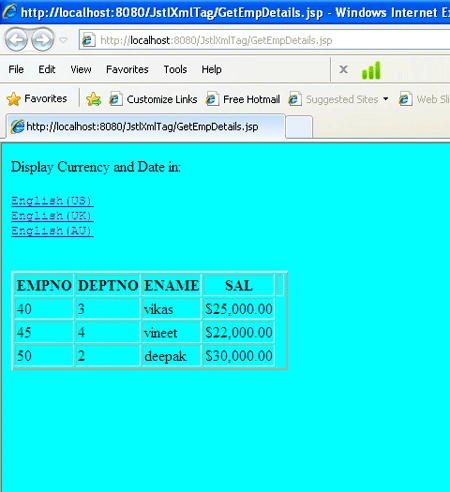
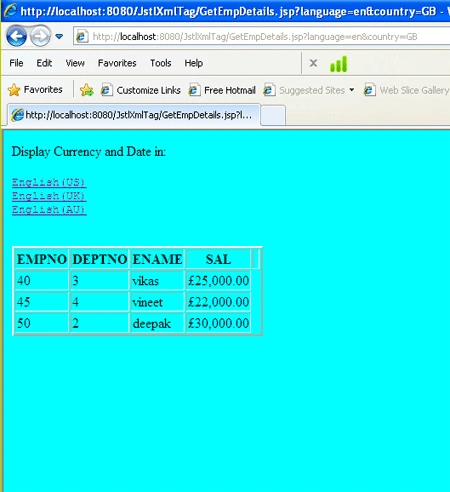
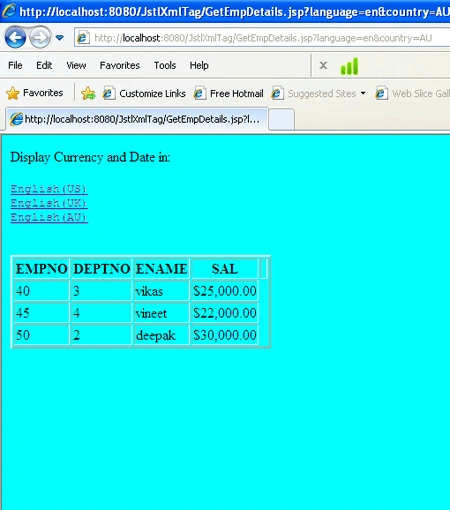
Working With JSTL XML Tag: JSTL is
mainly used for the web application, here i'll given a example in which i used
JSTL Tags.
Join the conversation! Your thoughts help the community grow.