

Responsive Web Design | CSS3
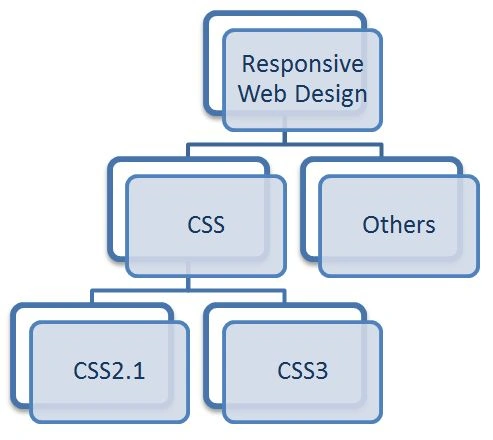
Web Designing | Basics
Web Designing | CSS
Problems | CSS
- It was based on a table architecture system
- Styling was not free of content
- Unstructured design work
- Fewer media applications
- No proper functionality for high graphic elements
- Fewer animations
- Less dynamic design (mainly static)
- Low presentation reflexes
Solving Problems | CSS3
Example Comparison | CSS2.1 vs CSS3
- <a href=”jaiswalabhishek.blogspot.in”><span> Submit </span></a>
- <a href=”#”><span> Reset </span></a>
Code | CSS
- a
- {
- display: dotted block;
- height: 60px;
- float: left;
- font-size: 10em;
- font-family: cambria;
- padding-right: 1.0em;
- padding-left: 1.0em;
- background: url(abc.jpg);
- scroll: top down;
- }
- a span
- {
- background: url(abc.jpg);
- display: dotted block line-height: 1.0em;
- }
Output | CSS
 // button events
 Example | CSS3
In CSS3 we code like this and get output in the same fashion as in CSS2.1.
Code | HTML
Example | CSS3
In CSS3 we code like this and get output in the same fashion as in CSS2.1.
Code | HTML
- <a href=” jaiswalabhishek.blogspot.in”> Submit </a>
- <a href=”#”>Reset <a>
Code | CSS3
- a {
- height: 60px;
- float: left;
- font-size: 10em;
- line-height: 60px
- padding-right: 1.0em;
- padding-left: 1.0em;
- background-image: url(abc.jpg);
- background-repeat: repeat-x;
- scroll: top down;
- border declaration
- border-top-right-radius: 12px;
- border-top-left-radius12px;
- }
Output | CSS3

Abhishek JaiswalPosted Mar 5, 2014, 11:43 PM
hello sir... it's not true at all. at least not for all young programmers. :) :)
Sam HobbsPosted Mar 5, 2014, 1:01 PM
I believe you that CSS3 makes web site programming easier and more sophisticated but I think that young people think that web sites were more primitive 4-5 years ago than they really were.