

As engineers, we love powerful tools.
WebSockets. SignalR. Message brokers. Real-time frameworks layered on top of other real-time frameworks.
But after building and maintaining production systems for years, I’ve learned something uncomfortable:
Most real-time features are overengineered.
Very often, the problem is simple:
“Show live status updates”
“Stream progress from the server”
“Notify users when something changes”
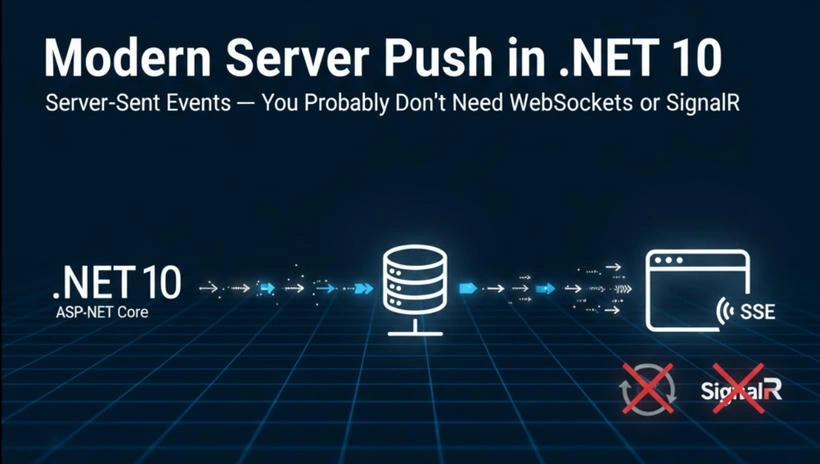
For these cases, Server-Sent Events (SSE) is usually the better answer — and it’s already built into the web platform and ASP.NET Core.
Let’s talk about what SSE really is, when it makes sense, and how to implement it cleanly in ASP.NET Core.
What Server-Sent Events Actually Are
Server-Sent Events are:
A standard HTTP connection
Kept open by the server
Used to push text-based events from server → client
That’s it.
No protocol upgrades.
No bi-directional messaging.
No abstraction layers hiding what’s happening.
From the browser side, SSE is supported natively using EventSource.
From the server side, it’s just HTTP streaming.
SSE vs WebSockets (The Honest Comparison)
WebSockets are powerful — but power comes with cost.
Here’s the architectural reality:
| Requirement | SSE | WebSockets |
|---|---|---|
| Server → Client updates | ✅ | ✅ |
| Client → Server messaging | ❌ | ✅ |
| Uses standard HTTP | ✅ | ❌ |
| Easy to debug | ✅ | ❌ |
| Auto-reconnect | ✅ (browser) | ❌ (manual) |
| Complexity | Low | Medium–High |
If your feature is:
Status updates
Notifications
Progress streaming
Monitoring dashboards
WebSockets are usually unnecessary.
SSE is simpler, safer, and easier to maintain.
Why SSE Fits ASP.NET Core So Well
ASP.NET Core is built around:
Async I/O
Streaming responses
Cooperative cancellation
High-performance HTTP handling
SSE fits this model perfectly.
You:
Open a request
Write events as they happen
Flush the response
Let the client handle reconnection
No special middleware.
No extra packages.
No magic.
Server-Sent Events vs SignalR
| Aspect | Server-Sent Events (SSE) | SignalR |
|---|---|---|
| Communication model | One-way (Server → Client) | Bi-directional (Server ↔ Client) |
| Transport | Standard HTTP (text/event-stream) | WebSockets with fallbacks |
| Client → Server messaging | ❌ Not supported | ✅ Fully supported |
| Complexity | Low | Medium to High |
| Learning curve | Minimal | Moderate |
| Browser support | Native via EventSource | Requires SignalR client |
| Automatic reconnection | ✅ Built-in (browser-managed) | ⚠️ Manual / framework-managed |
| Debuggability | Easy (plain HTTP) | Harder (abstracted transports) |
| Scalability model | Predictable, HTTP-based | Requires backplane at scale |
| Infrastructure needs | None beyond HTTP | Redis / Azure SignalR at scale |
| Best suited for | Notifications, status updates, progress streaming | Chat, collaboration, real-time apps |
| Operational overhead | Low | Medium |
| Failure handling | Simple, graceful | More moving parts |
How to choose (rule of thumb)
Choose SSE when your system is server-driven, events flow in one direction, and operational simplicity matters.
Choose SignalR when your application requires real-time interaction, client input, or collaborative features.
A Simple, Working SSE Example in ASP.NET Core
Let’s build a real example — not a toy abstraction.
Scenario
The server sends a live update every second:
Timestamp
Incrementing counter
This pattern maps directly to:
Job progress
System metrics
Order tracking
Background task updates
Server Side: ASP.NET Core API
Controller
using Microsoft.AspNetCore.Mvc;using System.Text;

[ApiController][Route("api/events")]public class EventsController : ControllerBase{
    [HttpGet("stream")]
    public async Task Stream(CancellationToken cancellationToken)
    {
        Response.Headers.Append("Content-Type", "text/event-stream");
        Response.Headers.Append("Cache-Control", "no-cache");
        Response.Headers.Append("Connection", "keep-alive");

        var counter = 0;

        while (!cancellationToken.IsCancellationRequested)
        {
            var data = $"data: Time: {DateTime.UtcNow:O}, Count: {counter++}\n\n";
            var bytes = Encoding.UTF8.GetBytes(data);

            await Response.Body.WriteAsync(bytes, cancellationToken);
            await Response.Body.FlushAsync(cancellationToken);

            await Task.Delay(1000, cancellationToken);
        }
    }}
Why This Code Is Production-Friendly
Fully async
No thread blocking
Proper cancellation support
Immediate flushing
Minimal surface area
When the browser disconnects, RequestAborted cancels automatically — no leaks.
Client Side: Browser (Vanilla JavaScript)
<!DOCTYPE html><html><head>
    <title>SSE Demo</title></head><body>
    <h2>Live Server Events</h2>
    <pre id="output"></pre>

    <script>
        const output = document.getElementById("output");
        const source = new EventSource("/api/events/stream");

        source.onmessage = (event) => {
            output.textContent += event.data + "\n";
        };

        source.onerror = () => {
            output.textContent += "Connection lost. Reconnecting...\n";
        };
    </script></body></html>
The browser:
Opens one HTTP connection
Automatically reconnects
Handles network issues gracefully
You get real-time updates with almost no code.
Important Architectural Considerations
This is where senior experience matters.
1. Connection Count
Each client holds one open connection.
Fine for hundreds or thousands
Beyond that, plan horizontal scaling
2. Stateless Servers
SSE works best when:
Events come from a shared source
Redis, Kafka, Service Bus, etc.
The SSE endpoint just streams — it doesn’t own state.
3. Authorization
SSE respects:
Cookies
JWT
ASP.NET Core authorization policies
Secure it like any other endpoint.
When SSE Is the Wrong Choice
Don’t force it.
Avoid SSE if:
You need bi-directional messaging
You’re building chat
You need binary payloads
You require ultra-low latency interaction
That’s where WebSockets or SignalR shine.
Final Thoughts
They’re not flashy. They’re not trendy. And that’s exactly why Server-Sent Events work so well. When your real-time requirements are one-way, driven entirely by the server, predictable in behavior, and easy to operate at scale, SSE often turns out to be the cleanest architectural choice in ASP.NET Core. It avoids unnecessary complexity, fits naturally into the HTTP model, and remains easy to reason about in production. Sometimes, the best engineering decision isn’t about using the most powerful tool—it’s about choosing the boring one that quietly does its job, day after day, without surprises.
Join the conversation! Your thoughts help the community grow.