

Introduction
In Part1 of this article series we have discussed how to display the data in DetailsView Control. We have discussed Declarative and Programmatic Databindng technique. Now in this article we will discuss how to use fields in DetailsView Control.
Using Fields with DetailsViewIf we need more control over the appearance of the DetailsView, including the particular order in which columns are displayed, then we can use fields with the DetailsView control.
The DetailsView control supports exactly the same fields as the GridView control:
- BoundField: Enables us to display the value of a data item as text.
- CheckBoxField: Enables us to display the value of a data item as a check box.
- CommandField: Enables us to display links for editing, deleting, and selecting rows.
- ButtonField: Enables us to display the value of a data item as a button (image button, link button, or push button).
- HyperLinkField: Enables us to display the value of a data item as a link.
- ImageField: Enables us to display the value of a data item as an image.
- TemplateField: Enables us to customize the appearance of a data item.
Another option is to create custom fields for
the DetailsView control. We can create custom fields that work with the
DetailsView control in exactly the same way as we create custom fields that work
with the GridView control (we have already discussed on it earlier in GridView
Control article Parts).
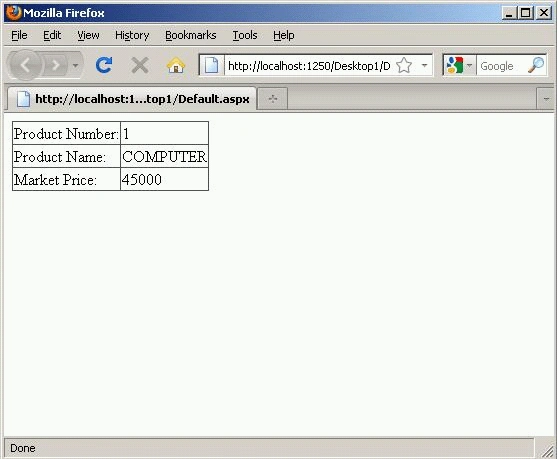
The page given below contains a DetailsView control that contains three
BoundFields. The BoundFields display the values of the ID, TITLE, COMPANY,
PRICE.
<%@
Page Language="VB"
%>
<!DOCTYPE html PUBLIC "-//W3C//DTD XHTML 1.0 Transitional//EN" "http://www.w3.org/TR/xhtml1/DTD/xhtml1-transitional.dtd">
<script runat="server">
</script>
<html
xmlns="http://www.w3.org/1999/xhtml">
<head
runat="server">
<title></title>
</head>
<body>
<form
id="form1"
runat="server">
<div>
Sanjeeva RaoPosted Feb 27, 2017, 5:46 AM
Sir, on PageIndexChanging can i retrieve data from different table