

Introduction
In this article we will learn about the live(), bind(), click(), delegate(), trigger() and triggerHandler() methods for adding event handlers to elements. They are one of the most confusing parts of jQuery library and if you are working on any big project and want a top-class user interaction then it is necessary to be familiar with all of these methods for adding event handlers. Each method has its own advantages and disadvantages. We will discuss them in the remainder of this article. But before I do, it is important to understand some terminology.
Event Handler
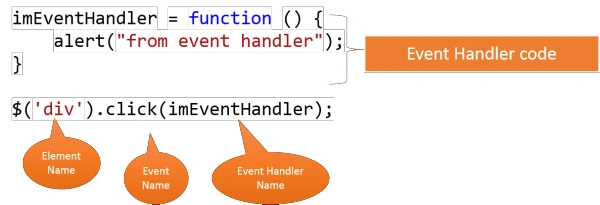
An Event Handler is code attached to an element that executes when an event occurs on that element. One picture is worth a thousand words, so look at the following picture:
DOM Tree
The DOM Tree contains all the HTML elements or objects in the proper hierarchy. Check the following code:
<html>
<head>
<script ></script>
<script ></script>
</head>
<body>
<div></div>
<div></div>
</body>
</html>
The DOM tree for the code above is:

A few points about the DOM tree are:
-
The parent node in the HTML code above is a root node as well as a parent node of all the elements.
-
The Body is a parent node for the div elements.
-
Div is a child node of the body. It is also called a descendant node of the body.
Now let's proceed toward our goal.
The bind() method and how it works
Syntax: .bind( eventType [, eventData ], handler(eventObject) )
It binds an event to an element. The event type is for example click, dblclick, mouseenter and so on. Event data is the data you want to pass to the handler. Handler is the event handler code. This method basically searches for all the elements and binds the same handler to all the matches found. Now take a closer look at all the elements found and same handler words. It is not a problem if the matched elements are only a few but the devil comes when the match goes to 3000 or more elements. Another problem is that the same handler code is used on all the handlers. That's pretty inefficient. Even worse is when you deal with dynamic DOM manipulation like adding new elements. In that case the bind will not work because when bind scans the DOM tree the element must be present in the tree otherwise the handler will not be applied. But apart from the preceding disadvantages it also has some advantages like simple syntax, easy to use and it's shorthand like click(), dblclick() and so on makes the task of adding an event handler much easier. One more thing is that if the element is removed or replaced then the handler is also. That is pretty useful in the case of Ajax calls.
The live() method and how it works
That method is deprecated now. But it is still useful for the "on()" method. "on()" is a new addition to the jQuery API. It can mimic the functionality of all the preceding three methods by varying its parameters. The advantage of using live() is it uses the concept of event bubbling. Every event is attached to the document itself and whenever that event occurs the event is passed to the top and at the top the event element selector and the event type are compared; if they match then the handler for that event is executed. It can also respond to the events that are generated by the dynamically added elements. The problem with the live is that it cannot support chaining events. Before calling the live element the jQuery needs to identify the element, and that is a time-consuming for large documents. It also does not respond to the stopPropogation() method called by the lower level element handlers because the event bubble is already at the top. It also does not respect the other event handler methods, such as document.unbind('click') removes all click events added by the live() method call. The reason for this is quite simple. Because unbind() can't differentiate between the click events added by the live() method on the document and by the bind() method.
The delegate() method and how it works
Syntax: .delegate( selector, eventType, handler(eventObject) )
-
selector
A selector to filter the elements that trigger the event. -
eventType
A string containing one or more space-separated JavaScript event types, such as "click" or "keydown," or custom event names. -
handler(eventObject)
A function to execute at the time the event is triggered.
The delegate() method is quite similar to live() but in this you can control on which node the events will be added. Both functions make use of the event bubbling. Internally it also uses the live() method. The only difference is it catches fewer bubbles compared to live() and is closer to the original source of the event. It can also respond to dynamic element events. The only thing that makes apparent mark for choosing between live() and this is the root node. If your document contains some parent node that you think will not be replaced then use this otherwise live() will be good.
Have a look at following code:
<html>
Sourav KayalPosted Aug 11, 2013, 6:05 AM
Good article.