

Introduction
In computer networking, different devices control how data moves between devices and networks. Three key devices are Layer 2 switches, Layer 3 switches, and routers. Each one has a different job in the network.
- Layer 2 switches help devices in the same network talk to each other.
- Layer 3 switches do both switching and routing, letting data move between different parts of a network.
- Routers connect different networks, like your home network, to the internet.
What is Computer Networking?
Networking is when computers and devices are connected to each other so they can share information. This can be done with wires (like Ethernet cables) or without wires (like Wi-Fi). Networking lets devices talk to each other, share files, and connect to the internet. It’s important for both businesses and homes that use technology.
What is a Network Switch?
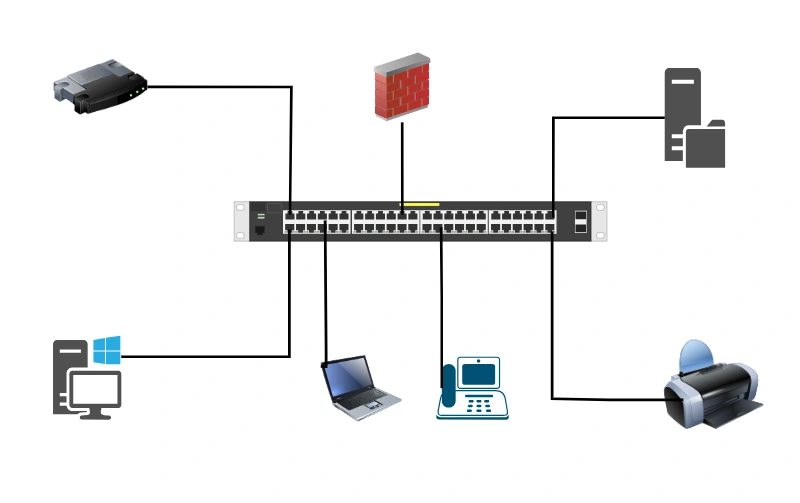
A networking switch is a device that connects multiple computers and devices in a network, allowing them to communicate and share information with each other.
What is a Layer 2 Switch?
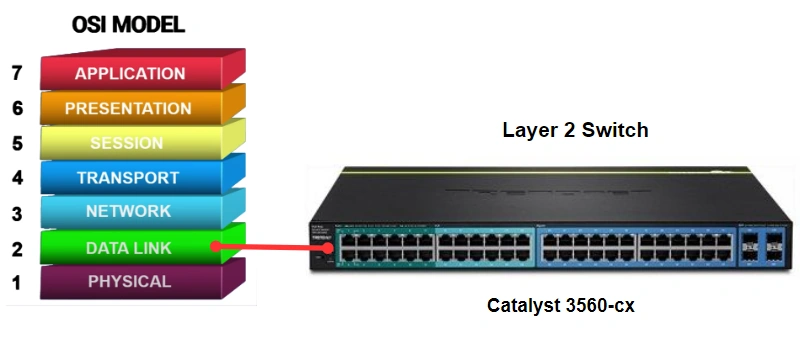
A Layer 2 switch works in the Data Link Layer (Layer 2) of the OSI model. It uses MAC addresses to send data to the right device.
Features
- Sends data using MAC addresses (every device has a MAC address).
- Remembers which device is connected to which port.
- Fast for local communication.
Example
If you connect computers and printers in one room, a Layer 2 switch can help them talk to each other.
What is a Layer 3 Switch?
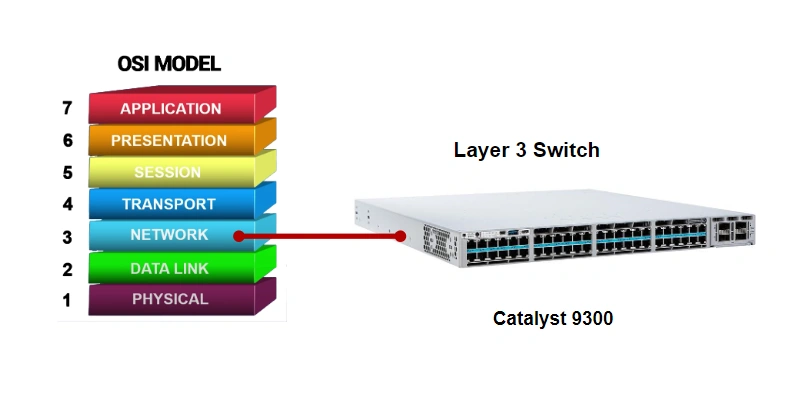
A Layer 3 switch works in both Layer 2 and Layer 3 of the OSI model. It can send data between different networks or VLANs.
Features
- Data can be sent using IP addresses, too.
- Works faster than routers but also does some routing.
- Used when you have VLANs (Virtual LANs) in a big network.
- Good for schools or offices with many departments.
Example
If the finance and marketing departments are in different networks, a Layer 3 switch can help them communicate.
What is a Router?
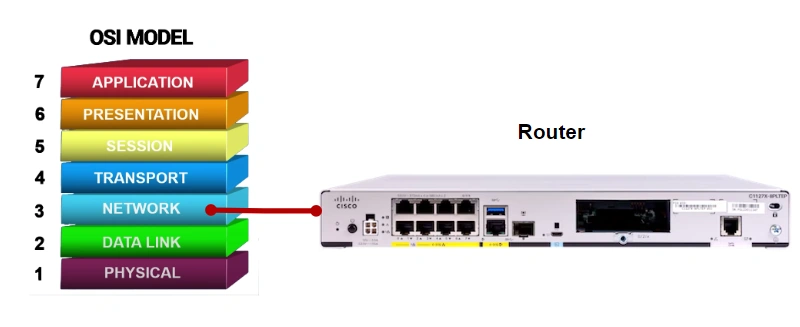
A router works in the Network Layer (Layer 3). It connects different networks, like your home network, to the internet.
Features
- Uses IP addresses to send data to other networks.
- Helps different networks talk to each other.
- Often used to connect to the internet.
- Can do extra things like a firewall and NAT (to protect your network).
Example
At home, your router connects your Wi-Fi devices to the internet.
Main Differences Table

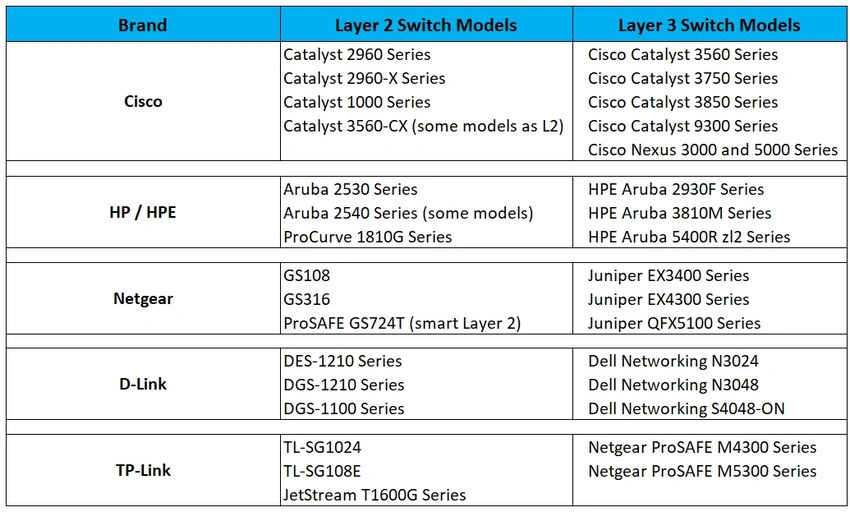
Popular Layer 2 and Layer 3 switch models
Conclusion
Layer 2 switches connect devices in the same network, Layer 3 switches connect different parts of a big network, and routers connect different networks like your network to the internet.
Join the conversation! Your thoughts help the community grow.