

Introduction
Every developer uses HTML controls for various tasks in HTML and the task can be any. So depending on the task, the developer uses the relevant HTML control but here is a question.
Question: Can you change the mouse pointer depending on the text and task of a control?
Answer: Yes, you can do this in HTML via CSS. There is a property named "cursor" to set the style of an HTML Control.
To learn more about this read further.
Step 1: Create a Page of HTML named "HtmlPage.html" and open it in any editor. The HTML will look like:
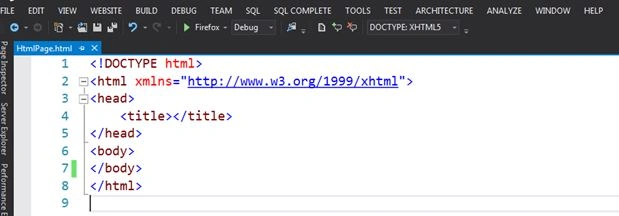
Note: Here I am using Visual Studio 2012 as an editor.
Step 2: Now I will use only a Hyperlink to explain the various mouse pointers easily.
Add the anchor tag on the HTML page for creating the Hyperlink.
- <a href="#">My HyperLink</a>
To add the mouse pointer, you need to just add the following code to the anchor tag -style="cursor: default;"
Here "default" is the default mouse pointer type.
Various Kinds of Mouse Pointers in HTML
Here "default" is the default mouse pointer type.
Various Kinds of Mouse Pointers in HTML
- Alias: It is used for a shortcut or to an alias somewhere.
Visual Studio Tool Tip for this Mouse pointer.- <a href="#" style="cursor:alias;">My HyperLink</a>

After running the page, check the mouse pointer.
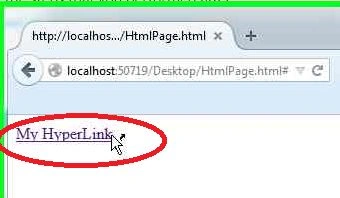
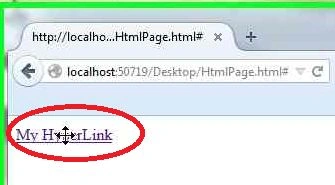
- All- Scroll: It is used to indicate to scroll in any direction.
Visual Studio Tool Tip for this Mouse pointer.- <a href="#" style="cursor: all-scroll;">My HyperLink</a>

After running the page, check the mouse pointer.
- Cell: It is used for a selected cell or set of cells.
Visual Studio Tool Tip for this Mouse pointer.- <a href="#" style="cursor: cell;">My HyperLink</a>

After running the page, check the mouse pointer.

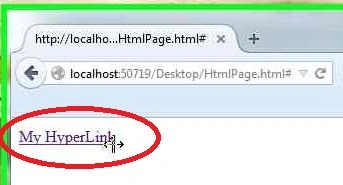
- Col- Resize: It is used for a resize of the columns horizontally.
Visual Studio Tool Tip for this Mouse pointer.- <a href="#" style="cursor: col-resize;">My HyperLink</a>

After running the page, check the mouse pointer.
- Copy: It indicates that some text has been copied.
Visual Studio Tool Tip for this Mouse pointer.- <a href="#" style="cursor: copy;">My HyperLink</a>

After running the page, check the mouse pointer.
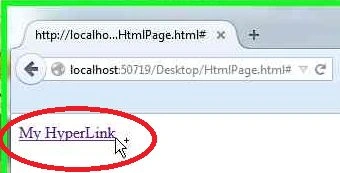
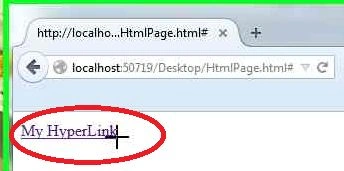
- Crosshair: With a "+" sign.
Visual Studio Tool Tip for this Mouse pointer- <a href="#" style="cursor: crosshair;">My HyperLink</a>

After running the page, check the mouse pointer.
- Help: It is used to indicate the help.
Visual Studio Tool Tip for this Mouse pointer.- <a href="#" style="cursor help;">My HyperLink</a>

After running the page, check the mouse pointer.

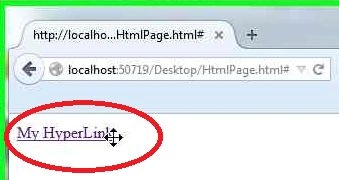
- Move: It is used to indicate that something is moving.
Visual Studio Tool Tip for this Mouse pointer.- <a href="#" style="cursor: move;">My HyperLink</a>

After running the page, check the mouse pointer.
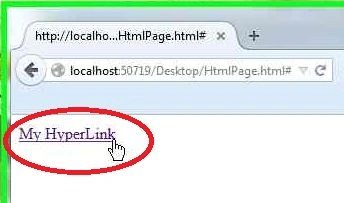
- Pointer: It is used to indicate a pointer.
Visual Studio Tool Tip for this Mouse pointer.- <a href="#" style="cursor: pointer;">My HyperLink</a>

After running the page, check the mouse pointer.
- Progress: It is used to indicate progress.
Visual Studio Tool Tip for this Mouse pointer.- <a href="#" style="cursor: progress;">My HyperLink</a>

After running the page, check the mouse pointer.
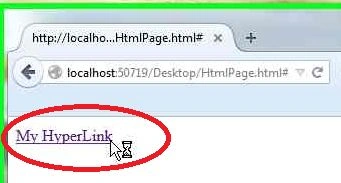
- No-Drop: It is used to indicate that the dropping off a dragged item is not allowed.
Visual Studio Tool Tip for this Mouse pointer.- <a href="#" style="cursor: no-drop;">My HyperLink</a>

After running the page, check the mouse pointer.
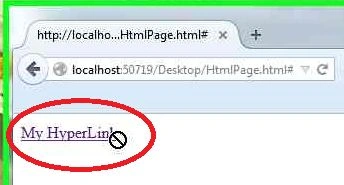
- Not-Allowed: It is used for a dragged item to indicate that dragging is not allowed.
Visual Studio Tool Tip for this Mouse pointer.- <a href="#" style="cursor: not-allowed;">My HyperLink</a>

After running the page, check the mouse pointer.
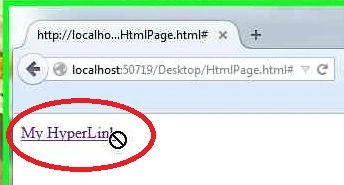
- Text: It is used for a dragged item to indicate the selection of text horizontally.
Visual Studio Tool Tip for this Mouse pointer.- <a href="#" style="cursor: text;">My HyperLink</a>

After running the page, check the mouse pointer.

- Vertical -Text: It is used for a dragged item to indicate the selection of text vertically.
Visual Studio Tool Tip for this Mouse pointer.- <a href="#" style="cursor: vertical-text;">My HyperLink</a>

After running the page, check the mouse pointer.
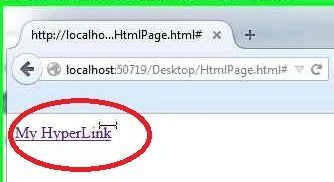
- Wait: It is used to indicate that the program is busy and the user should wait.
Visual Studio Tool Tip for this Mouse pointer.- <a href="#" style="cursor: wait;">My HyperLink</a>

After running the page, check the mouse pointer.

- Zoom-In: It is used to indicate zoom-in.
Visual Studio Tool Tip for this Mouse pointer.- <a href="#" style="cursor: zoom-in;">My HyperLink</a>

After running the page, check the mouse pointer.
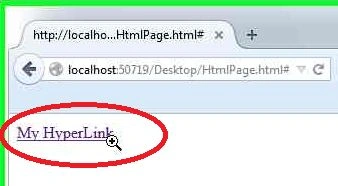
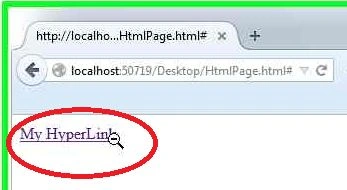
- Zoom-Out: It is used to indicate zoom-out.
Visual Studio Tool Tip for this Mouse pointer.- <a href="#" style="cursor: zoom-out;">My HyperLink</a>

After running the page, check the mouse pointer.
- None: There will be no pointer shown.
Visual Studio Tool Tip for this Mouse pointer.- <a href="#" style="cursor: none;">My HyperLink</a>

After running the page, check the mouse pointer.

Note: You can do the same thing to any control like input type (text, button and so on), textarea and many more.
Conclusion
I hope now you can change the mouse pointer depending on the task and control.
Karthik Muthu KaruppanPosted Mar 20, 2015, 11:11 AM
informative