

Introduction
Windows constantly provide support by giving alerts to your system. I recommend not disabling the Action Center but If you want to eliminate constant security alerts in your desktop, use the following procedure.
Disabling the Notification Center in Windows 10 is quite similar as for older versions of Windows like Windows 8.
To disable the Notification Center we need to use the following simple procedure.
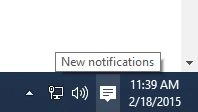 Step 1
Right-click on the Taskbar and then click on Properties.
Step 1
Right-click on the Taskbar and then click on Properties.
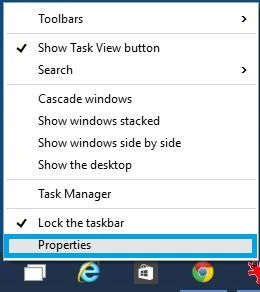 Step 2
The Taskbar and Start Menu Properties windows appear, click on Customize, you will have Notification Area Icons on the screen.
Step 2
The Taskbar and Start Menu Properties windows appear, click on Customize, you will have Notification Area Icons on the screen.
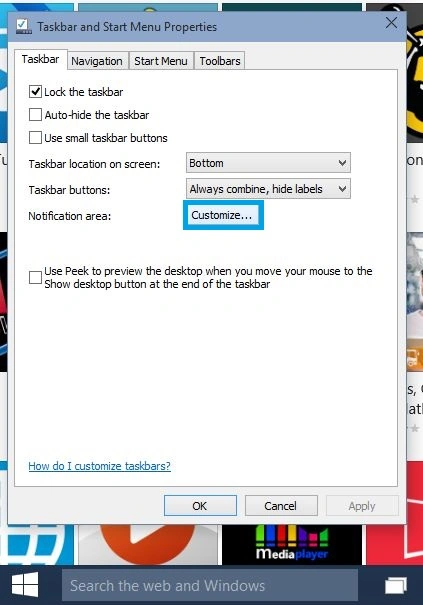 Step 3
Click on the Turn System icons on or off-link.
Step 3
Click on the Turn System icons on or off-link.
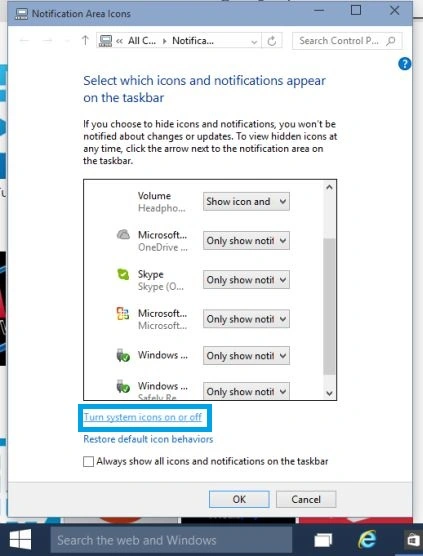 Step 4
The System Icons window will appear.
Step 4
The System Icons window will appear.
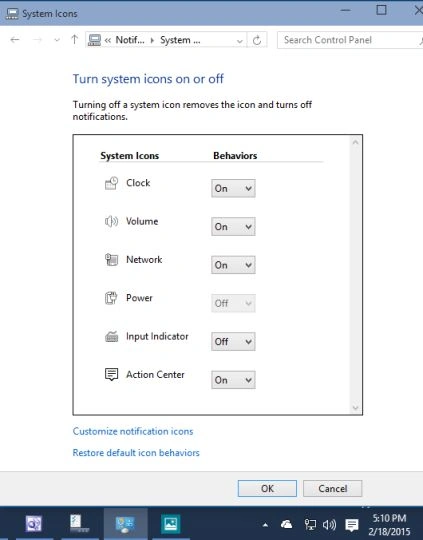
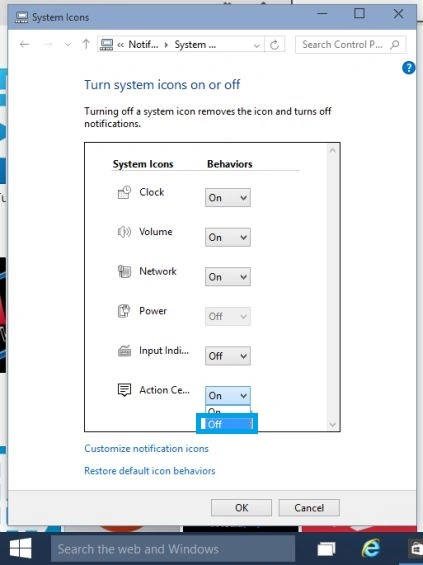
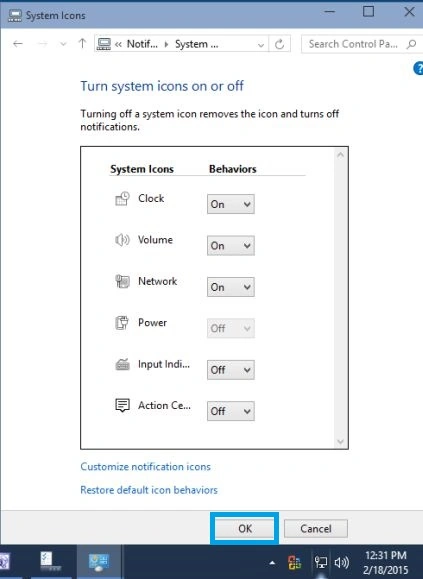
Step 4
Change the behavior of the Action Center to off.
i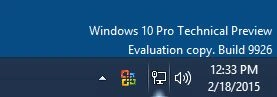
Summary
In this article, we learned about Disable Action Center in Windows 10.
Gowtham RajamanickamPosted Apr 12, 2015, 12:27 PM
good
Shridhar SharmaPosted Feb 25, 2015, 11:57 PM
Yupe Rahul Saxena sir, Enjoying a lot :)
Rahul Kumar SaxenaPosted Feb 25, 2015, 1:20 PM
Enjoy W 10..
Shridhar SharmaPosted Feb 19, 2015, 2:17 AM
Not in this build, you will be able to browse through Spartan probably in upcoming build.
Harpreet SinghPosted Feb 19, 2015, 2:05 AM
have they included the spartan browser in the new build??
Shridhar SharmaPosted Feb 19, 2015, 1:47 AM
Exactly.its been learning experience for me as well. :) Thanks Harpreet Singh sir putting your point of view here. :)
Harpreet SinghPosted Feb 19, 2015, 1:31 AM
you are surely enjoying and exploring windows 10...keep it up :)