Here you will find the steps:
Step 1
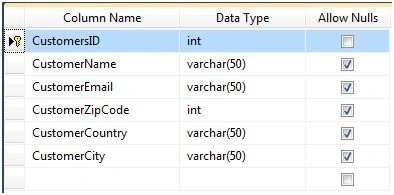
Below, you will find the table used in the application.
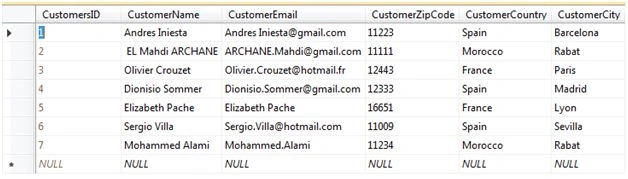
After creating the table, you can fill it using, for example, the data rows as shown below:
Step 2
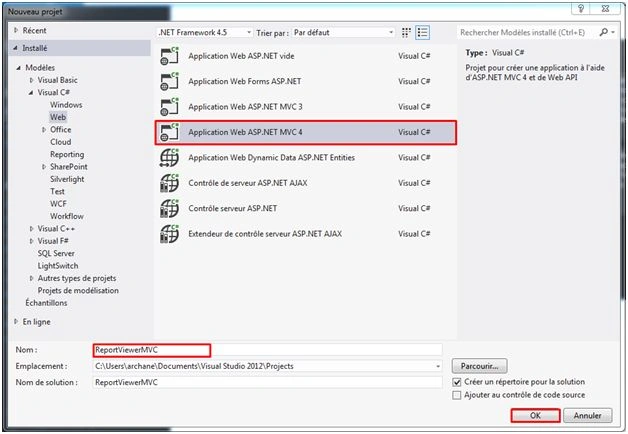
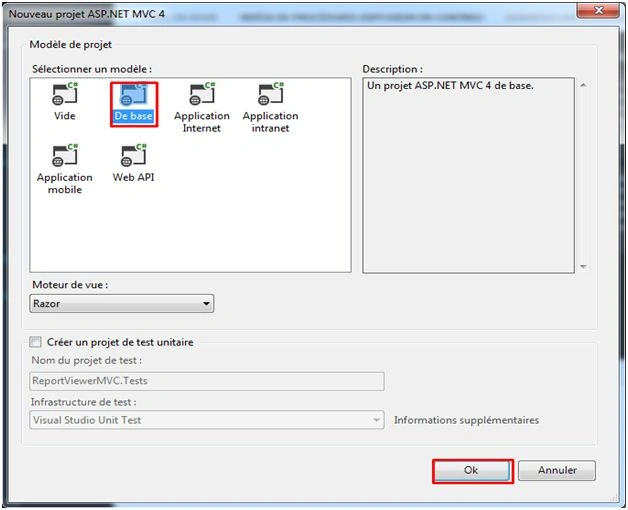
Open Visual Studio, and Add New Project.
Step 3
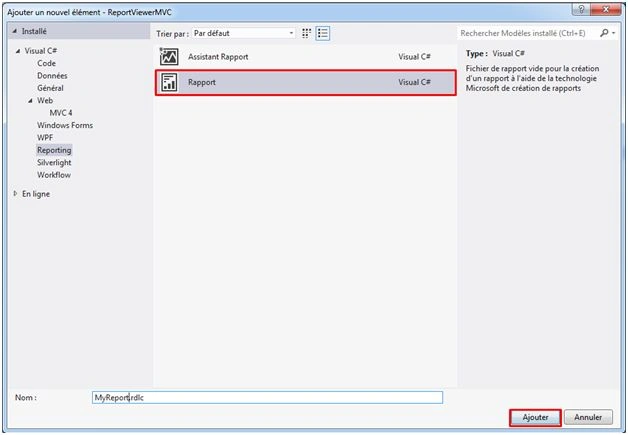
Add Report file (.rdlc).
Now, you need to add a report file (.rdlc). Right click on project name and then Add> Add New Item > Reporting > Report > Add.
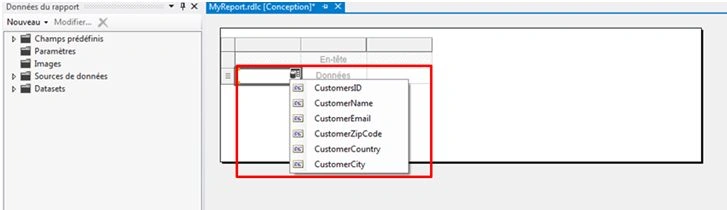
In this part, we need to configure our Report View with the fields which you want to add in the report. In this case, I chose to add all fields of my table.
Step 4
Configuring Dataset.
Here, we need to repeat the following steps for getting the same result.
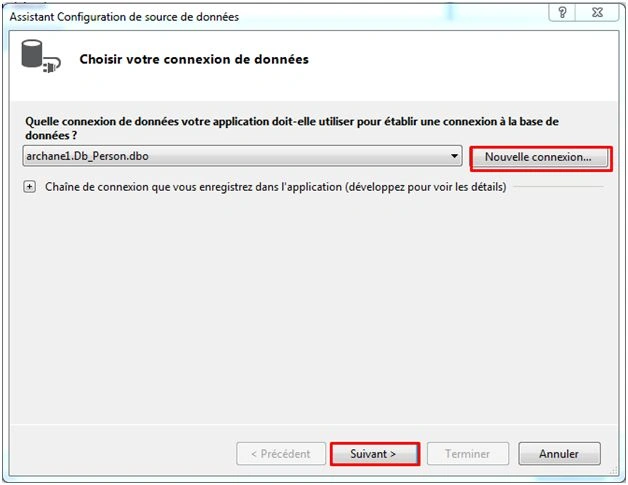
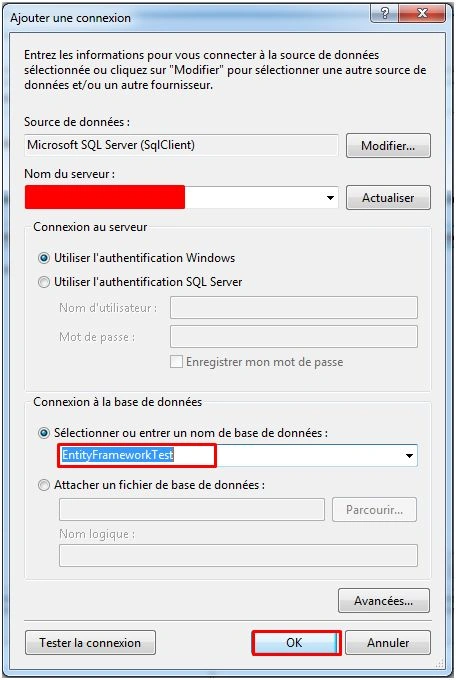
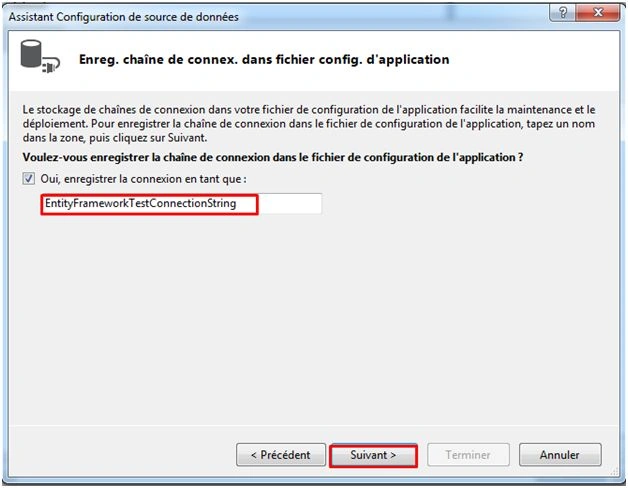
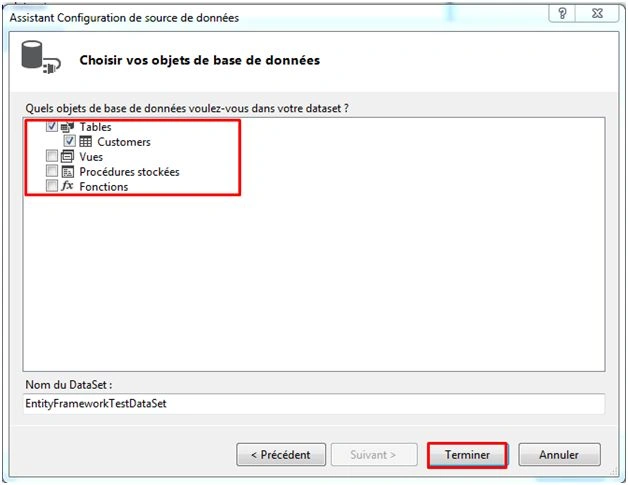
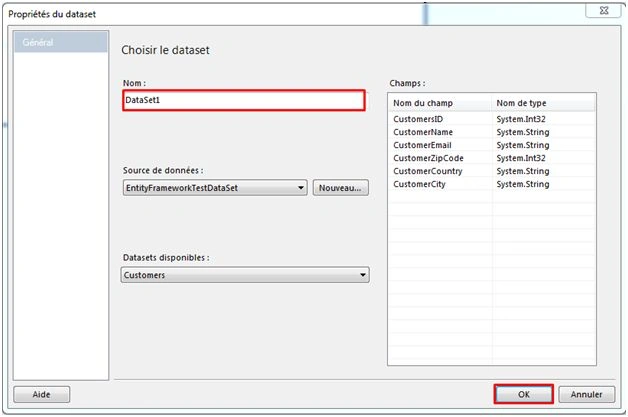
After finishing the steps shown below, we will pass to the next step.
Step 5
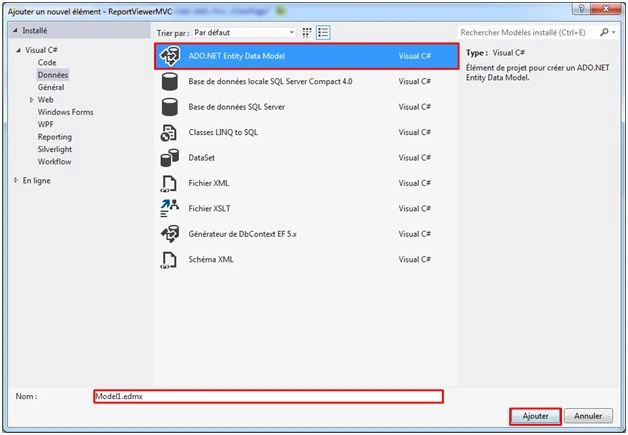
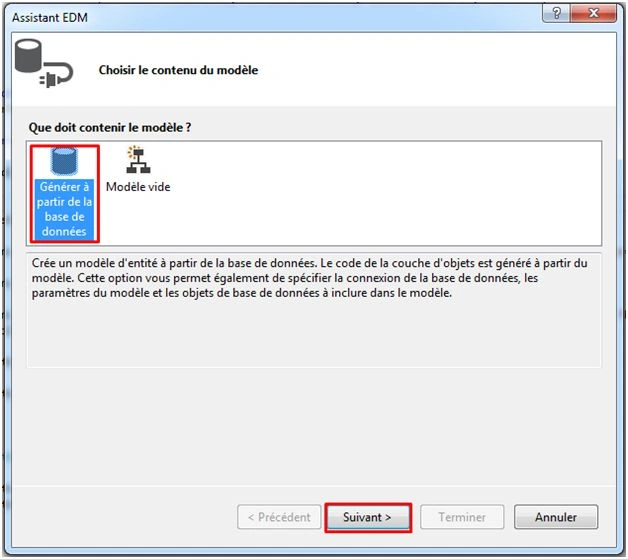
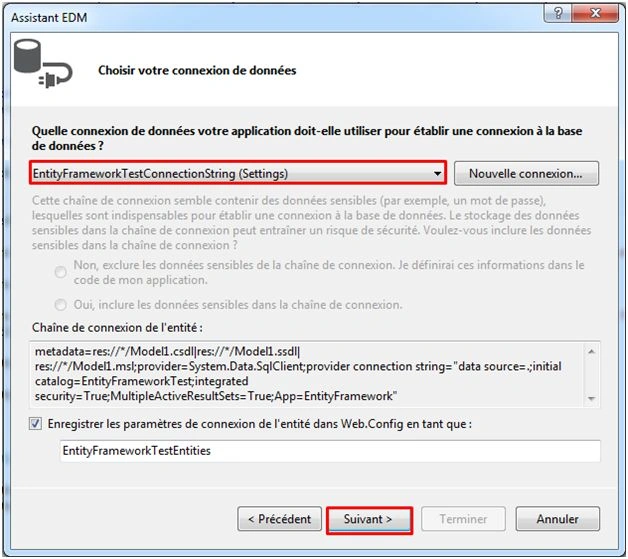
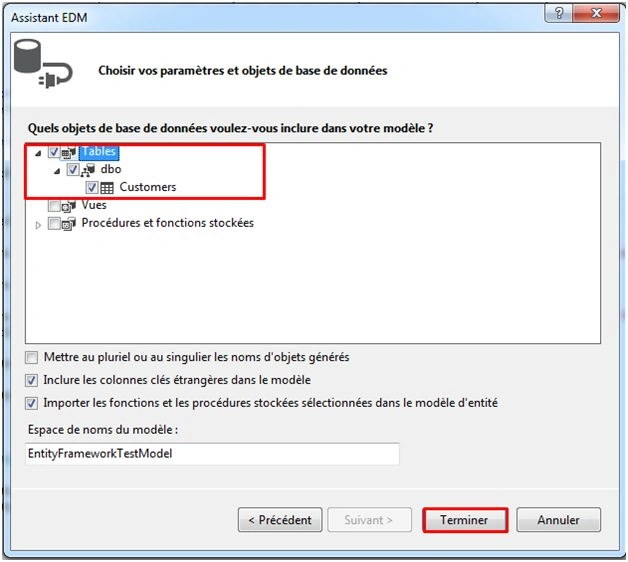
Add Entity Data Model.
Right click on project name from solution explorer, then Add > New Item > Select ADO.Net Entity Data Model > Add.
Step 6
Add a View with .Aspx extension into the shared Folder.
Right Click on shared folder > Add > New Item >View Page (ASPX).
Step 7
You will add Report Viewer and Script Manager Controls from ToolBoxpanel as shown below.
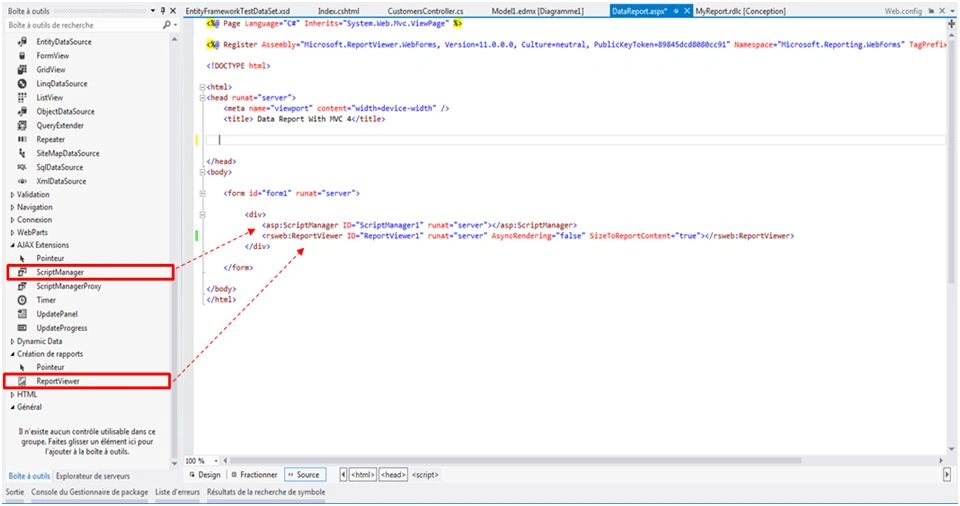
Now, write the code between the head tag as follow.

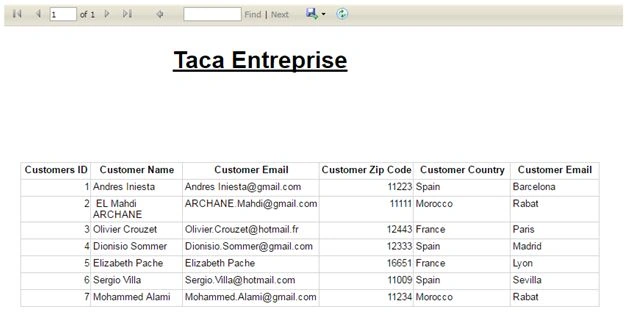
Display Data in Report Viewer with MVC 4
Join the conversation! Your thoughts help the community grow.
Sign in to leave a comment
It is the same account you read, post and publish with — and you will come straight back to this page.
Aj DhavalePosted Jun 22, 2018, 2:29 AM
I have the next error while calling index method.... Error=The view at '~/Views/Shared/Myview.aspx' must derive from ViewPage, ViewPage<TModel>, ViewUserControl, or ViewUserControl<TModel>.
Ahmed AbdiPosted Sep 28, 2017, 12:55 PM
Nice article thanks for the share
Pablo FotiPosted Jun 28, 2017, 12:36 PM
Thanks a lot! i have the next error: Error de configuraci?n del visor de informesEl controlador HTTP de controles web del visor de informes no est? registrado en el archivo web.config de la aplicaci?n. Agregue <add verb="*" path="Reserved.ReportViewerWebControl.axd" type = "Microsoft.Reporting.WebForms.HttpHandler, Microsoft.ReportViewer.WebForms, Version=12.0.0.0, Culture=neutral, PublicKeyToken=89845dcd8080cc91" /> a la secci?n system.web/httpHandlers del archivo web.config, o bien agregue <add name="ReportViewerWebControlHandler" preCondition="integratedMode" verb="*" path="Reserved.ReportViewerWebControl.axd" type="Microsoft.Reporting.WebForms.HttpHandler, Microsoft.ReportViewer.WebForms, Version=12.0.0.0, Culture=neutral, PublicKeyToken=89845dcd8080cc91" /> a la secci?n system.webServer/handlers para Internet Information Services 7 o posterior.
Santhakumar MunuswamyPosted Jun 25, 2016, 3:09 AM
Nice share
C# CornerPosted Jun 15, 2016, 6:58 AM
Hi Mahdi Ar, nice article, thanks for sharing. For those who don't know, another possibility for showing Report Viewer reports in MVC websites is to use the "ReportViewer for MVC" library. You can find it in CodePlex: https://reportviewerformvc.codeplex.com/
Kuppurasu NagarajPosted Jun 14, 2016, 1:16 PM
Nice Sharing..
Vignesh ManiPosted Jun 14, 2016, 12:14 PM
Nice
RajaPosted Jun 13, 2016, 12:34 AM
Nice Sharing...
Debasis SahaPosted Jun 13, 2016, 12:14 AM
Nice share..
Deeksha PanditPosted Jun 12, 2016, 2:18 PM
Thanks for sharing . Nice article