

Docker Desktop 4.37 delivers incremental yet impactful updates designed to simplify life for developers. This release introduces AI integration into workflows and enhances operational efficiency, reflecting Docker’s commitment to addressing modern development challenges.
Unlocking AI Development: AI Catalog Integration in Docker Desktop
As artificial intelligence and machine learning (AI/ML) gain traction, many developers struggle with the fragmented availability of prebuilt AI models and tools. Hunting through various platforms, managing compatibility issues, and spending valuable time on setup detracts from innovation.
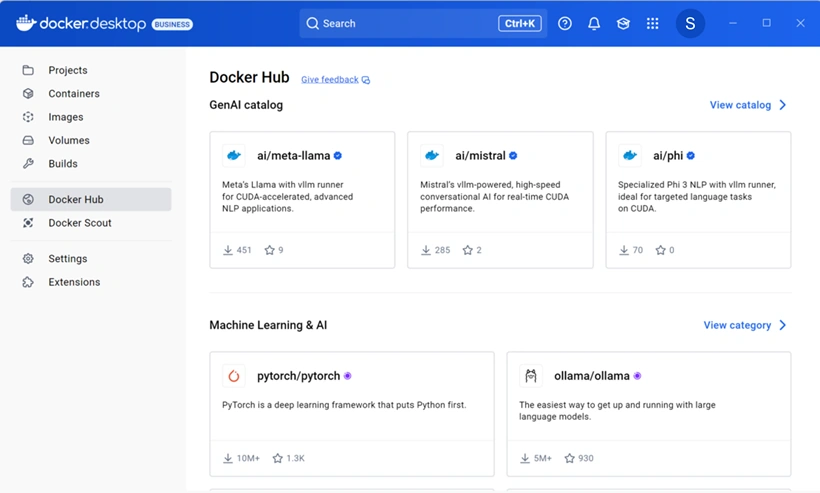
Docker Desktop 4.37 tackles this problem by integrating the AI Catalog in Docker Hub directly into the Docker Desktop interface. This feature streamlines access to AI resources, allowing developers to seamlessly pull, discover, and incorporate AI models into their projects.
Whether you're exploring pre-trained machine learning models or experimenting with generative AI tools, this direct integration makes AI-driven innovation accessible and effortless.
Key Advantages of the AI Catalog Integration
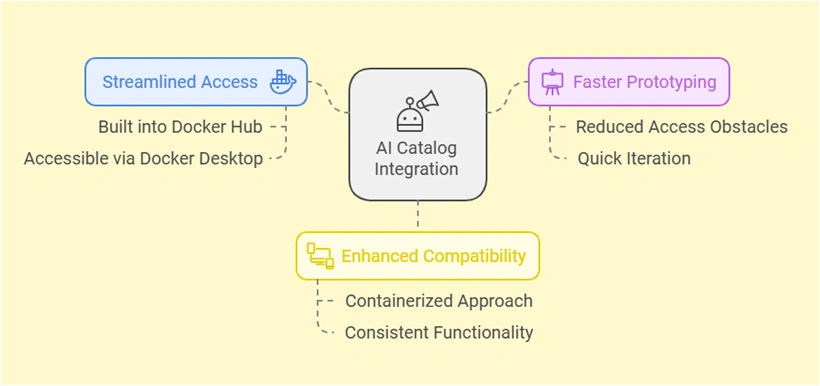
- Streamlined Access: Developers no longer need to leave their workspace to find AI tools. The AI Catalog is built into Docker Hub and is easily accessible through Docker Desktop.
- Faster Prototyping: With fewer obstacles to access, teams can iterate on ideas and prototypes quickly.
- Enhanced Compatibility: Docker's containerized approach ensures that AI models function consistently across different environments, reducing compatibility issues.
For teams venturing into AI/ML applications or even those just starting with AI experimentation, this feature is a game-changer that promotes productivity and innovation without interruptions.
Command-Line Management: Efficiency for Terminal Users
Many developers prefer terminal-based workflows or rely on automation to manage their tasks. However, previous versions of Docker Desktop often required developers to navigate its graphical user interface (GUI) for certain operations, creating friction for power users and automation enthusiasts.
Docker Desktop 4.37 bridges this gap by introducing command-line capabilities for managing Docker Desktop itself. This update enables developers to start, stop, restart, and check the status of the Docker Desktop without switching to the GUI.
Benefits of Command-Line Operations:
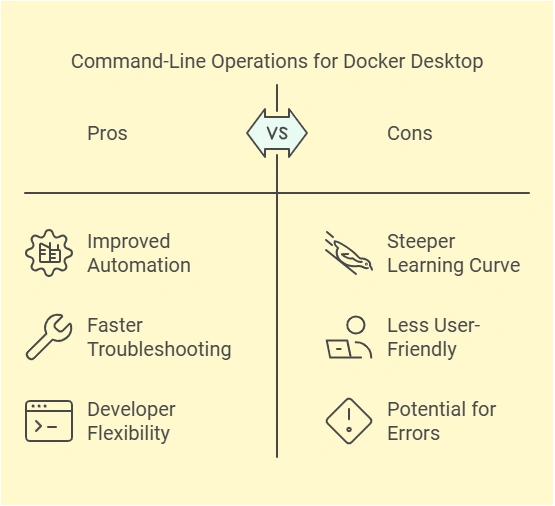
- Improved Automation: Seamlessly integrate Docker Desktop operations into CI/CD pipelines, reducing manual intervention.
- Faster Troubleshooting: Monitor and resolve issues directly from the terminal for a quicker resolution process.
- Developer Flexibility: Offers a distraction-free experience to developers who prefer terminal environments.
Join the conversation! Your thoughts help the community grow.