
Open the SharePoint site.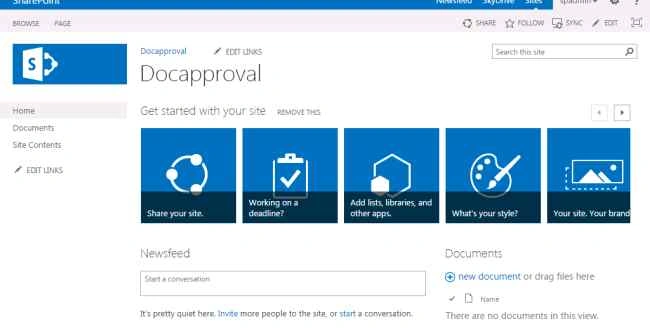
Create the Document Library.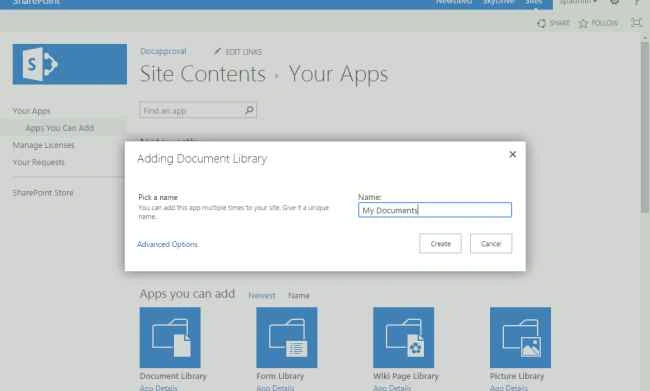
Click on workflow settings.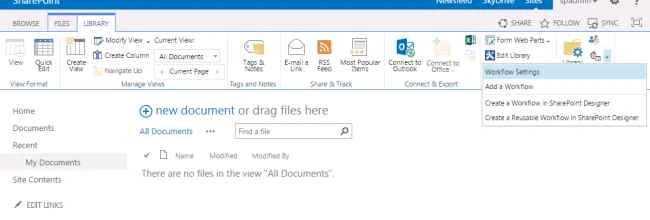
Select the Workflow association type as “Document”.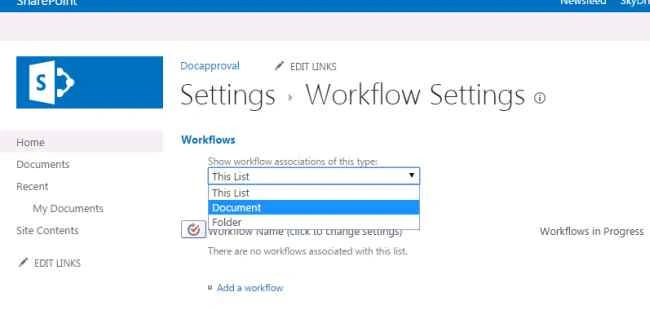
Click on Add a workflow.
Select the approval workflow then provide the name for the workflow, “Approval Status”.
Create a new task list for this workflow.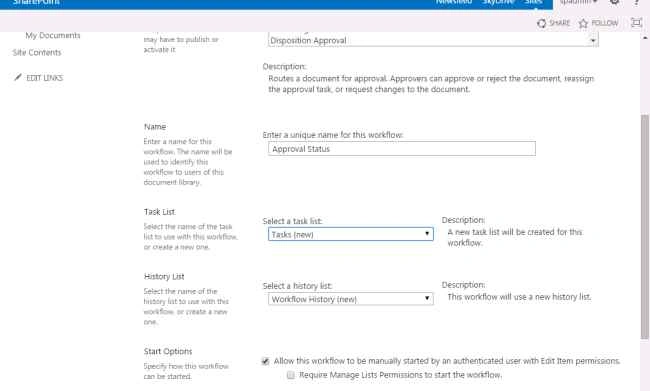
Uncheck Allow this workflow to be manually started.
Check the box Create a new item will start this workflow.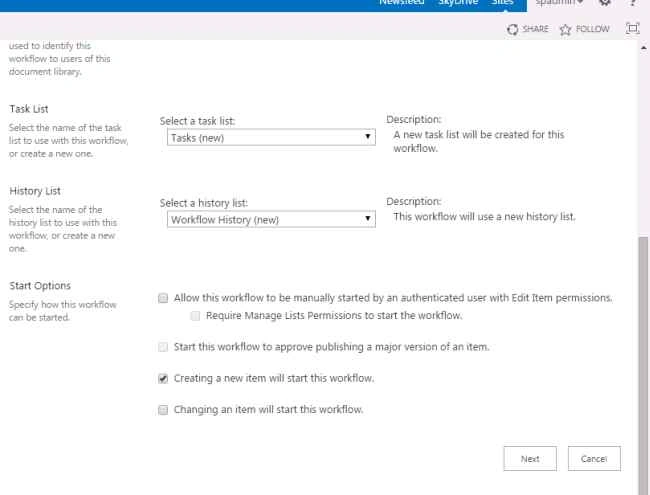
Click Next.
Provide the approvers for this workflow.
Provide the document request message.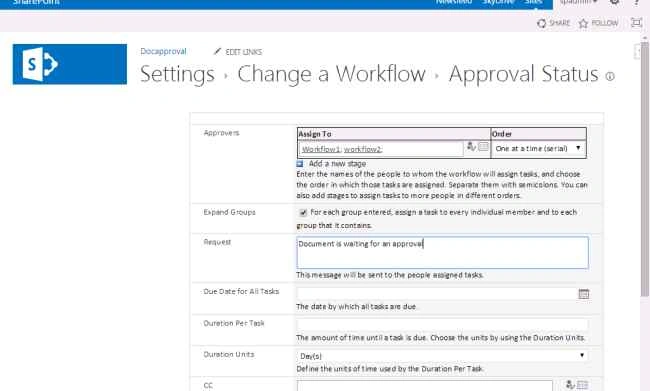
Check “Automatically reject the document if its rejected by any user”, so it will reject the document if it's rejected by any one of the users.
Check “Automatically reject the document if it change before the workflow has been completed”, so the document has been rejected when the user has been deleted or changed.
Click Save.
So now you can see the simple Approval Workflow has been created.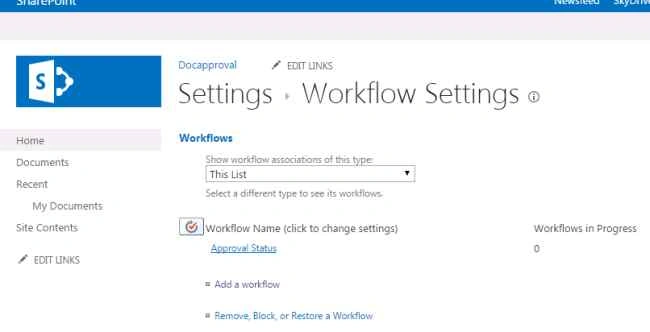
Now open the Document Library to upload the document.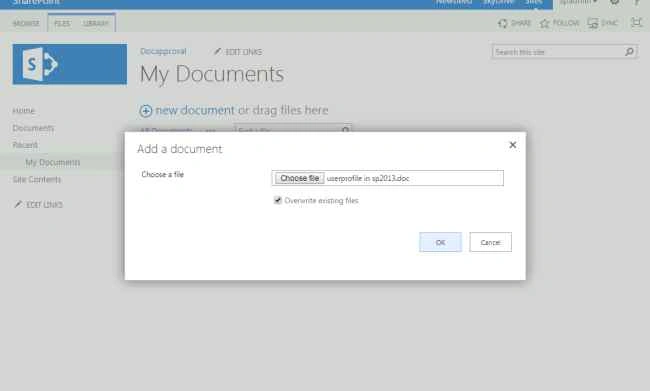
Now you see the Approval status has been InProgress.
Now login as approvers username and password to approve the tasks.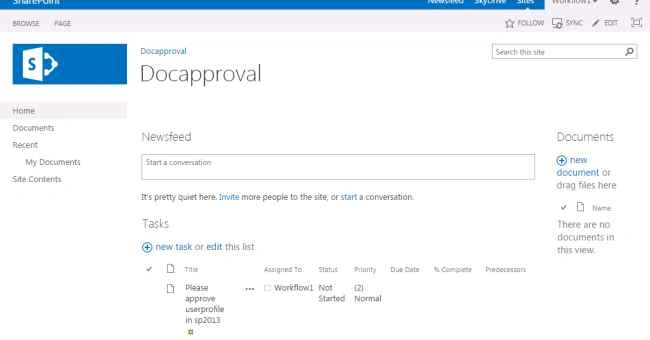
Enter your comments and click approve or reject.
After approval of both from both users you can now see the status of the document.
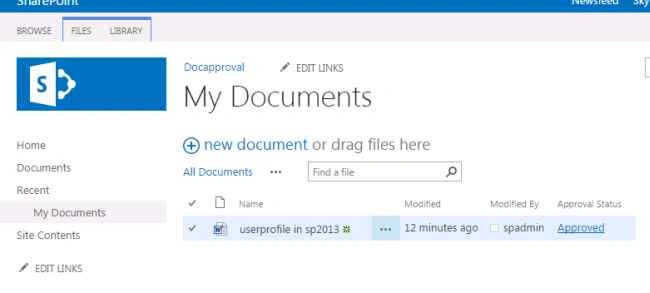
So the document has been approved successfully.
If you need to read the comments provided by the approver click on the approved status link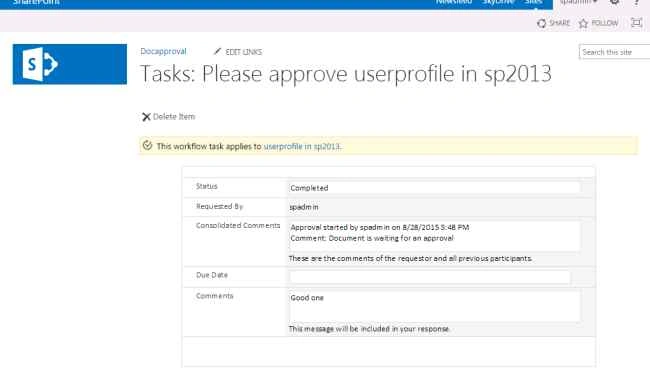

Document Approval Workflow in SharePoint 2013
Join the conversation! Your thoughts help the community grow.
Sign in to leave a comment
It is the same account you read, post and publish with — and you will come straight back to this page.
Shubham SawantPosted Sep 11, 2018, 4:10 AM
Nice Article!!
Raja SekarPosted May 24, 2017, 9:07 AM
Good article. Thanks for sharing...
Rajeesh MenothPosted Aug 31, 2015, 12:37 AM
Nice One
Vinodh NarayananPosted Aug 30, 2015, 2:40 AM
Sibeesh Venu Thanks a lot
Sibeesh VenuPosted Aug 30, 2015, 1:14 AM
Nice Share
Vinodh NarayananPosted Aug 29, 2015, 12:15 PM
Lakshmanan Sethu Thank you sir
Lakshmanan Sethu SankaranarayanPosted Aug 29, 2015, 11:46 AM
Good Start Vinoth!! Welcome
Vinodh NarayananPosted Aug 29, 2015, 4:29 AM
Santhakumar Munuswamy Thanks sir
Santhakumar MunuswamyPosted Aug 29, 2015, 4:26 AM
Good article. Thanks for sharing
Vinodh NarayananPosted Aug 29, 2015, 3:25 AM
Thnaks a lot yashwanth
Yashwanth MuthineniPosted Aug 29, 2015, 3:02 AM
Nice Share
Vinodh NarayananPosted Aug 29, 2015, 2:11 AM
thanks mohammed
Mohammed IbrahimPosted Aug 29, 2015, 1:50 AM
nice
Vinodh NarayananPosted Aug 29, 2015, 12:28 AM
Thank you gopi
Gopi ChandPosted Aug 28, 2015, 11:39 PM
Nice
Vinodh NarayananPosted Aug 28, 2015, 11:20 PM
Thanks
Karthikeyan KPosted Aug 28, 2015, 9:02 PM
Good one sir...Thanks for share
Vinodh NarayananPosted Aug 28, 2015, 9:00 PM
Thank u
Gowtham KPosted Aug 28, 2015, 8:57 PM
Good one
Vinodh NarayananPosted Aug 28, 2015, 8:57 PM
Thanks
Pankaj Kumar ChoudharyPosted Aug 28, 2015, 8:23 PM
nice explain sir.............