

This article is an introduction to numbers In QlikView applications.
Document properties of QlikView documents
There are various document properties of QlikView documents. Then go to Settings -> Document properties.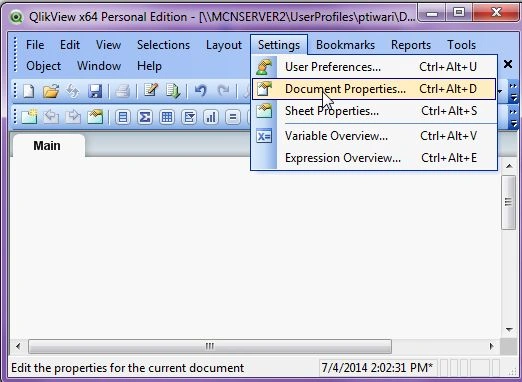
Now I will explain what a Number is in QlikView document properties.
Introduction to Number
This property tab can be used to set number formatting settings for all field and also variables of the document. In this window, the left side displays either fields or variables of the document.
The following are various types of number settings.
Fields: In this setting we set either fields or variables.
Number Format Settings: These settings can be used only for setting the number format of variables or fields. These settings consider various number formats. These are.
- Mixed: In this type of number format setting, we can set both numbers and text. In this the numbers are given in their original format.
- Number: This setting shows numeric values with the number of digits set in the Precision box.
- Integer: It shows numeric values as an integer.
- Fixed to: It shows numeric values as decimal values with the number of decimal digits set in the Decimals box.
- Money: It shows numeric values in the format shown in the Preview text box. The default format is the Windows Currency setting.
- Date: It shows numeric values in the date format. The format is set in the Format Pattern edit box. When we select the date format, then it will show in the Preview text box.
- Time: It shows numeric values in the time format. The format is set in the Format Pattern edit box. When we select time format, then it will show in the Preview text box.
- Timestamp: It shows numeric values in the date+time format. The format is set in the Format Pattern edit box. When we select date format, then it will show in the Preview text box.
- Interval: It shows time as a sequential time increment.
Show in Percent (%): This button can be used to set numeric values as Number, Integer and Fixed to.
Separators: In this group, we set types of separators for numeric values in the edit box. There are two types of separators.
- Decimal
- Thousand
ISO: This button uses the ISO standard to format date, time and timestamp values.
System: This button uses the system settings for the formatting.
Field Options: It is a group that is only used for fields. There are the following two types of options.
- Default from Input: This button sets the formatting of the input.
- Survive Reload: When we select the survive reload option then the formatting is to applied to the document permanently.
Summary
This article provided an introduction to numbers in QlikView and described what numbers are in document properties.
Kesava ReddyPosted Jan 15, 2015, 11:06 PM
Good job
Gopi ChandPosted Jul 15, 2014, 12:31 AM
Great article...properly explained..