

Introduction
In Silverlight 4, the plugin itself supports Drag and Drop events. In this article we will see how can we use the DropTarget to capture files from local system.
Creating Silverlight Project
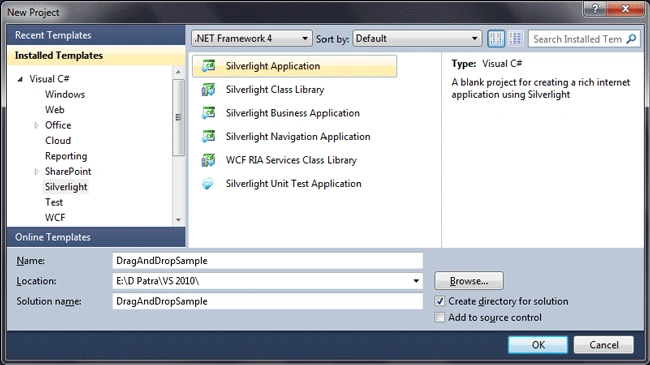
Fire up Visual Studio 2010 and create a new Silverlight Application Project. Name it as DragAndDropSample.
Let's have a ListBox and a Border which can fulfill our requirement.
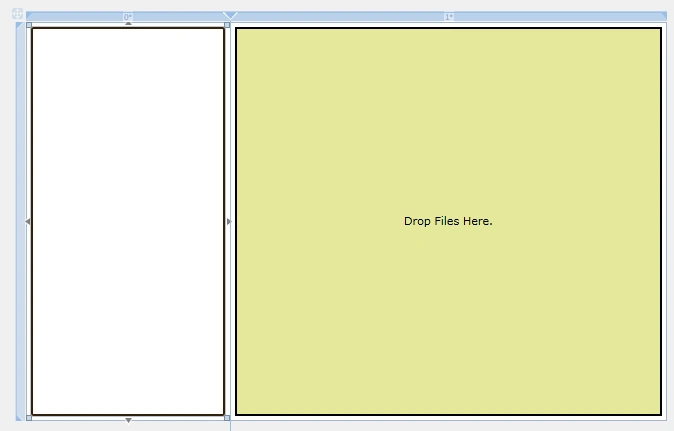
As you see in above image, the RightSide pane is the Drop Target and the LeftPane will Populate the list of items dropped.
Let's have a class that will help us binding the files into listbox.

Now let's change the default ItemTemplate of the ListBox.

Now Let's have the Drop event of the Border so that we can capture the files.

Now that everything is done in XAML, let's go to the code behind and write code into the DropHere event.



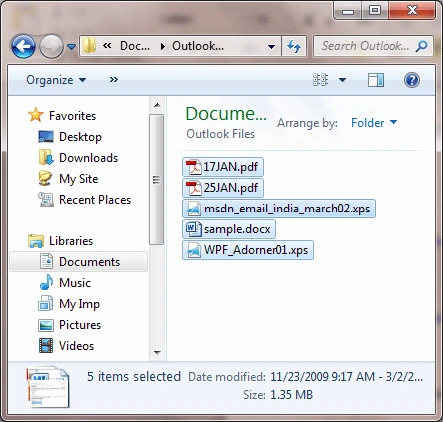
Now we are good to go. Let's have some files from the local file system and drop onto the Drop Area.

That's it.
Hope this article helps.
Genek FejPosted Jun 8, 2013, 5:58 PM
Yes it works fine, but only one time. After first lunching application function drag&drop works only once :(
Mohan SinghPosted Feb 20, 2012, 1:02 AM
Hi Patra, I need to implement the functionality of file upload to server with drag and drop. Please help me in implement this, also provide a sample example if you have. Thanks
Thomas FooPosted Sep 14, 2011, 6:22 AM
I have only one more thing to ask for. It would be nice if you could add to this tutorial the file data... for example as a binary data.
prince vPosted Jun 12, 2011, 4:57 AM
hi i am new in silverlight how can get the full path of a file using drag drop i used, Path.GetFullPath(file.Name) but showing an error.. "File operation not permitted. Access to path 'Doc1.docx' is denied."
Vijai MauryaPosted Dec 16, 2010, 11:10 AM
very good step by step tutorials good work patra