

Introduction
This is a simple application for beginners that shows how to drag and drop a title onto canvas using HTML 5 and CSS tools. We know that HTML 5 is the advanced version of HTML. Basically HTML 5 can be used to develop 3D applications. This article is intended to help with the use of HTML5 tools to develop a drag and drop a title onto a canvas application. CSS is the acronym for Cascading Style Sheet that is used for design. CSS defines how HTML elements are to be displayed. Canvas is an important tag of a HTML 5 that is used to show the image and text in a HTML 5 application. I hope this article helps to drag and drop titles onto canvas using HTML 5 and CSS tools.
Step 1: First Open an HTML editor such as Notepad.
- Open start->Notepad.
- The name of the editor is "drag".

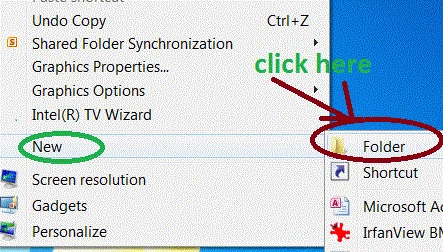
- Right-click on desktop->new->Folder.
- The name of the folder is "drop".
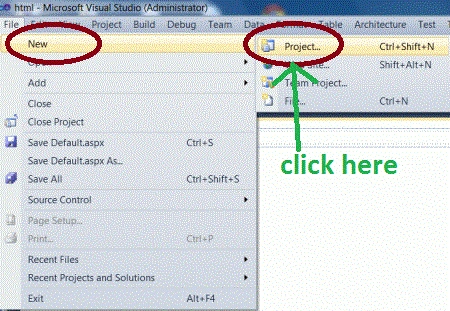
- Go to file -> New->Projects.
- Crete an ASP. NET Web Application.
- Name of "Drag.aspx".

- Right-click on Solution Explorer.
- Add->add new item->HTML form.
- The Name of the HTML form is "Drop.html".

Step 5 : Add a js file to the application. The T1.js file provides the functionality of dragging a title from one frame and dropping to another frame and the T2.js file is used to change the color of the frame after dropping the title on a frame.
Code
Step 6 : Now in this step we add a css file that sets all properties of a table. Through css we set color, size and font properties of the table.
- <script type="text/javascript" src="T1.js"></script>
- <script type="text/javascript" src="T2.js"></script>
Code
- table.userTable td a
- {
- display:inline;
- width: 20em;
- height: 2.4em;
- border: solid 1px #999999;
- text-decoration:none;
- text-align: center;
- margin-bottom: .5em;
- background-color:transparent;
- cursor:default;
- }
- .draggedUser
- {
- zoom: 2;
- opacity: .3;
- moz-opacity: .4;
- filter: alpha(opacity=30)
- }
- #unassignedUsers:hover
- {
- ackground-color:Blue;
- }
- #restrictedUsers:hover
- {
- background-color:Fuchsia;
- }
- #powerUsers:hover
- {
- background-color:Green;
- }
Step 7: In this step we define a table body container.
Code
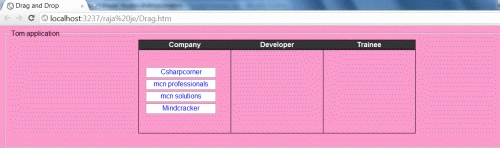
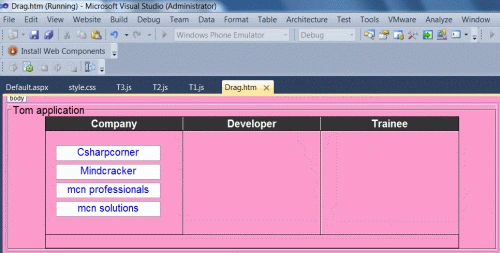 Step 8: Set a message that shows completion of dragging a title from one table to another table.
- <tbody>
- <tr>
- <td id="unassignedUsers" class="userList">
- <a href="#" draggable="true">Csharpcorner</a>
- <a href="#" draggable="true">Mindcracker</a>
- <a href="#" draggable="true">mcn professionals</a>
- <a href="#" draggable="true">mcn solutions</a>
- </td>
- <td id="restrictedUsers" class="userList">
- </td>
- <td id="powerUsers" class="userList">
- </td>
- </tr>
- </tbody>
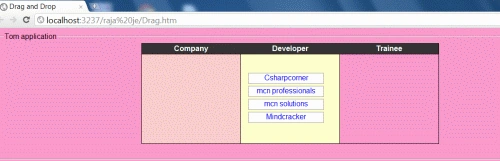
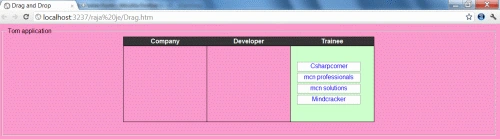
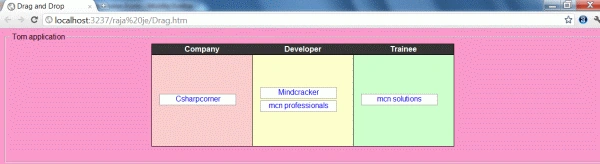
Join the conversation! Your thoughts help the community grow.