

This article explains how to dynamically fetch the list name from the current site using CSOM-JavaScript.
Prerequisites
- Ensure you have access to the Office 365 online.
- Ensure Napa tool is available in your site.
Procedure to be followed
- Create an app for SharePoint using Office 365 Tools. If you have missed out on how to create an app in SharePoint 2013, then Click here
- Click on the "Default.aspx" page.
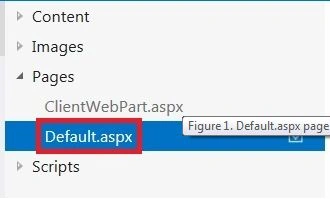
- Add a div tag with id “listnames” and place it inside the “PlaceHolderMain” tag.
<div id="listNames">
</div>
- Click on the "App.js" file.
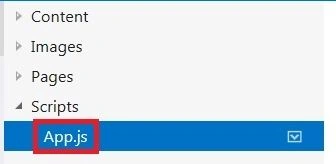
- Globally declare the content, web and lists objects as shown below.
var context = SP.ClientContext.get_current();var web = context.get_web();
var lists = web.get_lists();
- Now write the function to fetch the list names from the current site.
function getListName() {//load the lists object
context.load(lists);
context.executeQueryAsync(onGetListNameSuccess, onGetListNameFail);
}
- The code is executed by calling "executeQueryAsync".
- Each "executeQueryAsync" call includes two event handlers. One handler responds if the function runs successfully, and the other handler responds if the function fails.
// This function is executed if the above call is successful
function onGetListNameSuccess()
{
var listCollection=lists.getEnumerator();
var result="Lists in the Current site collection are:<br/><ul>";
while(listCollection.moveNext())
{
var listName= <li>"+listCollection.get_current().get_title("Title")+"</li>";
result=result+listName;
}
result=result+"</ul>";
var insert=document.getElementById('listNames');
insert.innerHTML=result;
}
// This function is executed if the above call fails
function onGetListNameFail(sender, args) {
alert('Failed to get list names. Error:' + args.get_message());
}
- Now call the "getListName" function inside the "document.ready".
$(document).ready(function () {
getListName();
});
- Please find the final execution of the code below.

Testing
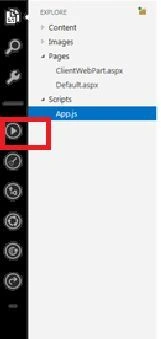
- Now to run the app click on the "Play" button that is available towards the left-most corner.
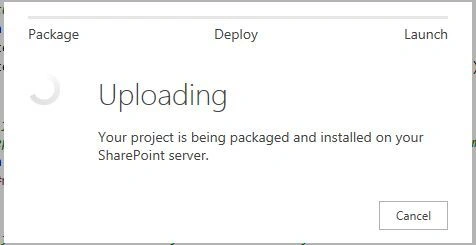
- The app is packaged, deployed, and installed on your Office 365 Site.
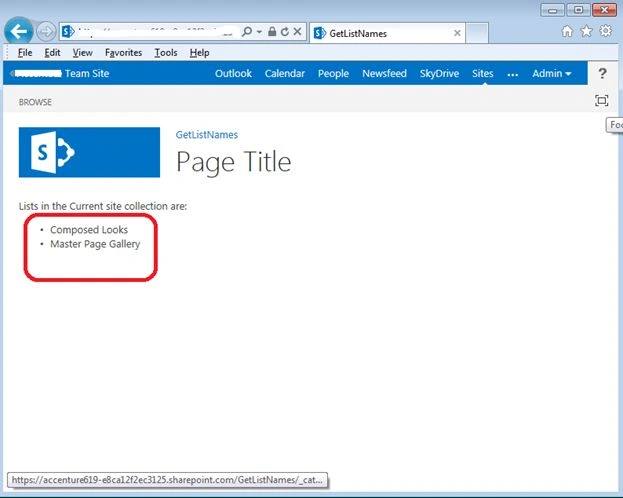
- Now you will be able to see the list names in the current site.
Summary
Thus in this article you saw how to dynamically get the List Name through CSOM-JavaScript.
Lakshmanan Sethu SankaranarayanPosted Feb 19, 2014, 2:06 AM
Nice Article. But please could you move to SharePoint 2013 category..?