

Introduction
A chart is a graphical representation for data visualization, in which the data is represented by symbols such as slices in a pie chart, lines in a line chart, or bars in a bar chart. A chart can stand for tabular numeric data, functions or some kinds of quality structure and supplies different info.
Charts are often used to ease understanding of massive quantities of data and the relationships between parts of the data. Charts can usually be read more quickly than the raw data. Certain types of charts are more useful for presenting a given data set than others. For example, data that presents percentages in separate groups (such as satisfied, not satisfied, unsure) are often displayed in a pie chart, but maybe more easily understood when presented in a horizontal bar chart. On the other hand, data that stands for numbers that change over a period (such as annual revenue from 2002 to 2022) might be best shown in a line chart.
We can easily create charts in Angular using Chart.js.
Chart.js is a popular open-source library used in Angular to create several types of charts.
You can get more information from https://www.chartjs.org/
Ng2-charts is an Angular directive for Chart.js. We can use this directive to create attractive charts in Angular.
Ng2-charts is developed by Valor software company.
You can get more information from https://valor-software.com/ng2-charts/
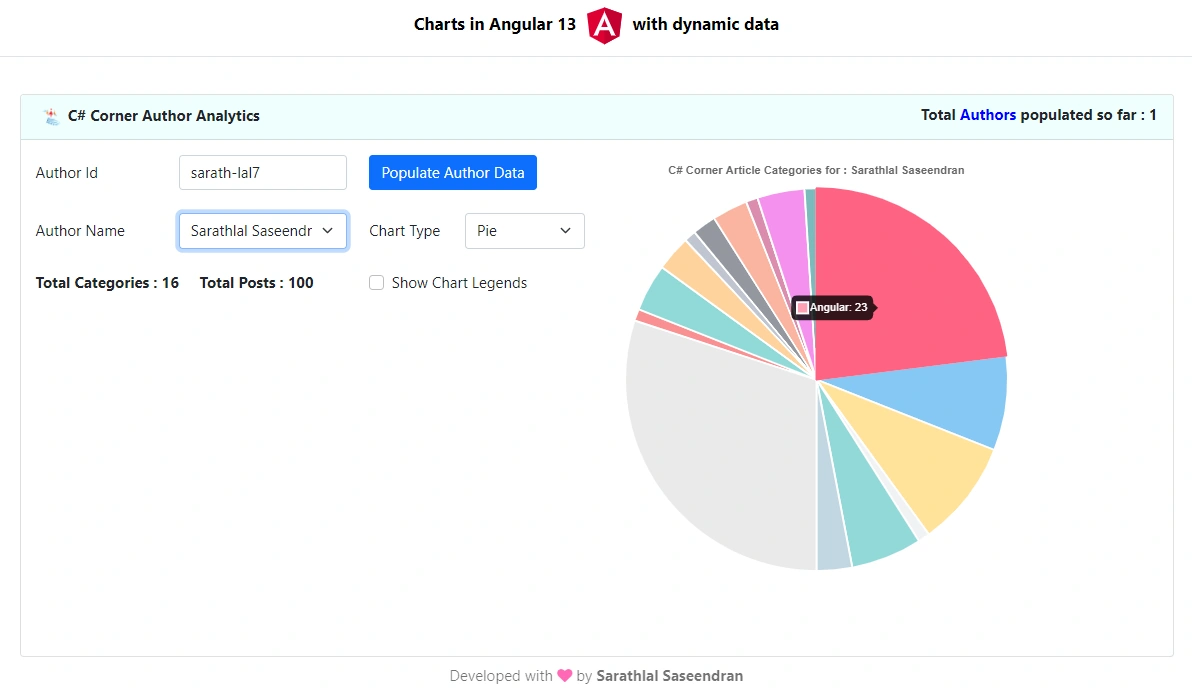
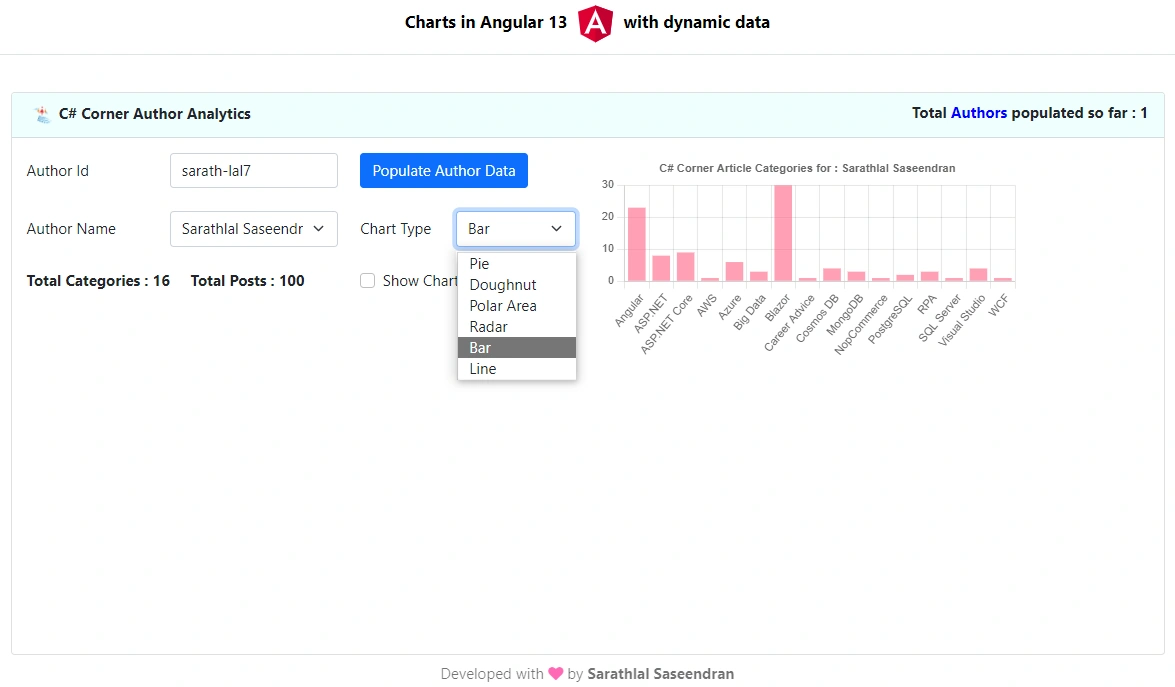
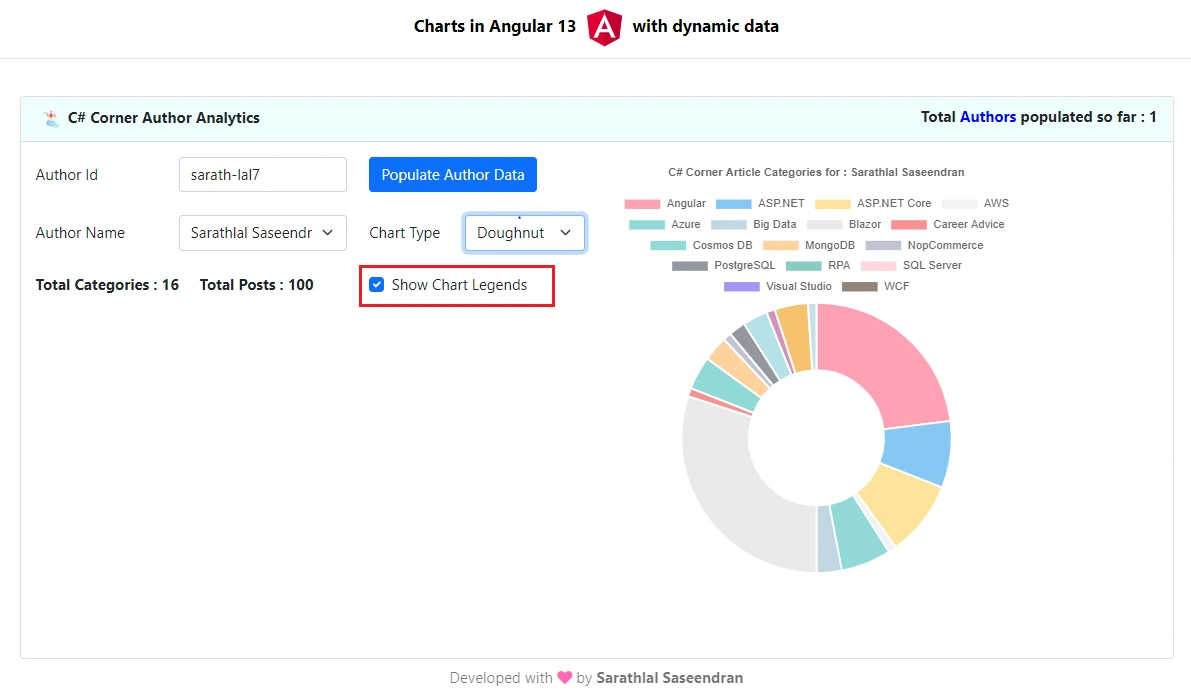
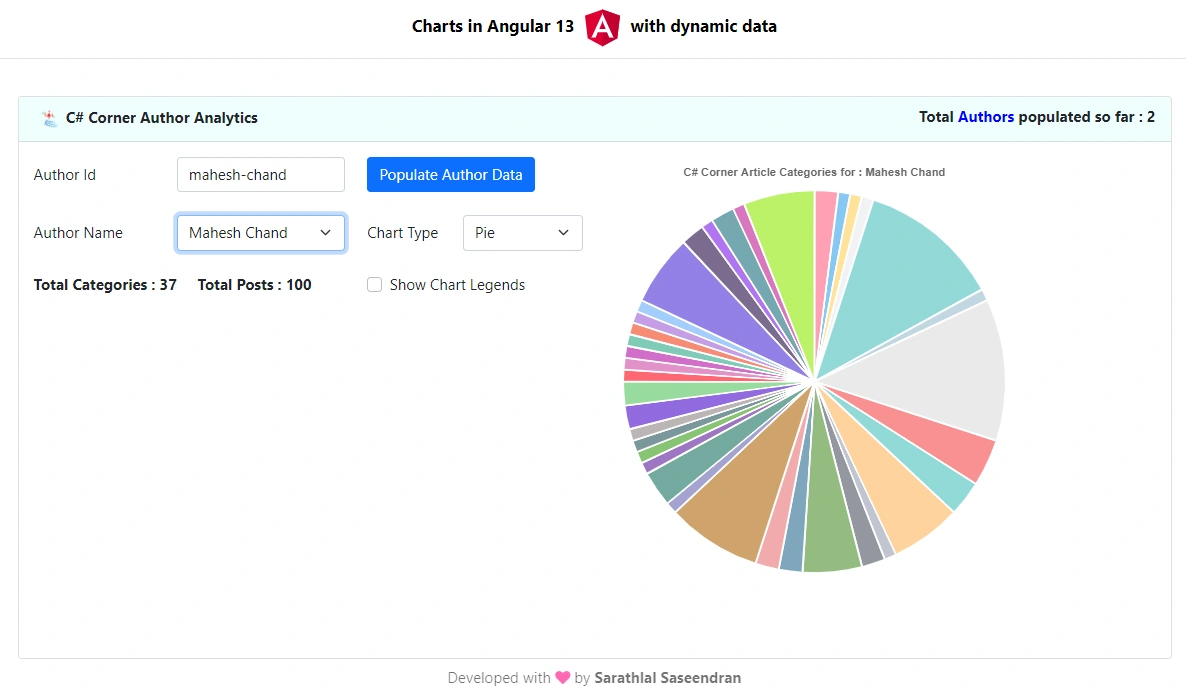
In this post, we will see how to create diverse types of charts in Angular 13 using Chart.js and Ng2-charts libraries. We will be creating Pie, Doughnut, Polar Area, Radar, Bar, and Line charts. We will load data dynamically to the charts. We will use C# Corner authors articles/blogs details as dynamic data for charts. So that we can see each author’s category-wise post count in the chart.
I have already created a .NET 6.0 Web API application to get C# Corner author data and total post details using web scraping. I have used HtmlAgilityPack library to scrap the data in .NET 6.0. You can refer to the article below for more information.
Easily do Web Scraping in .NET Core 6.0
Modify existing .NET 6.0 Web API to get C# Corner Author details
We can use the .NET 6.0 Web API project that we created earlier and make the changes below.
We can allow CORS (Cross Origin Resource Sharing) using the code changes below in Program class. So that Angular client application can communicate with Web API without any issues.
Program.cs
// Partial Code for Program.cs

var MyAllowedOrigins = "_myAllowedOrigins";

builder.Services.AddCors(options =>
{
    options.AddPolicy(MyAllowedOrigins,
                          builder =>
                          {
                              builder.WithOrigins("http://localhost:4200")
                                                  .AllowAnyHeader()
                                                  .AllowAnyMethod();
                          });
});

var app = builder.Build();

app.UseCors(MyAllowedOrigins);
We can create an Authors model class under Models folder for author details.
Authors.cs
namespace Analyitcs.NET6._0.Models
{
    public class Authors
    {
        public string? AuthorId { get; set; }
        public string? Author { get; set; }
        public int Count { get; set; }
    }
}
We can create Category model class under Models folder for author category details.
Category.cs
namespace Analyitcs.NET6._0.Models
{
    public class Category
    {
        public string? Name { get; set; }
        public int Count { get; set; }
    }
}
Now we can change the Analytics controller with the code changes below.
AnalyticsController.cs
using Analyitcs.NET6._0.Models;
using HtmlAgilityPack;
using Microsoft.AspNetCore.Mvc;
using System.Globalization;
using System.Net;
using System.Xml.Linq;

namespace Analyitcs.NET6._0.Controllers
{
    [Route("api/[controller]")]
    [ApiController]
    public class AnalyticsController : ControllerBase
    {
        readonly CultureInfo culture = new("en-US");
        private readonly MyDbContext _dbContext;
        private readonly IConfiguration _configuration;
        public AnalyticsController(MyDbContext context, IConfiguration configuration)
        {
            _dbContext = context;
            _configuration = configuration;
        }

        [HttpPost]
        [Route("CreatePosts/{authorId}")]
        public async Task<bool> CreatePosts(string authorId)
        {
            try
            {
                XDocument doc = XDocument.Load("https://www.c-sharpcorner.com/members/" + authorId + "/rss");
                if (doc == null)
                {
                    return false;
                }
                var entries = from item in doc.Root.Descendants().First(i => i.Name.LocalName == "channel").Elements().Where(i => i.Name.LocalName == "item")
                              select new Feed
                              {
                                  Content = item.Elements().First(i => i.Name.LocalName == "description").Value,
                                  Link = (item.Elements().First(i => i.Name.LocalName == "link").Value).StartsWith("/") ? "https://www.c-sharpcorner.com" + item.Elements().First(i => i.Name.LocalName == "link").Value : item.Elements().First(i => i.Name.LocalName == "link").Value,
                                  PubDate = Convert.ToDateTime(item.Elements().First(i => i.Name.LocalName == "pubDate").Value, culture),
                                  Title = item.Elements().First(i => i.Name.LocalName == "title").Value,
                                  FeedType = (item.Elements().First(i => i.Name.LocalName == "link").Value).ToLowerInvariant().Contains("blog") ? "Blog" : (item.Elements().First(i => i.Name.LocalName == "link").Value).ToLowerInvariant().Contains("news") ? "News" : "Article",
                                  Author = item.Elements().First(i => i.Name.LocalName == "author").Value
                              };

                List<Feed> feeds = entries.OrderByDescending(o => o.PubDate).ToList();
                string urlAddress = string.Empty;
                List<ArticleMatrix> articleMatrices = new();
                _ = int.TryParse(_configuration["ParallelTasksCount"], out int parallelTasksCount);

                Parallel.ForEach(feeds, new ParallelOptions { MaxDegreeOfParallelism = parallelTasksCount }, feed =>
                {
                    urlAddress = feed.Link;

                    var httpClient = new HttpClient
                    {
                        BaseAddress = new Uri(urlAddress)
                    };
                    var result = httpClient.GetAsync("").Result;

                    string strData = "";

                    if (result.StatusCode == HttpStatusCode.OK)
                    {
                        strData = result.Content.ReadAsStringAsync().Result;

                        HtmlDocument htmlDocument = new();
                        htmlDocument.LoadHtml(strData);

                        ArticleMatrix articleMatrix = new()
                        {
                            AuthorId = authorId,
                            Author = feed.Author,
                            Type = feed.FeedType,
                            Link = feed.Link,
                            Title = feed.Title,
                            PubDate = feed.PubDate
                        };

                        string category = "Uncategorized";
                        if (htmlDocument.GetElementbyId("ImgCategory") != null)
                        {
                            category = htmlDocument.GetElementbyId("ImgCategory").GetAttributeValue("title", "");
                        }

                        articleMatrix.Category = category;

                        var view = htmlDocument.DocumentNode.SelectSingleNode("//span[@id='ViewCounts']");
                        if (view != null)
                        {
                            articleMatrix.Views = view.InnerText;

                            if (articleMatrix.Views.Contains('m'))
                            {
                                articleMatrix.ViewsCount = decimal.Parse(articleMatrix.Views[0..^1]) * 1000000;
                            }
                            else if (articleMatrix.Views.Contains('k'))
                            {
                                articleMatrix.ViewsCount = decimal.Parse(articleMatrix.Views[0..^1]) * 1000;
                            }
                            else
                            {
                                _ = decimal.TryParse(articleMatrix.Views, out decimal viewCount);
                                articleMatrix.ViewsCount = viewCount;
                            }
                        }
                        else
                        {
                            articleMatrix.ViewsCount = 0;
                        }
                        var like = htmlDocument.DocumentNode.SelectSingleNode("//span[@id='LabelLikeCount']");
                        if (like != null)
                        {
                            _ = int.TryParse(like.InnerText, out int likes);
                            articleMatrix.Likes = likes;
                        }

                        articleMatrices.Add(articleMatrix);
                    }

                });

                _dbContext.ArticleMatrices.RemoveRange(_dbContext.ArticleMatrices.Where(x => x.AuthorId == authorId));

                foreach (ArticleMatrix articleMatrix in articleMatrices)
                {
                    await _dbContext.ArticleMatrices.AddAsync(articleMatrix);
                }

                await _dbContext.SaveChangesAsync();
                return true;
            }
            catch
            {
                return false;
            }
        }

        [HttpGet]
        [Route("GetAuthors")]
        public IQueryable<Authors> GetAuthors()
        {
            return from x in _dbContext.ArticleMatrices.GroupBy(x => x.AuthorId)
                   select new Authors
                   {
                       AuthorId = x.FirstOrDefault().AuthorId,
                       Author = x.FirstOrDefault().Author,
                       Count = x.Count()
                   };
        }

        [HttpGet]
        [Route("GetCategory/{authorId}")]
        public IQueryable<Category> GetCategory(string authorId)
        {
            return from x in _dbContext.ArticleMatrices.Where(x => x.AuthorId == authorId).GroupBy(x => x.Category)
                   select new Category
                   {
                       Name = x.FirstOrDefault().Category,
                       Count = x.Count()
                   };
        }

    }
}
Along with CreatePosts method, we have added two more methods GetAuthors and GetCategory
We have successfully completed the Web API for getting C# Corner Author posts category details. We have already enabled swagger. If needed, you can check all the API end points using swagger.
Create Angular 13 application to display Chart
We must install the client libraries below in our Angular application.
- chart.js
- ng2-charts
- bootstrap
- font-awesome
We can use below single npm command to install all these libraries.
npm install bootstrap chart.js font-awesome ng2-charts
We can change styles.css file with code changes given below.
styles.css
@import "~bootstrap/dist/css/bootstrap.css";
@import "~font-awesome/css/font-awesome.css";
We have imported style references for bootstrap and font-awesome libraries into the above stylesheet. So that in future we can use the above libraries in any of the Angular components without further individual import statement.
We can add Web API base URL inside the environment variable. We can use this URL in any of the Angular components easily to connect .NET 6.0 Web API.
environment.ts
export const environment = {
  production: false,
  baseUrl: 'http://localhost:5000/api/'
};
We can create a new component with a simple header and footer in our application.
ng generate c NavMenu
Modify the html template with the code changes below.
nav-menu.component.html
<header>
    <nav class='navbar-expand-sm navbar-toggleable-sm navbar-light bg-
white border-bottom box-shadow mb-3 align-center'>
        <div class="container">
            <a class="nav-link title">Charts in Angular 13
                <img width="50" alt="Angular Logo"
                    src="data:image/svg+xml;base64,PHN2ZyB4bWxucz0iaHR0cDovL3d3dy53My5vcmcvMjAwMC9zdmciIHZpZXdCb3g9IjAgMCAyNTAgMjUwIj4KICAgIDxwYXRoIGZpbGw9IiNERDAwMzEiIGQ9Ik0xMjUgMzBMMzEuOSA2My4ybDE0LjIgMTIzLjFMMTI1IDIzMGw3OC45LTQzLjcgMTQuMi0xMjMuMXoiIC8+CiAgICA8cGF0aCBmaWxsPSIjQzMwMDJGIiBkPSJNMTI1IDMwdjIyLjItLjFWMjMwbDc4LjktNDMuNyAxNC4yLTEyMy4xTDEyNSAzMHoiIC8+CiAgICA8cGF0aCAgZmlsbD0iI0ZGRkZGRiIgZD0iTTEyNSA1Mi4xTDY2LjggMTgyLjZoMjEuN2wxMS43LTI5LjJoNDkuNGwxMS43IDI5LjJIMTgzTDEyNSA1Mi4xem0xNyA4My4zaC0zNGwxNy00MC45IDE3IDQwLjl6IiAvPgogIDwvc3ZnPg==">
                with dynamic data</a>
            <button class="navbar-toggler" type="button" data-toggle="collapse" data-target=".navbar-collapse"
                aria-label="Toggle navigation">
                <span class="navbar-toggler-icon"></span>
            </button>
        </div>
    </nav>
</header>
<footer>
    <nav class="navbar navbar-light bg-
white mt-5 fixed-bottom">
        <div class="navbar-expand m-auto navbar-text">
            Developed with <i class="fa fa-heart"></i> by <b>Sarathlal
                Saseendran</b>
        </div>
    </nav>
</footer>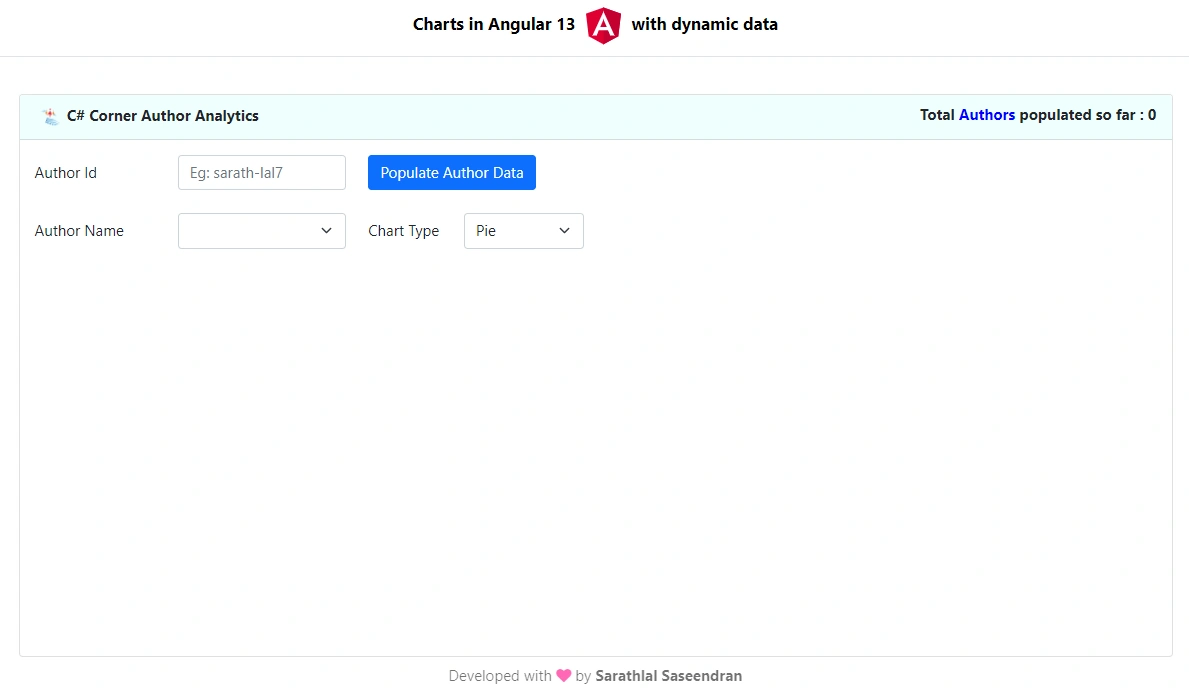
Join the conversation! Your thoughts help the community grow.