

Introduction
In this article we will explore Versioning in SharePoint, which enables us to track and manage information as it evolves, and to view and recover earlier versions if necessary. SharePoint list can have only a single version; i.e, tracked in a same way; libraries can be tracked in different versions, namely major and minor. By default, SharePoint version is turned off.
The versioning can be changed Manually and by using PowerShell.
Manually
List
- The versioning of List can be enabled by the following steps:
Go to the List - List Settings, then Versioning Settings.
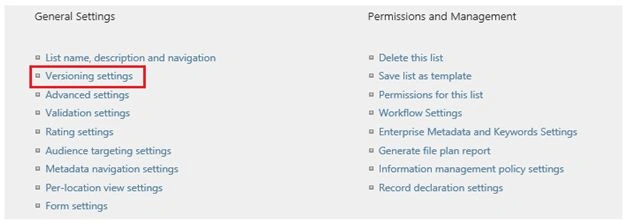
The default version is turned off which can be turned on by clicking the radio button manually.
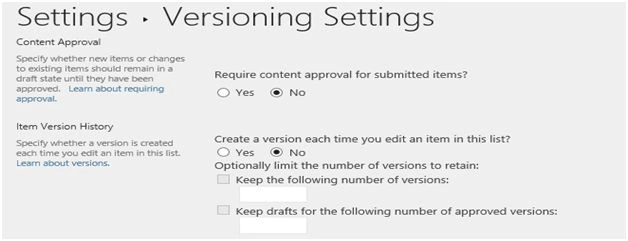
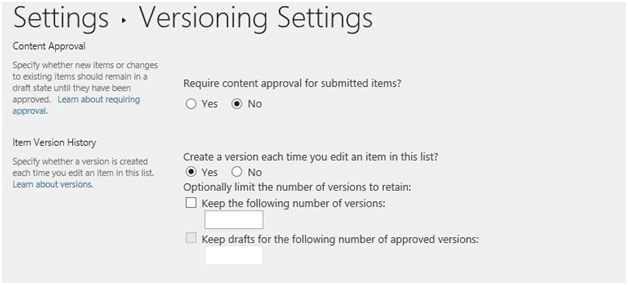
Document Library
- The versioning of List can be enabled by the following steps:
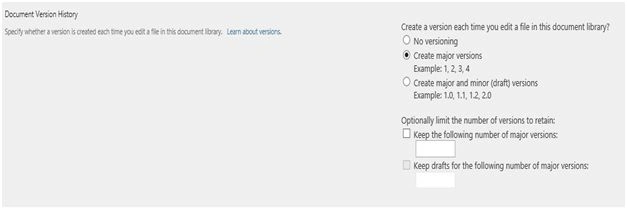
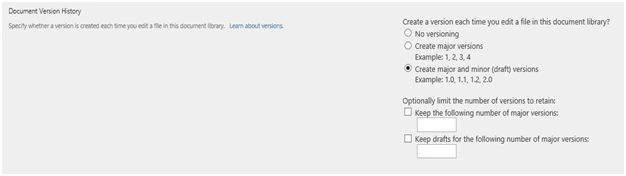
Go to the Library, Library Settings, then Versioning Settings.
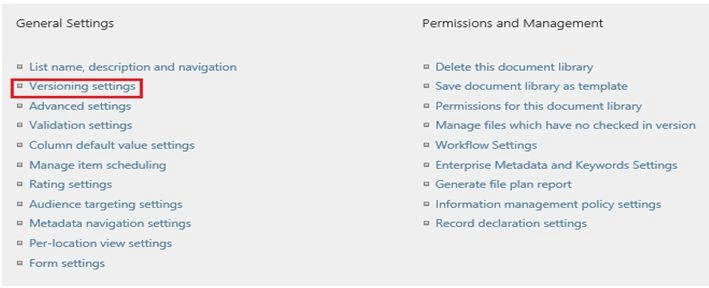
The default version is turned off which can be turned on by clicking the radio button manually.
PowerShell
The versions can be enabled by using the PowerShell command. This works for both library and list, which in turn will change the version.

Summary
Here we explored the two ways to change the versioning of SharePoint List and Library.
Humayun Kabir MamunPosted Jan 24, 2016, 10:50 PM
Nice...
Santhakumar MunuswamyPosted Jan 24, 2016, 10:23 AM
Thanks for nice share
Sagar PardeshiPosted Jan 23, 2016, 6:52 AM
Wel-come, Nice article...