

Embedding a SWF file in a SharePoint page involves the following two steps:
- Enable browser File Handling access so that you can view flash content in SharePoint 2010
- Embedding SWF file to SharePoint 2010 Page
Go to "Central Administration | Application Management | Manage Web Application":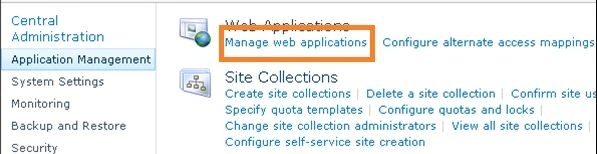
Select the web application for which you want to enable Flash: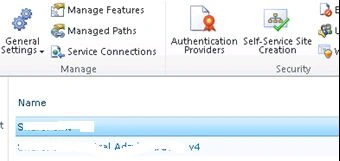
Now click on General Settings and in the drop down list click General Settings: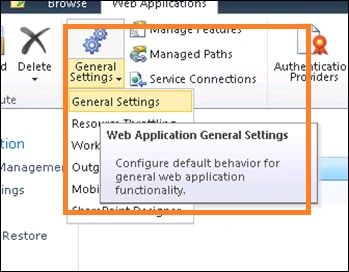
Scroll down and select the permissive radio button and click OK: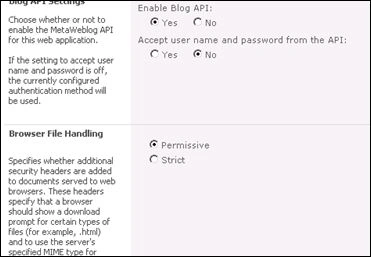
Upload your flash contents to a folder in SharePoint including HTML, swf and all the supporting files. Get the URL of your index.html file and insert the page viewer web part in SharePoint and in the Link section add your URL.
INSERT A FLASH FILE INTO SHAREPOINT 2010 PAGES
View your page and you should see your embedded SWF file in a SharePoint 2010 Page.
Even though we enabled browser file handling to be permissive, some document libraries do not render Flash files correctly. In this case we need to enable permissive settings for that particular library. This can be done by the following Power shell:
$web = Get-SPWeb "http://your web application url contain the library
#Get Document Library
$docLib = $web.lists["Your Document Library Title"]
#View all properties/methods of the Document Library and you'll see that BrowserFileHandling is a property
$docLib | Get-Member
#See the current Browser File Handling setting for the Document Library
$docLib.BrowserFileHandling
#If you need to change it from Strict to Permissive
$docLib.BrowserFileHandling = "Permissive"
$docLib.Update()
Destin JoyPosted Mar 11, 2013, 7:17 AM
SharePoint have builtin security on rendering files.You need to enable the same from admin or power shell level.Else sharePoint wont run the same in ints own context.
Todd PhillipseditedPosted Mar 8, 2013, 9:53 AMEdited Mar 12, 2013, 10:09 AM
Great article here,..but unfortunately not everyone has Central Administrative Privileges. I have Administrative rights to our team site,...but I do not have access to the Central Administrative functionality. Is there not a simpler way to allow the administrator to simply add a .swf file to a web part?