

We have two ways.
- Enabling or Disabling Multifactor Authentication (MFA) In Dynamics 365.
- Azure portal service.
1. Enabling or Disabling Multifactor Authentication (MFA)
Create Trial Instance and Login to Trail.
Open: https://admin.microsoft.com/
After accessing the provided URL, a screen will be displayed below.
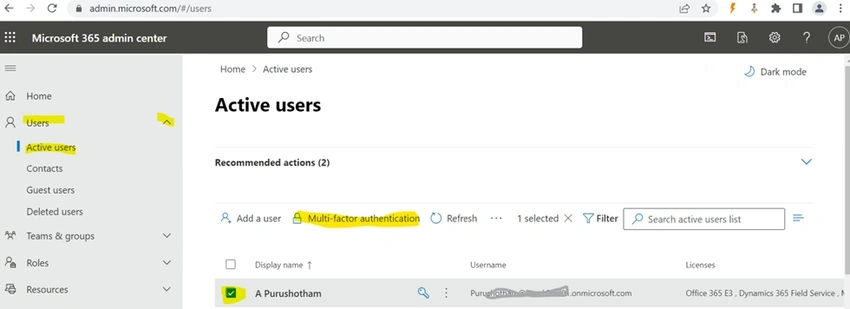
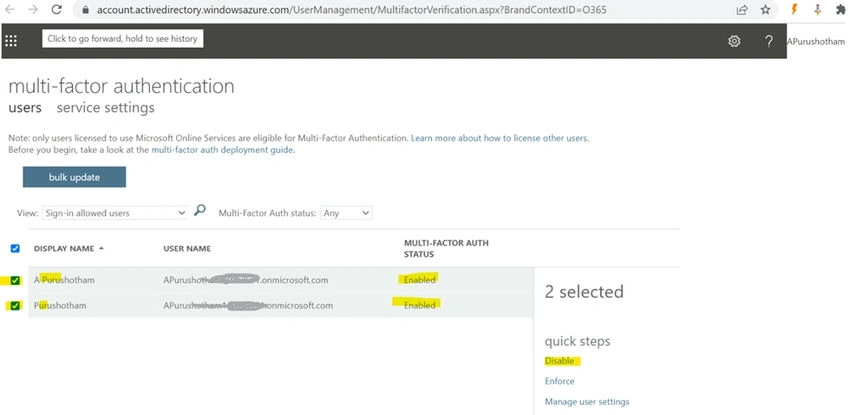
Once you select "Multi-factor authentication," the screen displayed will show the following options.
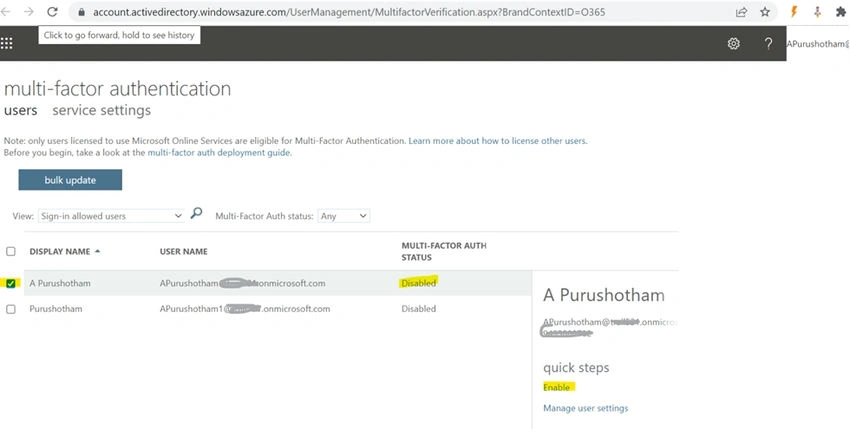
If the feature is activated, you'll have the option to choose a user and subsequently deactivate it.
When the feature is deactivated, you'll be able to choose a user and subsequently enable it.
2. Azure portal service
- Login into D365 Instance
- After login, a trial Instance in the same browser opens below.
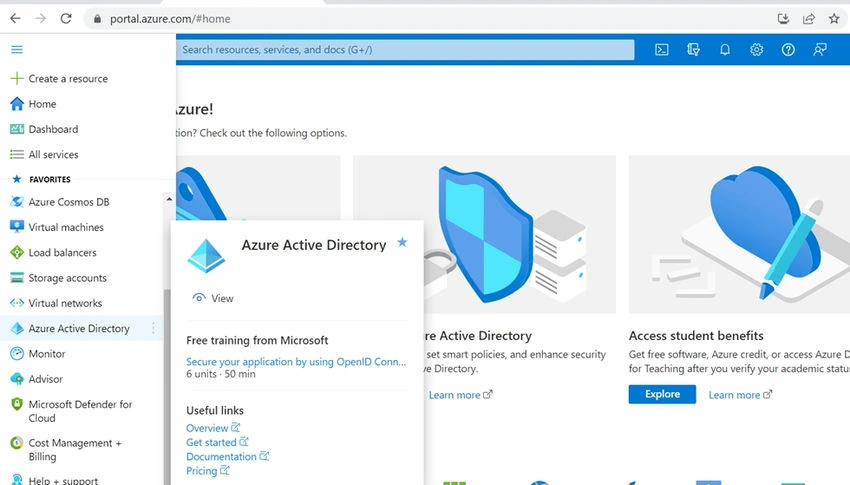
- URL: https://portal.azure.com (Azure Portal)
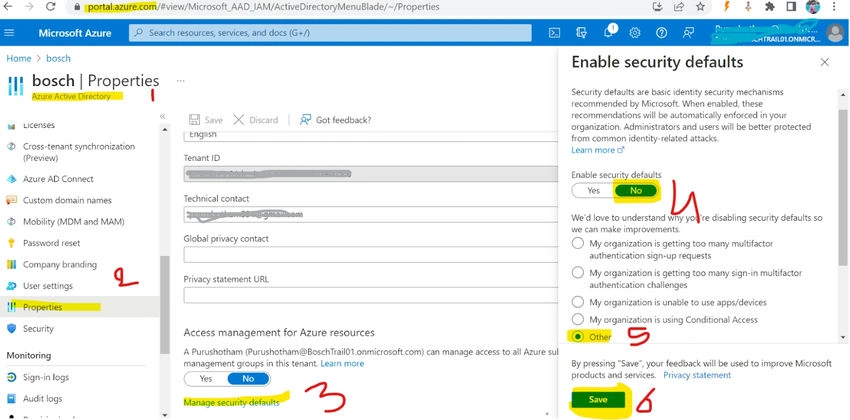
- Within the Azure Portal interface, proceed by selecting "Azure Active Directory" as indicated in the screenshot provided.
- Select the "Properties" option.
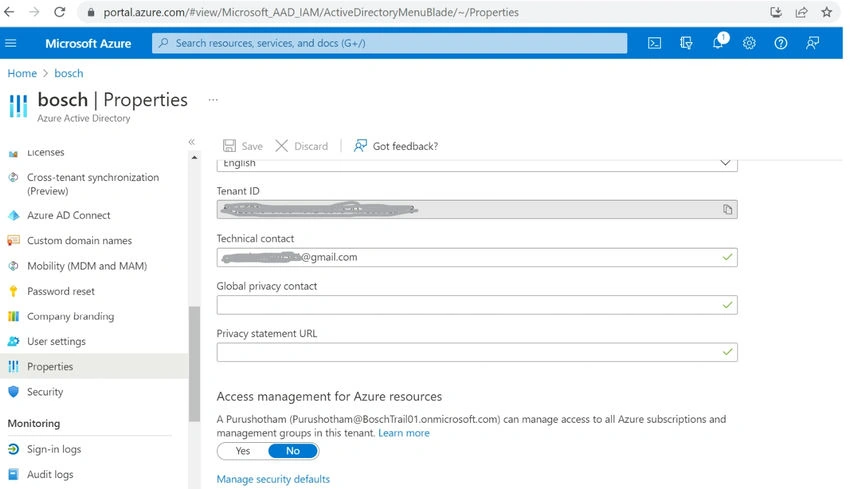
- Choose "Manage security defaults,
- Enable security defaults property to No.
- Next, select "Other" and proceed by clicking the "Save" button.
Join the conversation! Your thoughts help the community grow.