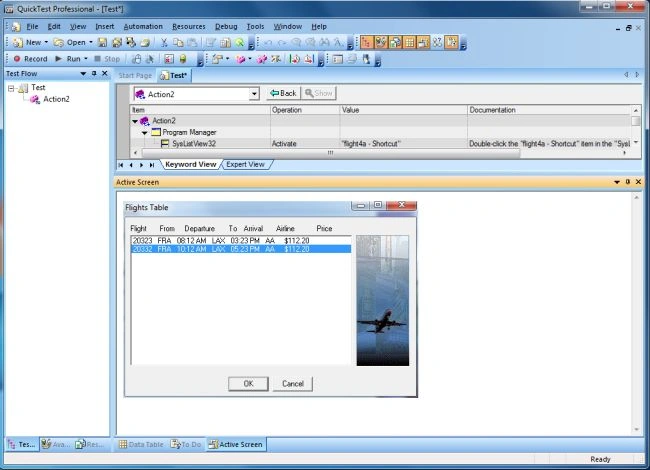
- Click on the step for which you want the transaction timing to end. That page is opened in the Active screen.
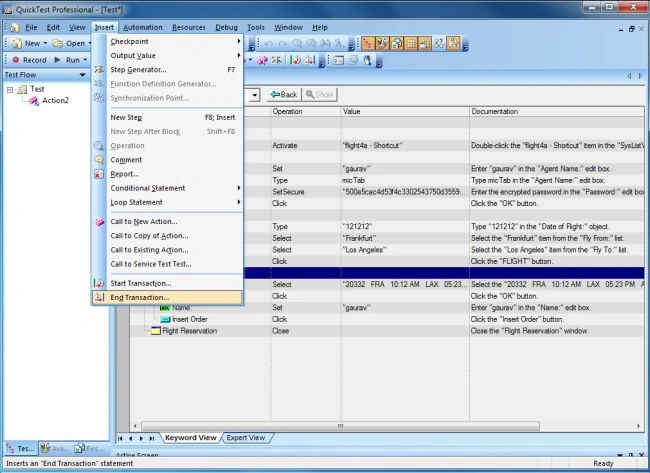
- Choose Insert > End Transaction or click on the End Transaction button. The End transaction box opens.
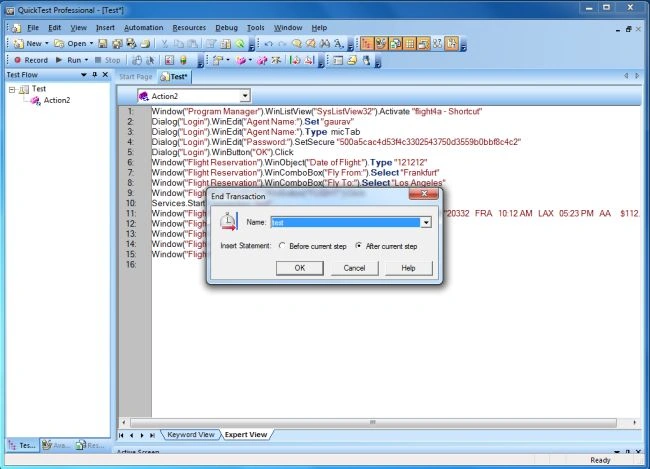
- The Name box contains a list of the transaction names you defined in the current test. Select the name of the transaction you want to end.
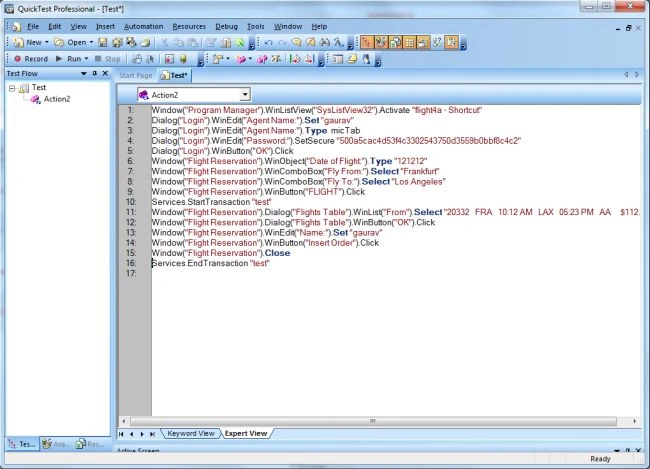
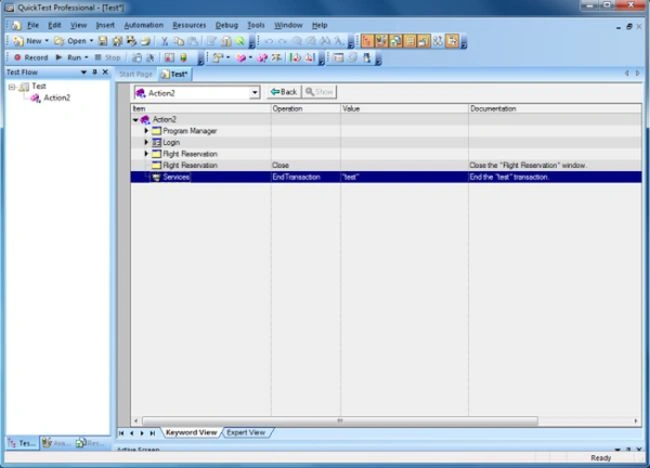
- Click on the OK button. An End Transaction step is added to the keyword view.

Join the conversation! Your thoughts help the community grow.