

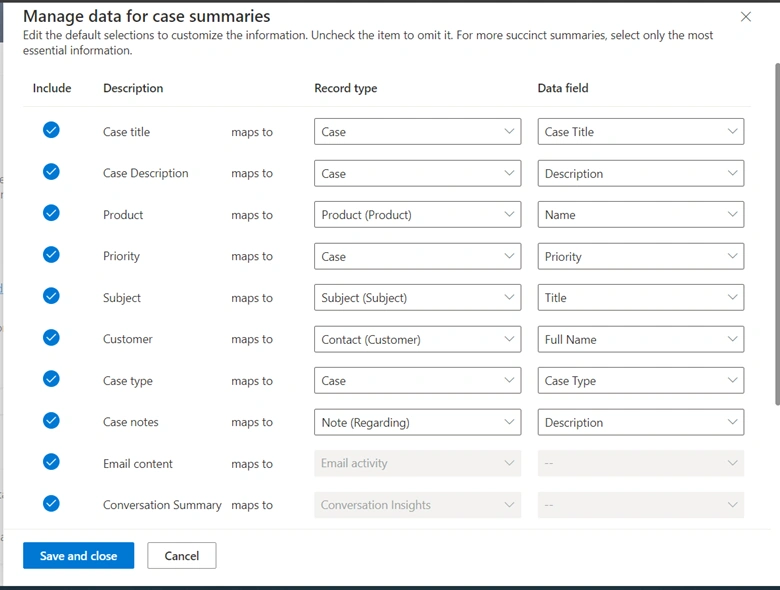
Copilot case summaries help you quickly understand the context of a case and resolve customer issues more efficiently. The case summary includes key information such as the case title, customer, subject, product, priority, case type, and description.
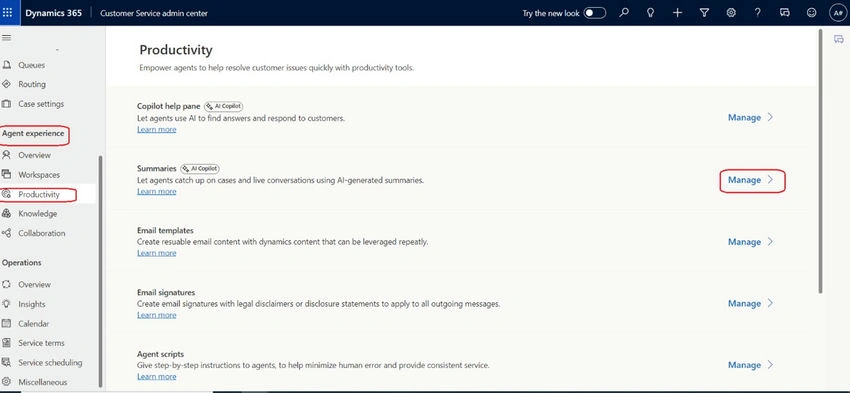
Update the "Customer Service Admin Center" app and update Copilot settings (Agent experience -> Productivity -> Summaries).
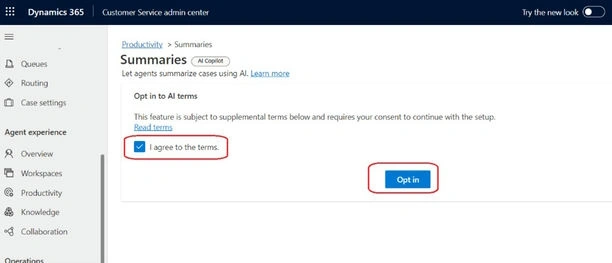
- Enable the "I agree to the terms" and click "Opt-In"
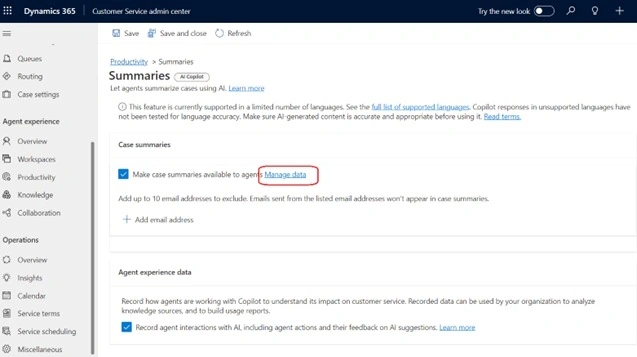
Enable "Make case summaries available to agents"
Select the "Manage Data" hyperlink
Enable "Record agent interactions with AI, including agent actions and their feedback on AI suggestions.
Update the Case table
- Create a new column for the Copilot Summary
- Display name: Copilot Summary
- Data type: Single line of text
- Format: Text area
- Maximum character count: 4000
- Everything else is the default
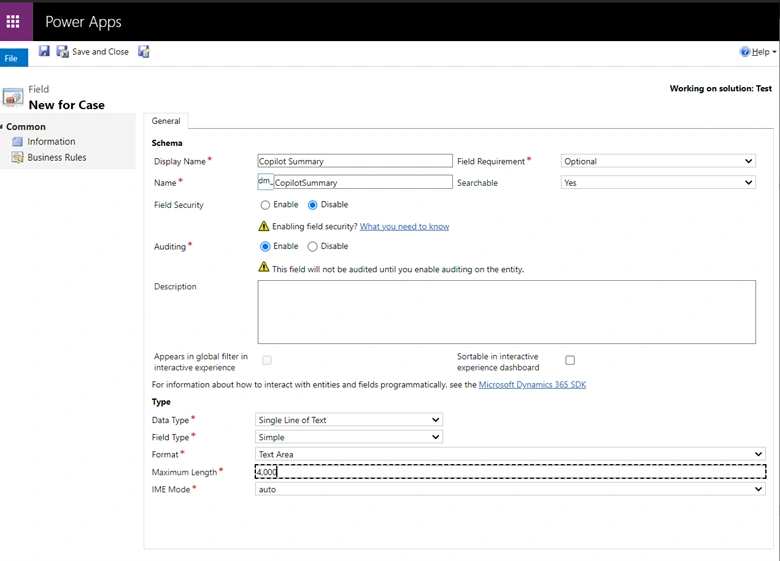
Update the case main form
Add a new section
- Label: Copilot Summary
- Everything else is the default
Add the CopilotCaseSummaryControl to the Copilot Summary section
- CC_CaseSummary: Copilot Summary
- CC_IncidentId: Case (Text)
- Everything else is the default
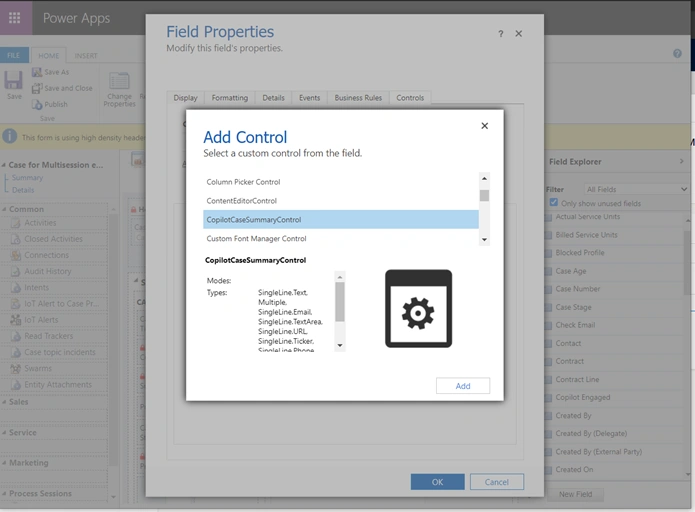
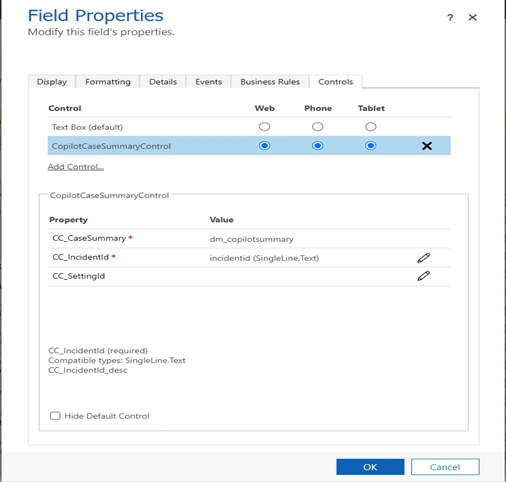
Save and publish the customizations
- Add msdyn_CopilotCaseSummaryLibrary.js to the JS Library
- Add an on load event
- Library: msdyn_CopilotCaseSummaryLibrary.js
- Function: Mscrm.CSIntelligence.CopilotCaseSummary.setVisibilityOfCaseSummary
- Enabled
- Pass execution context as the first parameter
- Include “dm_copilotsummary” to the passed parameters
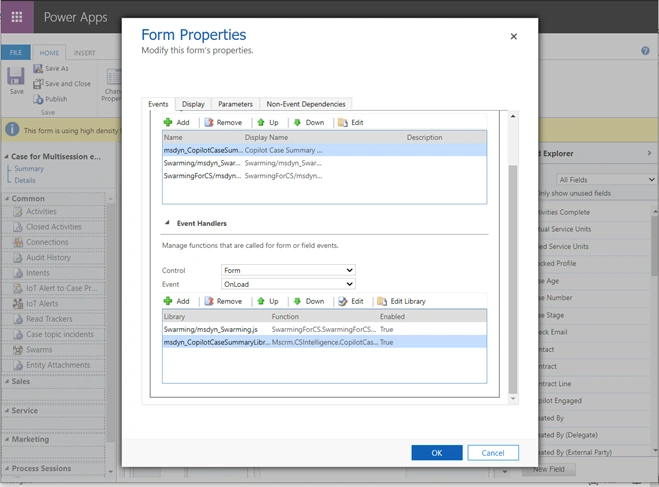
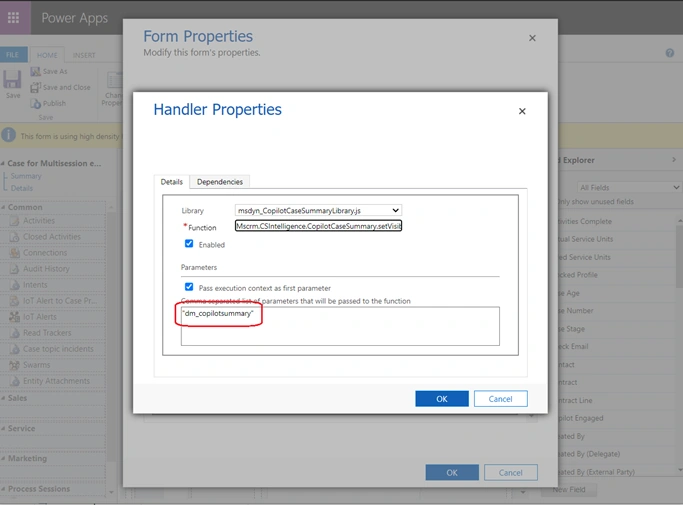
Save and publish the changes.
Make Copilot available to agents
For agents to be able to use the copilot features in the Customer Service workspace, you need to enable the copilot features in agent experience profiles. By default, agents added to the out-of-the-box agent experience profiles can use the Copilot features.
If you'd like to limit the features that agents can use, you can create a custom agent experience profile and enable the required features.
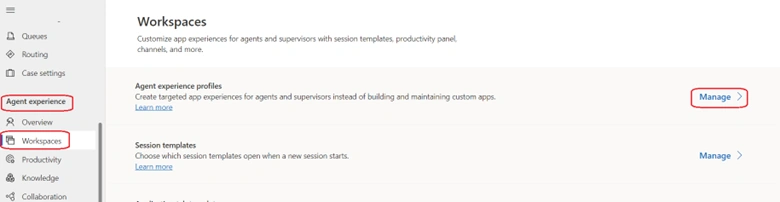
Update the "Customer Services Workspace" (Agent experience -> Workspaces -> Agent experience profiles).
Copilot AI features
- Enable "Case summary"
- Enable "Live conversation summary"
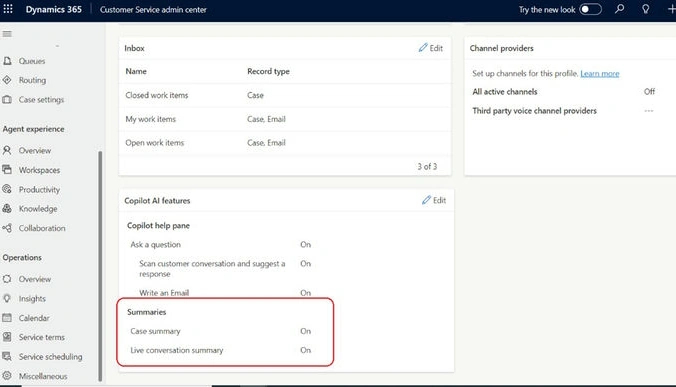
Note. Summarizing conversations is available for use in the Customer Service workspace only.
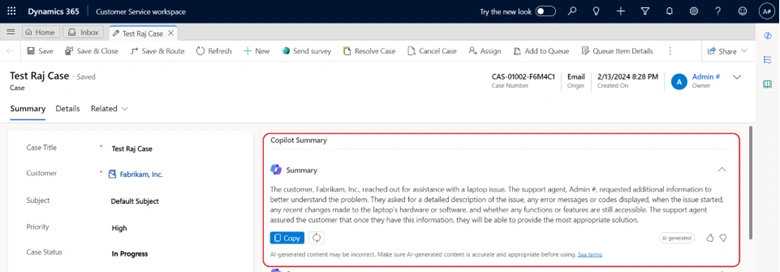
Accessing any case record allows you to view the copilot summary information associated with the case.
The case summary appears as a card on the case form. When you open a case, the case summary card is collapsed by default so that your screen isn't cluttered with information. Select the card to expand the summary.
Join the conversation! Your thoughts help the community grow.