

Oracle is commonly using database as a backend for .NET applications. But, the main problem with oracle is, there is no in-built easy-to-use GUI for accessing objects in it. So the only option is to use third party tools like TOAD or PL/SQL Developer for accessing objects without writing queries for activities like getting all tables, procedures, functions and their definition etc...
But, it's not possible to get license for those tools for small projects. Even if you get license for them, it is very hard to open these tools for small activities (like getting all tables, procedure's definition and for running simple select statements...). These tools takes more time to start, consumes more resources and its not based on threads. So, we can't do multiple operations in these tools at a time like getting procedure's definition and executing a query simultaneously. By using this application we are just a click away from accessing those database objects. I will explain the features present in it followed by design and coding.
I designed this application using C#, VS.NET 2003 and Windows Forms.
Following are the features present in this Application:
- Easy access to Tables, Procedures and Functions.
- Entirely based on threads.
- We can do multiple activities simultaneously.
- Ability to export table data to xml file.
- Less startup time when compared to TOAD.
- Executes any select statements without blocking user from doing other
operations in application. - Ability to cancel any thread at any point of time.
- Ability to maintain list of recent queries executed in application.
- Shows objects which are accessible to current login account.
Create a new Windows Application in C# and name it as DBExplorer.
Then rename Form1 to frmlogin and add following controls shown in below figure: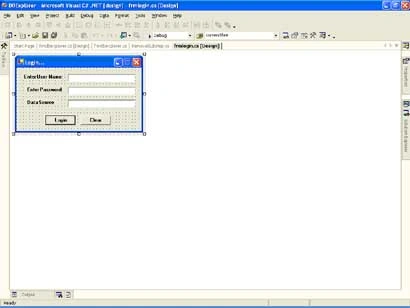
Figure 1.
Here, I am using OLEDB Data Provider and tnsnames file to connect to Oracle Database. We can use ODP.NET Data Provider to improve performance of this application. On clicking Login button, I am creating a connection using username, password and data source will be in this format:
(DESCRIPTION =(ADDRESS_LIST =(ADDRESS = (PROTOCOL = TCP)(HOST = <host-name>)(PORT = 1000)))(CONNECT_DATA =(SID = dbname)));
I am getting this data source string from my tnsnames.ora file. After creating connection, I am closing this login form and opening new form named frmdbexplorer to explore oracle objects.
Now, add a new form to solution and name it as frmdbexplorer and design it as shown below: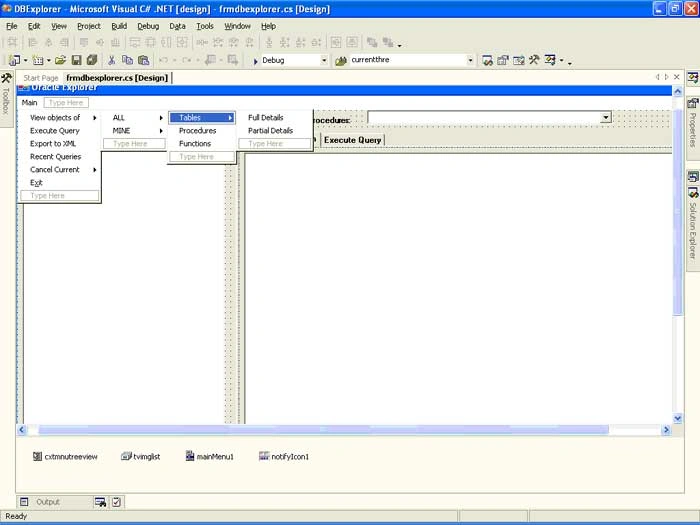
Figure 2.
I will explain each control present in this form followed by its purpose:
I designed MainMenu with following menuitems:
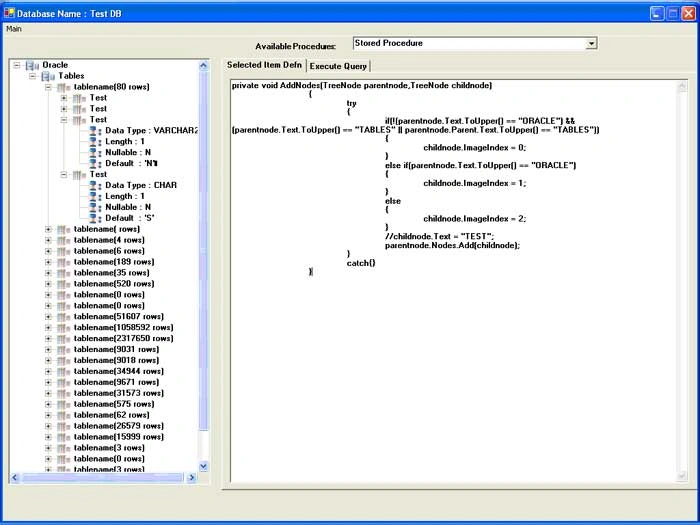
View Objects of -> ALL [MINE] -> Tables -> Full Details (will load table name, its row count, column name and its size, type and default value into TreeView).
-
Partial Details (will load just table name and its row count into TreeView).
-
Procedures (Loads all Procedure names into Dropdown).
-
Functions (Loads all Functions into Dropdown).
tonyPosted Aug 7, 2007, 12:22 PM
I've found SQL Developer to be a decent alternative to Query Analyzer. It's now available from Oracle for free.
Fransiscus SinagaPosted May 7, 2007, 11:50 PM
Is there any chances to do exploring database for SQL Server 2000 using C# like what you explain in this section? If can, please help me to develop it....