

Introduction
Serilog is a diagnostic logging library tailored for .NET applications. It offers a straightforward, flexible, and robust solution for logging application events, errors, and other critical information. One of its standout features is its support for structured logging, which allows developers to log detailed, context-rich data instead of simple plain-text messages. To know more about it you can visit the previous article here.
SEQ is a structured log server that simplifies the management, visualization, and analysis of application logs. It is especially well suited for .NET applications, but it can also be used with any other platform that supports structured logging. In this article, we will learn application logging in the ASP.NET Core Web API project using Serilog with sink SEQ.
Key features of SEQ
Here are some key features of SEQ.
- Centralized Log Management: SEQ collects and centralizes logs from multiple applications.
- Structured Logging: Logs are stored as structured data (e.g. JSON). This enables better querying and filtering compared to plain text logs.
- Powerful query language: SEQ provides a SQL-like query language that allows you to filter and search logs based on properties, timestamps, or the content of messages.
- Dashboards and Alerts: Visualize log trends with dashboards. It sets up alerts based on specific log events or thresholds.
- Integrations: SEQ integrates with tools such as Serilog, NLog, and Microsoft.Extensions.Logging, and more. It supports notifications integrations with other platforms like Slack, Microsoft Teams, and PagerDuty.
- Real-Time Insights: It provides real-time insights into the behavior and performance of your applications.
How to use SEQ in the application?
Install SEQ on your machine
Firstly, we have to install SEQ on our machine. Download and install SEQ from here.
Implementing SEQ in the application
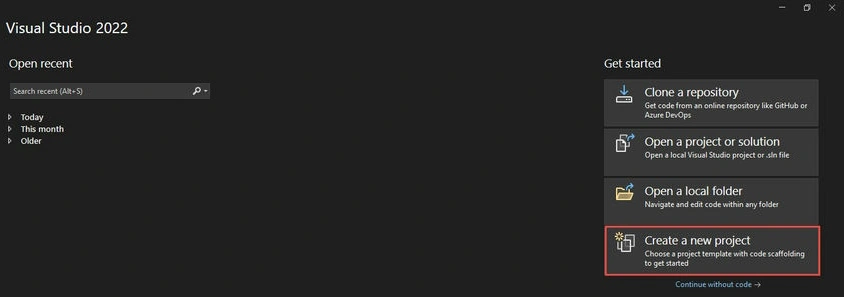
Step 1. Create a new or use an existing project.
We can use existing projects or create new projects where we want to implement logging using SEQ. In this article, we will create a new project to demonstrate how to implement it from the beginning.
Let’s create a new WebAPI project.
Create a new ASP.NET Core Web API application in .NET9 framework or use your existing project where you need to use Serilog logging with SEQ.
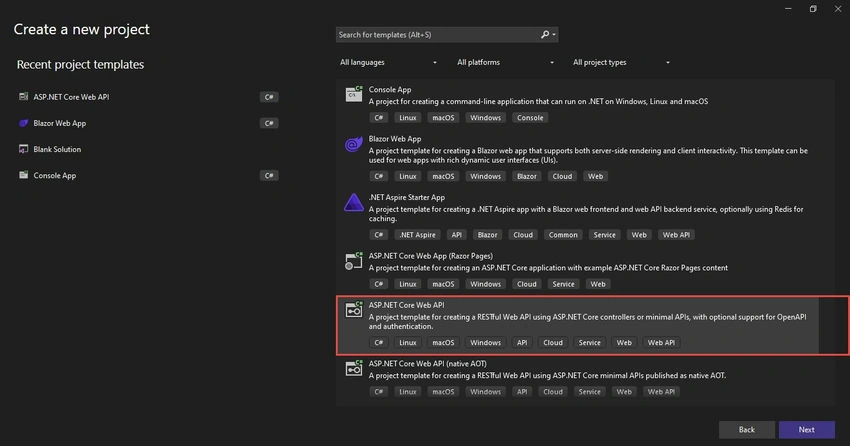
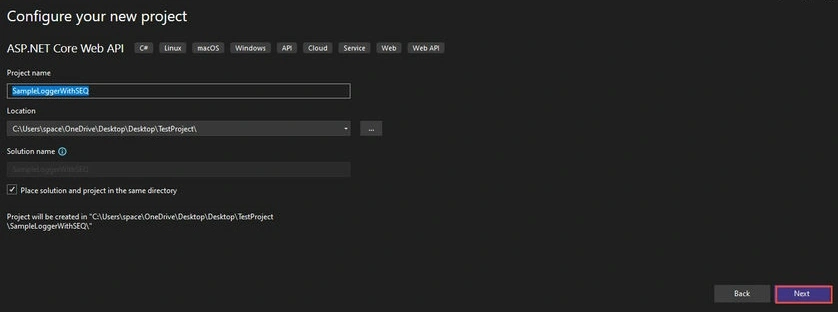
Give the project name, select the location of the project, and Click on Next.
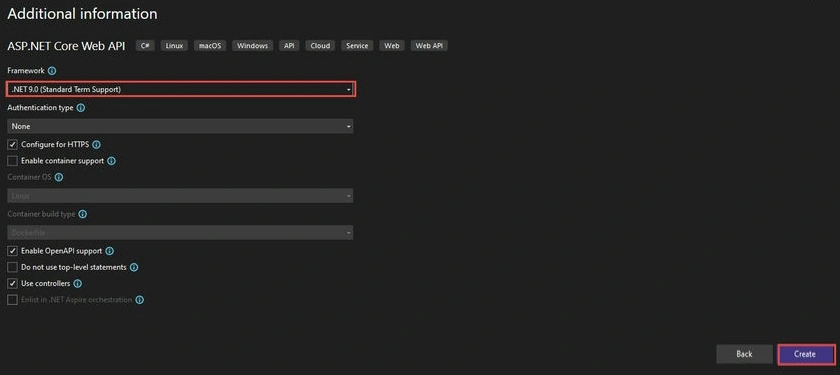
Select project framework .NET 9 as depicted below.
Join the conversation! Your thoughts help the community grow.