

Introduction
Excel provides formulas for calculation of data but sometimes an error may occur. In Excel an error can occur because of an incorrectly written formula, reference cell or due to data that does not exist in the cell etc. In a large data sheet it's very difficult to determine what the reason of the error is. To determine the correct cause of an error, Excel provides an error checking function by which you can easily determine the correct cause of an error. After determine the reason you can easily fix the error.
In this article we are explaining how to find the error in an Excel worksheet. Some Excel errors occur at the time of calculation.
#N/A :- This error occurs when a value is not available for a formula or function.
#DIV/0! :- This error occurs when we try to divide a numeric value by 0.
#VALUE! :- This error occurs when we enter a mathematical formula that refers to text entry instead of numeric entry.
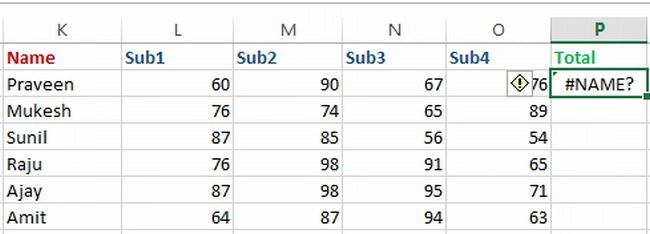
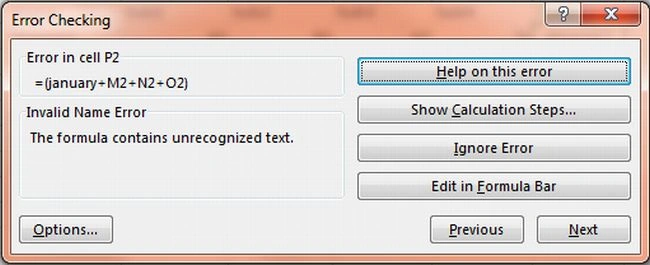
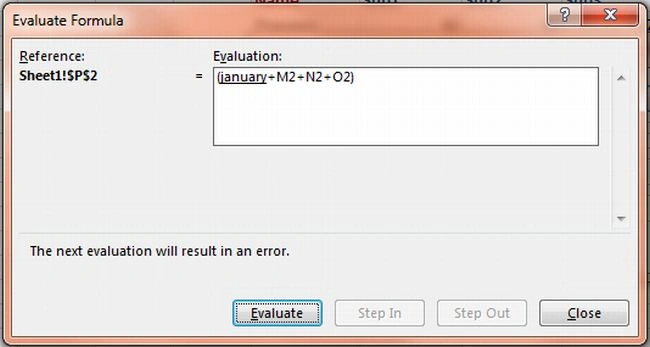
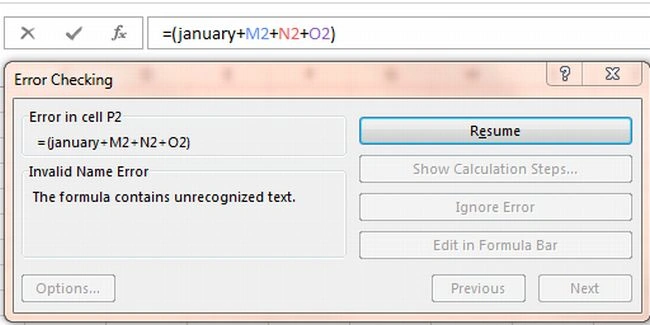
#NAME? :- This error occurs when we enter a text in a formula that Excel does not recognize.
##### :- This error occurs when a numeric value is too wide to display within the cell.
#REF! :-This error occurs when a call reference is not valid.
#NUM! :- This error occurs when an invalid argument is used in a function.
#NULL! :- This error occurs when the specified interaction of two ranges in a formula does not intersect.
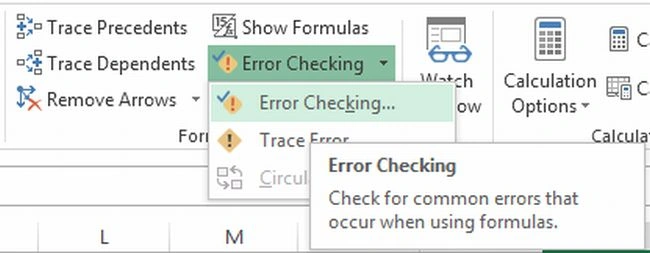
How to check an error in Excel 2013.
Step 1
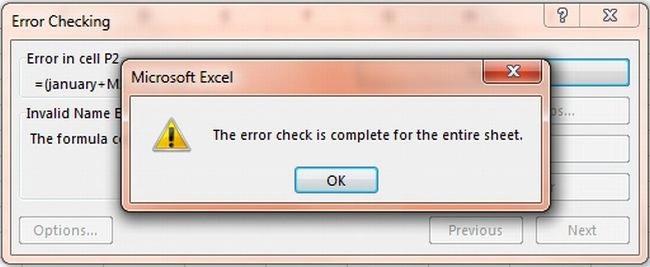
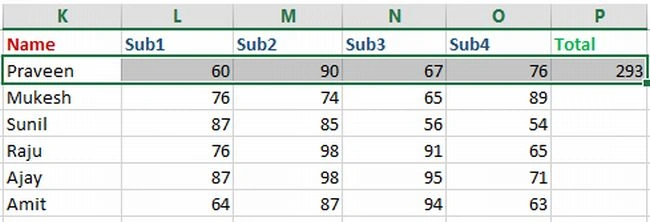
Open a worksheet and select a cell that contains an error.
Join the conversation! Your thoughts help the community grow.