

Introduction
In this article, we learn about events in JavaScript. An event is nothing special, just doing a specific task in the browser. It is what happens when the user clicks a button. There are many different types of events in JavaScript. We explained some of the events in my previous article. In this article we will see some other events in JavaScript.
Event Definition
Events are actions that can be detected by JavaScript. By using JavaScript, we have the ability to create dynamic interfaces of web pages. Events are used in combination with functions.
Let’s see the events in JavaScript:
-
Onselect event
-
Onerror event
-
Onresize event
-
Onblur event
-
Onfocus event
Onselect Event
The onselect event occurs after some text has been selected in an element. Onselect can be used within: <input type=” file”> <input type=”text”>. This is used to copy or select the input box text.
Syntax
In HTML Syntax:
- <element onselect = “Some code”>
In JavaScript Syntax:
- object.onselect = “Some code”
Example
This example demonstrates the JavaScript onselect event:
- <!DOCTYPE html>
- <html>
- <head>
- <meta charset="utf-8">
- <title>onselect event</title>
- </head>
- <body>
- <h2>Onselect Event in JavaScript</h2>
- <form>
- <label>Enter User Name:</label>
- <input type="text" name="fname" onselect="textselect()"><br>
- <label>Enter Password:</label>
- <input type="password" name="pwd">
- </form>
- <script type="text/javascript">
- function textselect() {
- alert("Some text must not be selected");
- }
- </script>
- </body>
- </html>
Output
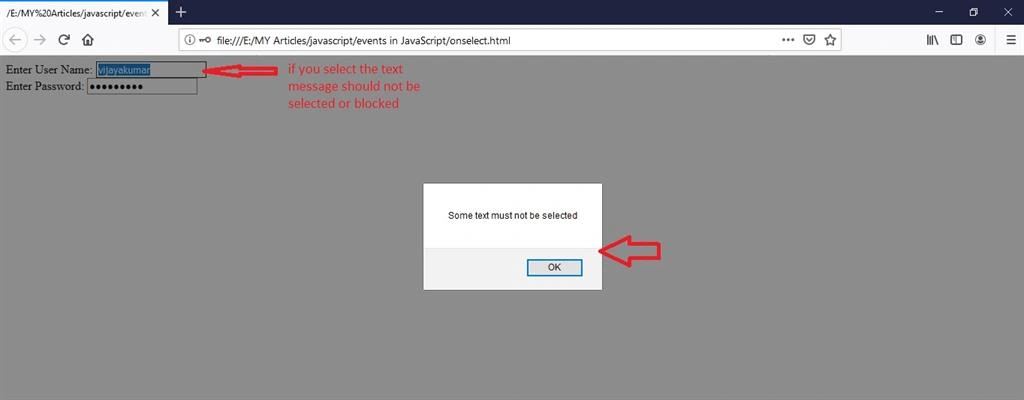
Here is an output of the onselect event example shown above:
Onerror Event
The onerror event is triggered if an error occurs while loading an external file (e.g. document or an image). If the image is not loaded when the error message arrives, the error will return. If the error is not received, then the image has loaded correctly.
Syntax
In HTML Syntax:
- <element onerror = “Some code”>
In JavaScript Syntax:
- object.onerror = “Some code”
Example
This example demonstrates a JavaScript onerror event:
- <!DOCTYPE html>
- <html>
- <head>
- <meta charset="utf-8">
- <title>Onerror Event</title>
- </head>
- <body>
- <h2>Onerror Evenet in JavaScript</h2>
- <script type="text/javascript">
- function myerror() {
- alert("image unable to load");
- alert("image resource not found");
- }
- </script>
- <img src="html.jpg" width="200px" height="200px" onerror="myerror()" alt="sorry image resource are not found">
- </body>
- </html>
Output
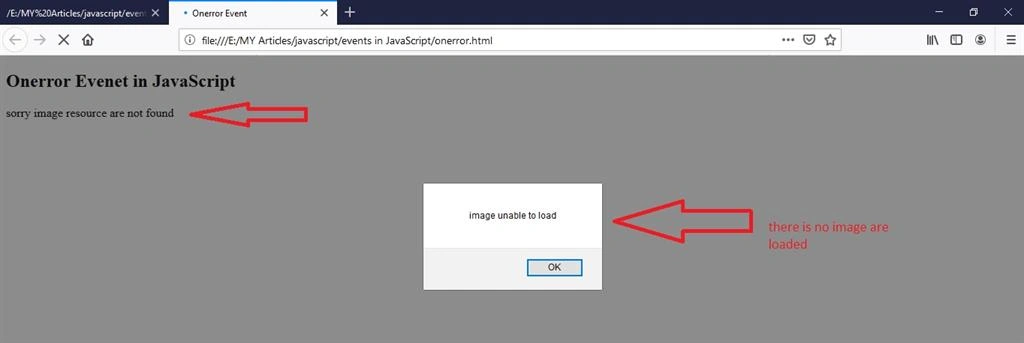
Here is the output of the onerror event example given above:
Onresize Event
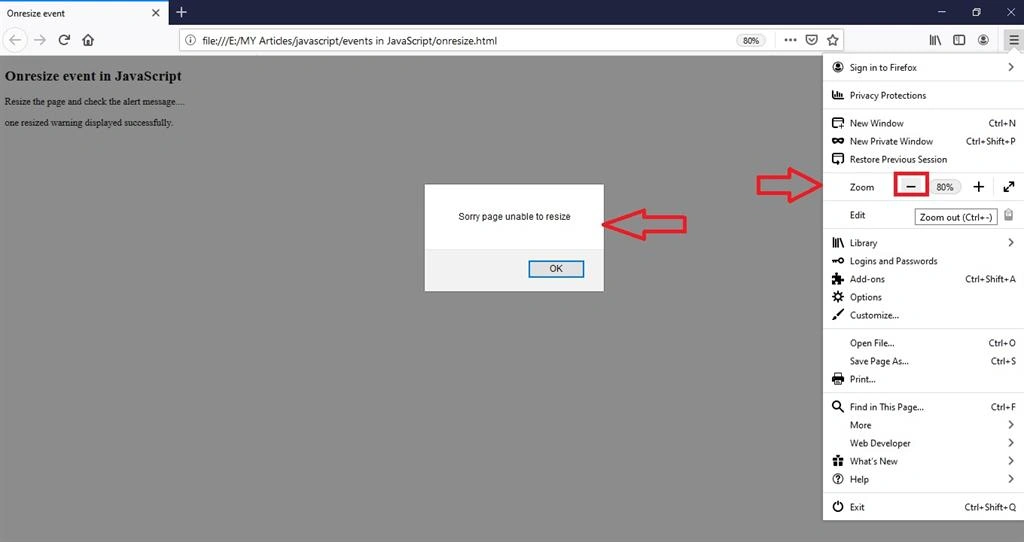
The onresize event occurs when the size of an element has changed.
Syntax
In HTML Syntax:
- <element onresize = “Some code”>
In JavaScript Syntax:
- object.onresize = “Some code”
Example
This example demonstrates a JavaScript onresize event:
Join the conversation! Your thoughts help the community grow.