
Introduction
Excel Automation is a buzz word in both webapps and winapps. In the programming life (like Mr.Anderson neo) I guess almost every one could have come across this word. For others let me go further in detail. Excel Automation is automating some or all of the process involved in creating or updating excel worksheets.
The real life scenario of an excel automation can be a daily account maintenance where you have an excel sheet template with graphs and calculations already in place except the data. So you want the data to be pulled in from a database and written to the excel sheet. After this the template takes care of the data by manipulating for graph generation.
Analysis
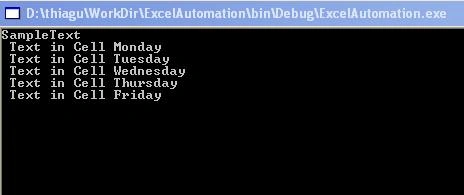
For the above said scenario we can go for a simple console application in .Net. Why I didn't go for an ASP.Net web application? Because running a web application requires a browser to be opened and closed. This becomes tedious when you schedule the process using windows scheduler to occur in particular intervals. And running a console based application is quite easy.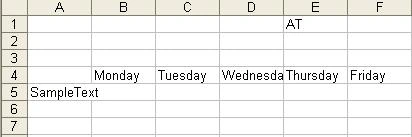
Getting Started
Pardon me for beating around the bush. Now let us jump in to the good part (coding). For this automation process we need to follow the below steps

Excel Automation in .Net
Join the conversation! Your thoughts help the community grow.
Sign in to leave a comment
It is the same account you read, post and publish with — and you will come straight back to this page.
bharat kumarPosted Feb 9, 2011, 7:40 AM
i want to know which is better one in C# .net to Excel or Asp.net to excel.
MDeLeonPosted Dec 20, 2010, 11:06 AM
If you're creating Excel 2007/2010 files then give my API a try: http://closedxml.codeplex.com
JohnPosted Jul 13, 2010, 8:14 AM
I have read good article about excel automation: Excel sheet processing There is defined few important tricks
Prabhu SampathPosted Jun 15, 2009, 11:02 AM
I am getting error as threw an exception of type 'System.Runtime.InteropServices.COMException While opening the excel
Vinod KomiriPosted Jun 6, 2009, 7:33 AM
Can i get a code to save tgeh range of cells as image and send that image through an automated email.
hemantPosted Sep 26, 2008, 2:11 AM
hello frd i need code to export data from a dataset to excel using c#. the excel will have multiple sheet and after exporting should contain one table each....
AdygTulush ANAIBANPosted Feb 6, 2008, 9:33 PM
How can i programatically make a multiline? Manually it is possible by pressing ALT+ENTER Also is it possible in SQL db? You see i need a db of LETTERS containing RECIEVERS. Each LETTER has 1 or more RECIEVERS. The problem is user chooses a RECIEVER from a db and inputs it into my db of LETTERS in SQL. But amount of RECIEVERS in a record not available... It can be 1,2,3 or 4, max 10.
PRAMOD GUPTAPosted Feb 6, 2008, 2:10 PM
SUGGEST HOW TO CONVERT A RANGE OF CELLS CONTAINIG NUMBERS IN INDIAN STYLE AS LABELS("XX,XX,XX,000.00) INTI NUMBERS IN US STYLE ,NOT AS LABELS BUT AS PURE NUMBERS( XXX,XXX,XXX.00)
Ajey GhaligiPosted Feb 5, 2008, 1:58 AM
How to import data from Excel sheet in to database in ASP.NET 2.0 application running under 64 bit OS. The application is working fine in 32 bit OS. As OLEDB data provider is not supported in 64 bit OS the application is not working. Please do suggest me a solution. Thanks
David AdamseditedPosted Sep 18, 2007, 4:59 PMEdited Sep 18, 2007, 5:01 PM
Suppose I want to grab a row in excel and make the font Bold and put a border around it. Which is more Efficient? Range r = MyWorksheet.get_Range("A1", "W1"); r.Font.Bold = true; r.Cells.Borders.Weight = 2; OR MyWorksheet.get_Range("A1", "W1").Font.Bold = true; MyWorksheet.get_Range("A1", "W1").Cells.Borders.Weight = 2;
Mahesh ChandPosted Jan 8, 2007, 1:52 PM
Good intro article. However, you will get an exception if .xls file is not available. I needed same in VB.NET and here is the converted code: Dim excelApp As ApplicationClass = New ApplicationClass Dim excelBook As Workbook excelBook = excelApp.Workbooks.Open("C:\SampleExcel.xls", 0, False, 5, _ System.Reflection.Missing.Value, System.Reflection.Missing.Value, _ False, System.Reflection.Missing.Value, System.Reflection.Missing.Value, _ True, False, System.Reflection.Missing.Value, False) Dim excelSheets As Sheets = excelBook.Sheets Dim wSheet As Worksheet = excelSheets(1) Dim cell1 As Range = wSheet.Range("B4:FZ4", Type.Missing) Dim cell2 As Range = wSheet.Range("A4:A5", Type.Missing) cell2.Value2 = "SampleText" excelBook.Save() excelApp.Quit()