

In my previous article we got to know how to create two methods that handle the log maintenance for exceptions. After that just build the application and we will get the "dll" of the project. The link of my previous article is
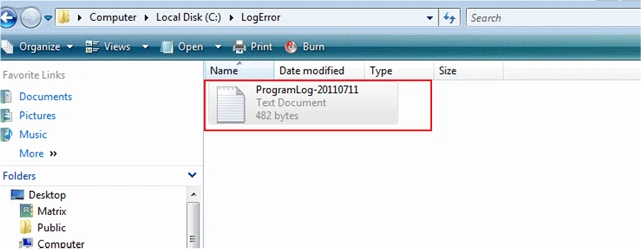
Now in this article I will describe how to use the "ErrorHandling" dll when an exception happens and to register the Exception in a text file. The textfile will be created inside the "LogError" folder in the C drive. So before attaching the dll you have to create the folder in your C drive.
Now here is the Program.
Step 1
First create a webapplication named "Errorhandlingappln".
Step 2
After that in the reference folder add a reference for "Errorhandling.dll". In this project I will give you the dll.
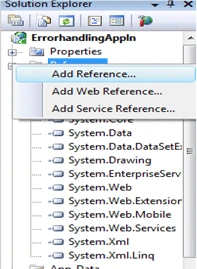
Step 3
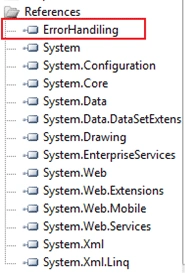
After attaching the dll it will appear in your reference folder and it will appear like the following figure:
Step 4
Now in the default.aspx.cs first register the dll.
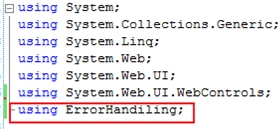
Step 5
Now see the following code:
- using System;
- using System.Collections.Generic;
- using System.Linq;
- using System.Web;
- using System.Web.UI;
- using System.Web.UI.WebControls;
- using ErrorHandiling;
- namespace ErrorhandlingAppln
- {
- public partial class _Default : System.Web.UI.Page
- {
- int i = 10,d=0;
- ErrorHandling objError = new ErrorHandling();
- protected void Page_Load(object sender, EventArgs e)
- {
- try
- {
- int result = (i /d) ;
- }
- catch (Exception ee)
- {
- string errorMessage = ErrorHandiling .Class1.CreateErrorMessage(ee);
- ErrorHandiling .Class1.LogFileWrite(errorMessage);
- }
- }
- }
- }
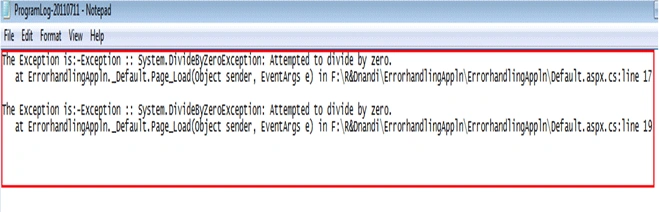
Joginder BangerPosted Jul 9, 2015, 4:38 PM
Sir I think this technique not working shared folder...???
Gowtham RajamanickamPosted Apr 18, 2015, 3:51 AM
good one
liliek mePosted Dec 2, 2012, 2:26 PM
Hi, i try this but reference error happen, i alreadt add errorhandling.dll to my project. add reference as you said, but in my code, when i declare errorhandling obj=new errorhanling(); refence not found. please help. thanks Lirus