

Introduction
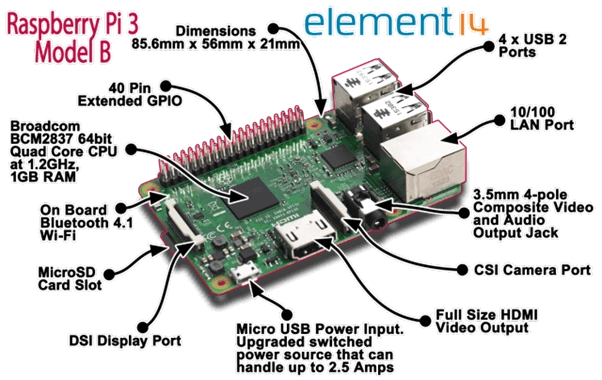
I was giving a small demo on Raspberry Pi 3, using windows 10 IoT core. Some people asked me if the Raspberry Pi 3 is the only device that can be used for IoT. Then, I explained to them that we have different types of IoT devices, ranging from microcontrollers to systems on board. I decided to write this article for the same reason.
Microcontroller vs. System on Board
Microcontrollers are compact computers with processors, memory, and peripherals, but they are very compact in size and can perform a limited task whereas System on Board is full-fledged computers that can be used for a lot of activities, like playing games, playing music, watching HD videos, performing complex computing, and installing different types of apps and software, etc.
IoT Components
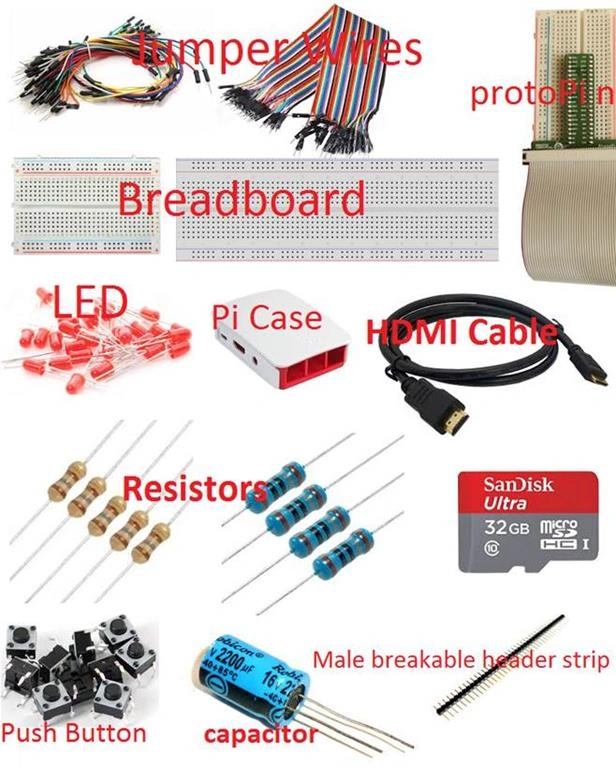
 So, I am going to explain all those devices, along with peripherals used with IoT devices. But, before that, I will explain some areas where we can use IoT.
IoT Usage Example
Control electronic devices: We can control any electronic device using Pi. If you are using Windows 10 IOT Core Insider for Raspberry Pi 3, you will find a sample program Blinky, already created, which can be used to set and control the blinking of a LED light. You can also control other electronic devices, like DC fans, etc.
Control electrical devices: You can control your electrical devices also, using a relay circuit and connecting through Pi.
Real-world implantations
The above examples are simple which can be done very easily by a few lines of codes. But, real implementations start when we use a combination of Wi-Fi, Bluetooth, infrared rays, Azure data posting stream analytics, and many more things with the help of sensors. So, we can say that sensors play a vital role in IoT implementations. We can use a wide range of sensors with IoT. Some real-world implementations can be done like:
Smart Parking, Smart Lighting, Smart Roads, Smart Fridge, Smart AC, Smart House, Smart Power Grid, Smart Product Management, Smart Animal Farming, Smart Agriculture, Smart Storage Tank, track your activity, Smart Retail, Smart Supply Chain, Connected Cars, Smart Manufacturing, and many more smart things around the world.
The basic purpose of IoT is connecting the devices through the internet. Those devices can be anything, e.g., mobile phones, camera, music system, audio player, video player, smartwatch, wall mounted watch, fans, calendar, hospitals, home, hotel, restaurant, healthcare devices, bus, car, cycle, TV/monitor, chair, beds, water bottles, purifiers, gas cylinders, traffic signals, printer, scanner, 3D printer, medical appliances, and many more things.
I am going to give you a simple example of how these things can be implemented very easily. Let’s take an example of searching a lost Key Chain.
Searching your lost key chain: Suppose you lost your key in the car parking lot or inside the shopping mall, then, it is very hard to find it. But, if your key chain is having Wi-Fi, you can search it easily because when you reach a Wi-Fi coverage area, your smartphone will automatically show you that the particular Wi-Fi network is available. So, you can search in that specific area. Or suppose, if your Key chain is having some preloaded music, you can play that and find it within a second.
It can also be implemented through infrared rays. We can use different types of sensors with a key chain that can send data to a particular data center and we can find it based on the analytics of those data. It’s a very simple example and IoT can be implemented on thousands of different scenarios, which totally depends upon our requirements and thinking. Let’s have a look at some IoT boards.
Raspberry Pi
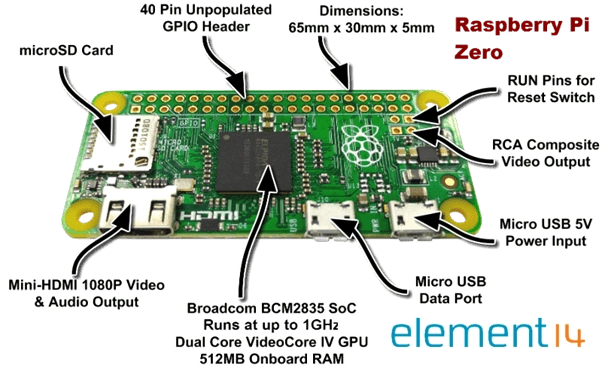
Raspberry Pi is a very low-cost computer of credit card size, by the Raspberry Pi Foundation. The Raspberry Pi Foundation is a registered educational charity of the UK.
Features of Raspberry Pi
So, I am going to explain all those devices, along with peripherals used with IoT devices. But, before that, I will explain some areas where we can use IoT.
IoT Usage Example
Control electronic devices: We can control any electronic device using Pi. If you are using Windows 10 IOT Core Insider for Raspberry Pi 3, you will find a sample program Blinky, already created, which can be used to set and control the blinking of a LED light. You can also control other electronic devices, like DC fans, etc.
Control electrical devices: You can control your electrical devices also, using a relay circuit and connecting through Pi.
Real-world implantations
The above examples are simple which can be done very easily by a few lines of codes. But, real implementations start when we use a combination of Wi-Fi, Bluetooth, infrared rays, Azure data posting stream analytics, and many more things with the help of sensors. So, we can say that sensors play a vital role in IoT implementations. We can use a wide range of sensors with IoT. Some real-world implementations can be done like:
Smart Parking, Smart Lighting, Smart Roads, Smart Fridge, Smart AC, Smart House, Smart Power Grid, Smart Product Management, Smart Animal Farming, Smart Agriculture, Smart Storage Tank, track your activity, Smart Retail, Smart Supply Chain, Connected Cars, Smart Manufacturing, and many more smart things around the world.
The basic purpose of IoT is connecting the devices through the internet. Those devices can be anything, e.g., mobile phones, camera, music system, audio player, video player, smartwatch, wall mounted watch, fans, calendar, hospitals, home, hotel, restaurant, healthcare devices, bus, car, cycle, TV/monitor, chair, beds, water bottles, purifiers, gas cylinders, traffic signals, printer, scanner, 3D printer, medical appliances, and many more things.
I am going to give you a simple example of how these things can be implemented very easily. Let’s take an example of searching a lost Key Chain.
Searching your lost key chain: Suppose you lost your key in the car parking lot or inside the shopping mall, then, it is very hard to find it. But, if your key chain is having Wi-Fi, you can search it easily because when you reach a Wi-Fi coverage area, your smartphone will automatically show you that the particular Wi-Fi network is available. So, you can search in that specific area. Or suppose, if your Key chain is having some preloaded music, you can play that and find it within a second.
It can also be implemented through infrared rays. We can use different types of sensors with a key chain that can send data to a particular data center and we can find it based on the analytics of those data. It’s a very simple example and IoT can be implemented on thousands of different scenarios, which totally depends upon our requirements and thinking. Let’s have a look at some IoT boards.
Raspberry Pi
Raspberry Pi is a very low-cost computer of credit card size, by the Raspberry Pi Foundation. The Raspberry Pi Foundation is a registered educational charity of the UK.
Features of Raspberry Pi
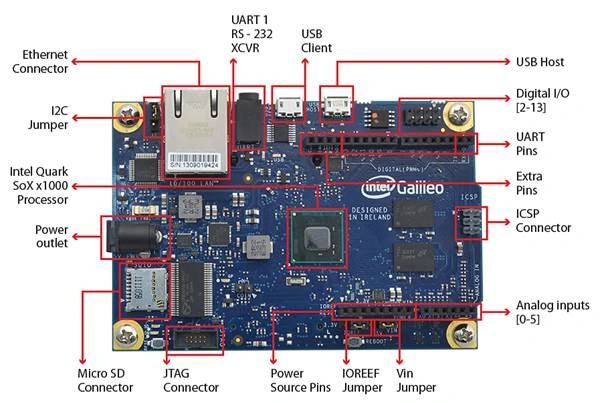
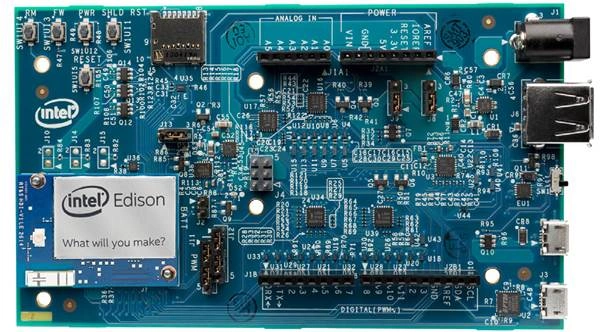
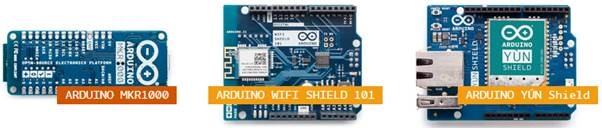
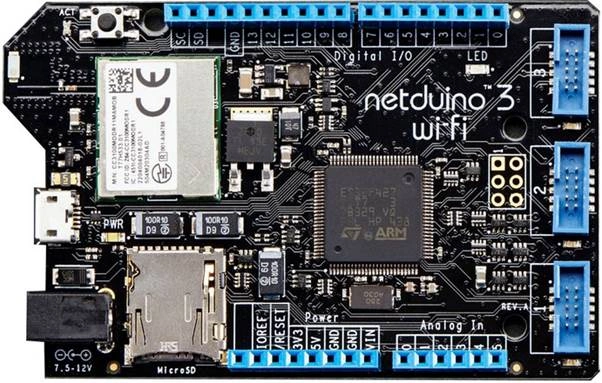
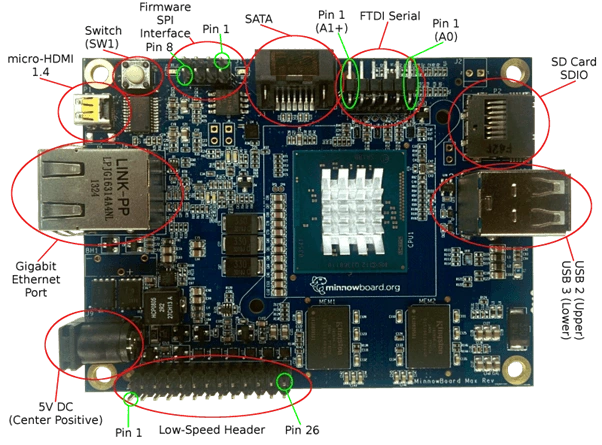
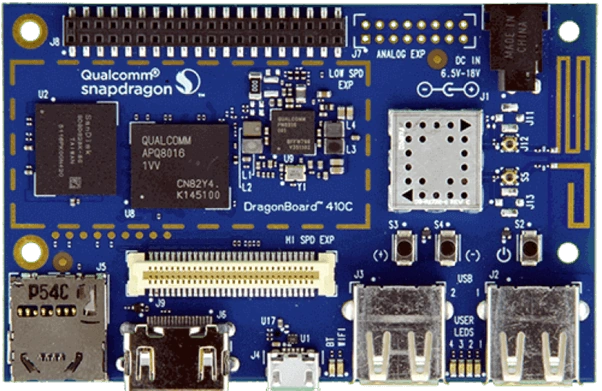
IoT Boards
- Low cost: starting from $5
- Compact size: credit card sized
- Connect your monitor/TV:
- You can directly connect your Raspberry Pi with your monitor or TV, using HDMI port.
- If you have an old monitor that doesn’t have HDMI port, then, you can use HDMI to VGA cable for that.
- Connect Standard Mouse and Keyboard:
- If you have a wireless keyboard, you can connect it using Bluetooth.
- Connect your wired keyboard/ mouse using the USB port.
- Use USB to PS2 converter cable for connecting your PS2 mouse/keyboard.
- Beneficial for exploring computing, by people of all ages. We can do a lot of things with it. We can play games, work with spreadsheet software, play HD video, internet surfing, and many more things.
- We can use it for exploring the Internet of Things. We can write programming for it in different types of languages. Being a Microsoft technology developer, I’ll prefer coding in C#, but it also supports C++, Java, Python, Node JS, Ruby, etc. For IoT, Raspberry Pi 3 can be used in different ways. We can do a lot of things using Pi.

Banketeshvar NarayanPosted Jul 14, 2016, 2:15 PM
Thanks kalu singh rao
kalu singh raoPosted Jul 14, 2016, 6:19 AM
Nice...