
This article will help you to create SPFX webpart which exports SharePoint list data in Excel files (xlsx file) and download to your local machine. I am using PnP library for consuming SharePoint operations, FileSaver.js for saving files on the client-side and xlsx library for spreadsheet formats.
Open Node.js Command prompt and run the below commands ,
- To create a new project directory
md ExportToExcel
- To go to the project directory
cd ExportToExcel
- To create a new web part
yo @microsoft/sharepoint
- When prompted,
- What is your solution name? ExportToExcel
- Which baseline packages do you want to target for your component (s)? SharePoint Online only (latest)
- Where do you want to place the files? Use the current folder
- Do you want to allow the tenant admin the choice of being able to deploy the solution to all sites immediately without running any feature deployment or adding apps in sites? N
- Will the components in the solution require permissions to access web APIs that are unique and not shared with other components in the tenant? N
- Which type of client-side component to create? WebPart
- What is your Web part name? ExportToExcel
- What is your Web part description? ExportToExcel description
- Which framework would you like to use? React
At this point, Yeoman creates the project scaffolding (folders & files) and installs the required dependencies by running npm install. This usually takes 1-3 minutes depending on your internet connection.
In the command prompt, type the below command to open the solution in the code editor of your choice.
NPM Packages used,
- npm install @pnp/[email protected] --save //for SharePoint operations
- npm i xlsx //To parser and writer for spreadsheet formats (.xlsx file)
- npm i file-saver //For saving files on the client-side
Necessary imports
In ExportToExcelWebPart.ts file
- protected onInit(): Promise<void> {
- return super.onInit().then(_ => {
- // other init code may be present
- sp.setup({
- // set ie 11 mode
- ie11: true,
- // only needed when working within SharePoint Framework
- spfxContext: this.context
- });
- });
- }
in ExportToExcel.tsx file
- import { sp } from "@pnp/sp";
- import "@pnp/sp/webs";
- import "@pnp/sp/lists";
- import "@pnp/sp/items";
- import * as XLSX from 'xlsx';
- import {saveAs} from 'file-saver';
Full Code
in ExportToExcel.tsx
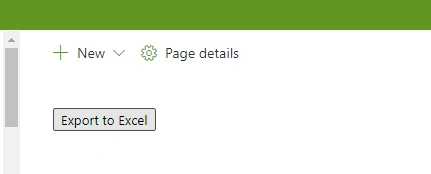
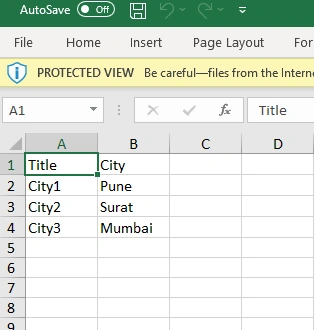
B ReddyPosted Feb 2, 2023, 11:51 AM
Hi Marsh. how do we import the excel sheet data SharePoint list using Spfx?
boreddy PallavireddyPosted Jun 1, 2021, 12:28 PM
How we will make header in bold or apply some styles in header?
Madhan ThuraiPosted Jan 6, 2021, 5:27 PM
Https://www.c-sharpcorner.com/article/export-sharepoint-list-items-in-excelspfx-react/
Madhan ThuraiPosted Jan 6, 2021, 5:19 PM
Excat copy of my article,with some changes