

In this article I am showing you how to perform Import/Export operation of a
particular SharePoint site using Power Shell
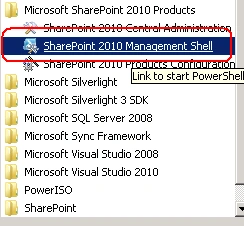
1. On the Start menu, click All Programs.
2. Click Microsoft SharePoint 2010 Products.
3. Click SharePoint 2010 Management Shell.
4. At the Windows Power Shell command prompt type the following command:
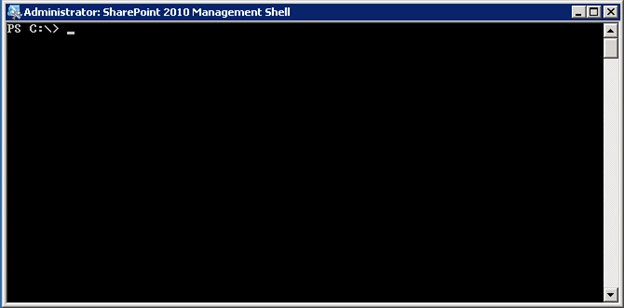
5. You will get a Power shell command prompt like below
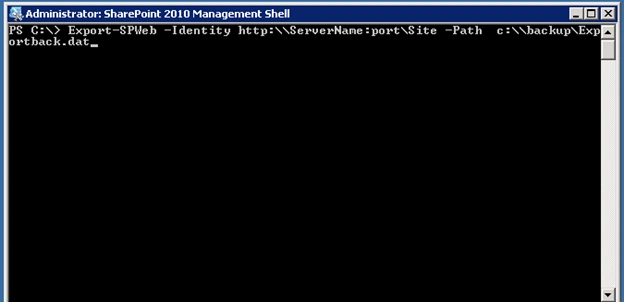
6. In SharePoint 2010, Power Shell command Export-SPWeb is used to export the
site
7. Please see the screen shot for the Power Shell command
8. Export-SPWeb -Identity http:\\ServerName:port\Site -Path c:\\backup\Exportback.dat
9. The NoFileCompression parameter lets you specify that no file compression is
performed during the export process. Using this parameter can lower resource
usage up to 30% during the export process. Using this parameter will result in a
backup folder being created instead of a compressed file. If you use the
NoFileCompression parameter in the Export-SPWeb command, you must also use it
when you import the content by using the Import-SPWeb command.
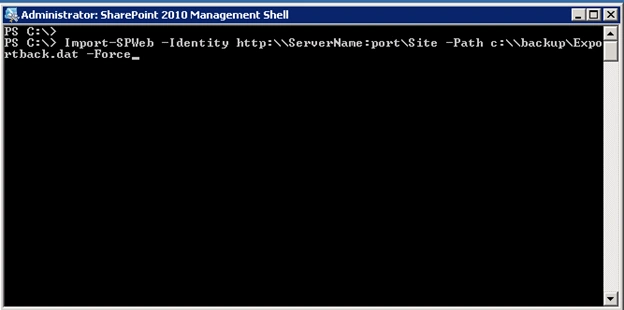
10. To import to a site you have to use Import-SPWeb command
11. The complete command is
12. Import-SPWeb -Identity http:\\ServerName:port\Site -Path c:\\backup\Exportback.dat
-Force
13. I have used -force to over write the existing site in my destination
Eric proshutoeditedPosted Nov 30, 2011, 1:59 PMEdited Nov 30, 2011, 2:09 PM
I run that comand and it does the import but does not overwrite anything it actualy doubles whats in the lists already. Import-SPWeb http://server/site/subsite -Path "D:\restores\sitetorestore.cmp" -force If I try again I get three times as many...it just keeps adding items to all lists instead of overwriting the entire list. I have tried the updateversion parameter..nothing seems to be working. Any help would be appreciated. Update - Noticing your description you use a .dat extension. I am retrying that to see if it helps. Eric
Jürgen BäurlePosted Sep 13, 2011, 1:02 PM
Thanks, great work! Here is another solution to create PDF documents: http://www.parago.de/2011/04/how-to-export-sharepoint-task-list-data-to-pdf-using-a-templating-system/ The solution is dynamically creating a PDF document from a SharePoint list using a template engine to customize the PDF output.
Suganya SampathPosted Mar 17, 2011, 10:31 AM
It worked for me only when I changed the servername with forward slashes. Thanks for sharing.
Richard SpeciosoPosted Jan 4, 2011, 3:36 PM
So the sites and list get exported but not the workflows, is there a way to get the workflows exported at the same time?
jibin koshyPosted Oct 24, 2010, 7:58 AM
Other gr8 article from you buddy...........