
Introduction
In this article I describe the @@fetch_status function in SQL Server that is used with a Cursor. I asume you have a basic knoweldge of Cursors; for more help you can visit the following links:
Cursor in SQL Server Part 1
Cursor in SQL Server Part 2
@@Fetch_Status:
It returns the last status of the fetch operation of the cursor which is currently opened and in use. We can say that the @@Fetch_Status function returns the status of a recent fetch operation of a cursor.
It is used with a while loop. The @@fetch_status returns 0,-1 or -2. When it returns 0 the fetch operation was successful. When it returns -1 it indicates that the FETCH statement failed and when it returns -2 it shows that the Row fetched is missing.
Examples of @@Fetch_status Function:
First of all we create a table and a cursor on that table.
Creation of Table:
create table stu(stuId int, stuName varchar(10))
Insertion of Data:
insert into stu
select 1,'Deepak'union all
select 2,'daljeet'union all
select 3,'pankaj'union all
select 4,'govind 'union all
select 5,'Ravi'
Output:
select * from stu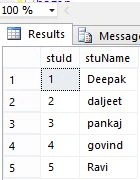
Creation of a scroll Cursor:
declare stuCursor cursor
scroll for
select * from stu
Example 1:
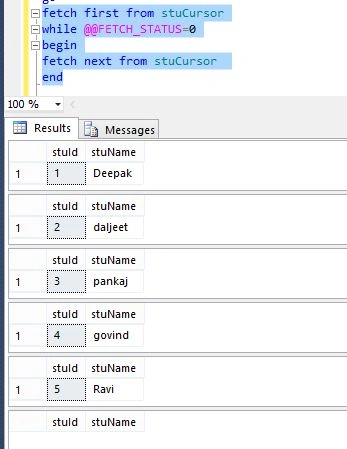
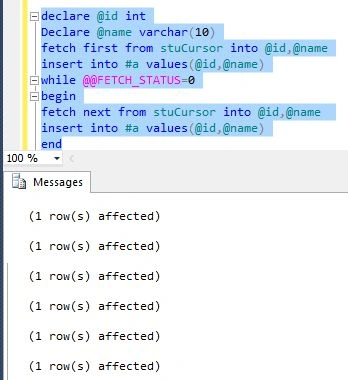
We can fetch all the rows from a table using the @@Fetch_status function and a Cursor. See:

Join the conversation! Your thoughts help the community grow.