

Introduction
"Windows 7" file explorer is simple and similar to the "Windows XP" file explorer. In this file explorer, some file operations are in a hidden form which is not visible, for example, "Optimization", "Hidden Items/Folders", "Sharing File On Network" etc, so "Windows 7" file explorer have some limited features as in the following screenshot,
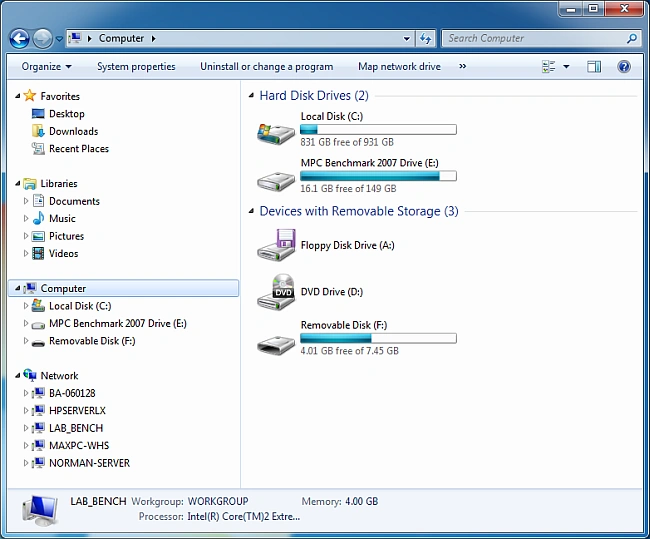 Image source.
Microsoft added a new "File Explorer" to overcome the problem to use all file operations in the old "File Explorer" window. It means all the file operations of the "Windows 7" file explorer are visible in the new file explorer window. So Microsoft added the new look and feel explorer called Windows 10 "File Explorer" with advanced functionality that plays an important role in a user-friendly environment. Follows some steps to understand the new functionality Windows 10 "File Explorer".
Firstly, open new "File Explorer" using "Windows + E" shortcut from the keyboard or click on the "File Explorer" icon which is pinned on the taskbar as in the following screenshot,
Image source.
Microsoft added a new "File Explorer" to overcome the problem to use all file operations in the old "File Explorer" window. It means all the file operations of the "Windows 7" file explorer are visible in the new file explorer window. So Microsoft added the new look and feel explorer called Windows 10 "File Explorer" with advanced functionality that plays an important role in a user-friendly environment. Follows some steps to understand the new functionality Windows 10 "File Explorer".
Firstly, open new "File Explorer" using "Windows + E" shortcut from the keyboard or click on the "File Explorer" icon which is pinned on the taskbar as in the following screenshot,
 1st way of opening file explorer,
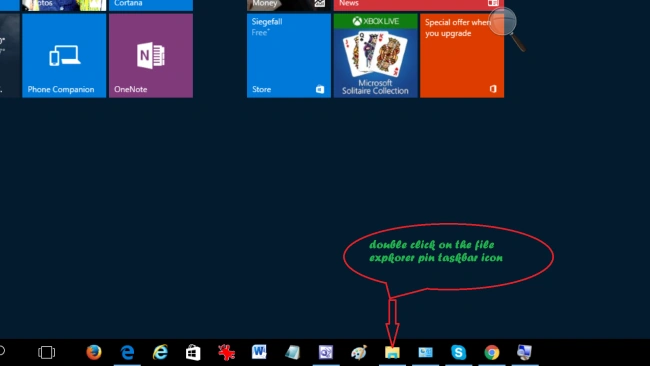 2nd way of opening file explorer,

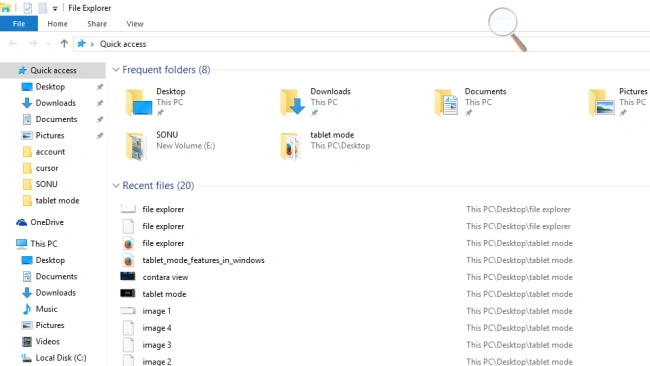
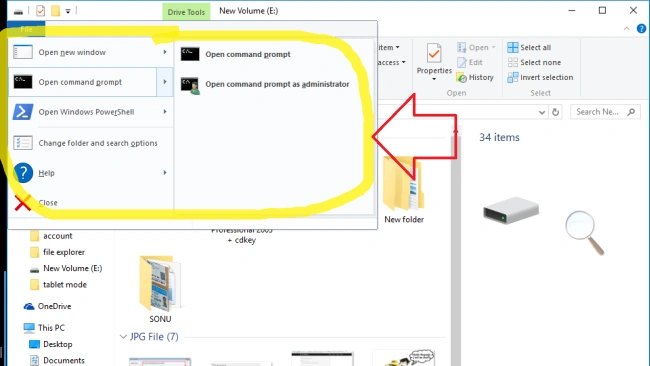
File Menu
*
Home Menu
When we will press "Windows + E" shortcut key, then "Home" menu opens by default with some tools options as in the following screenshot,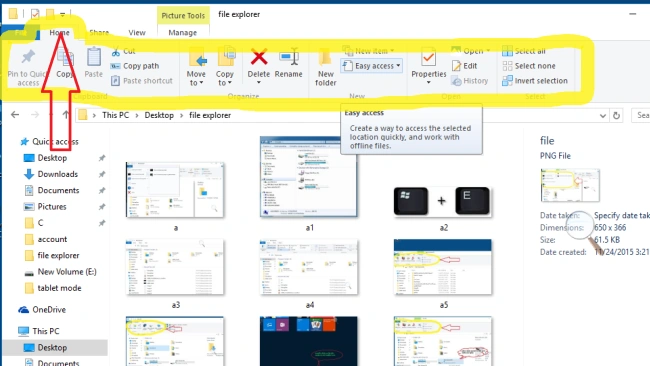
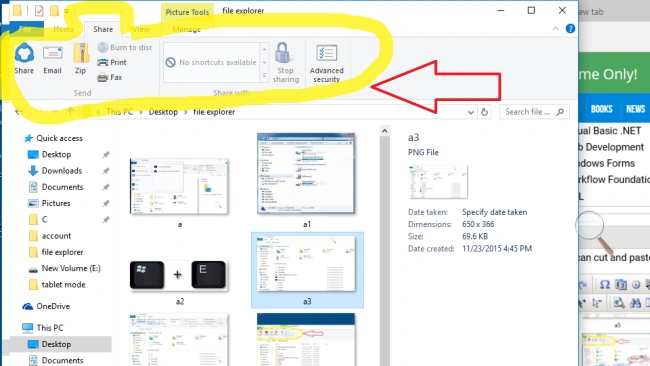
Share Menu
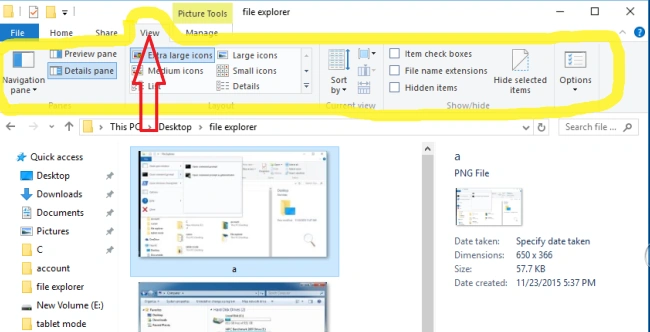
View Menu
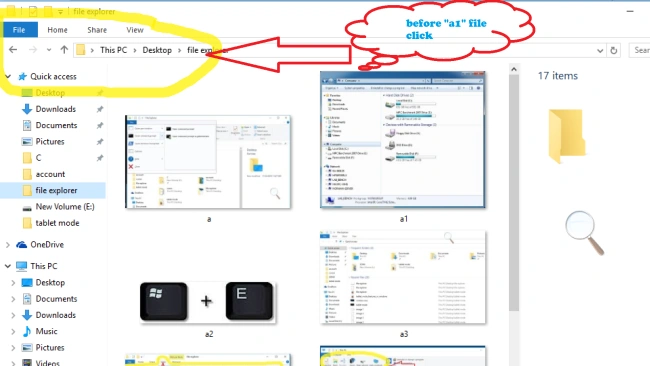
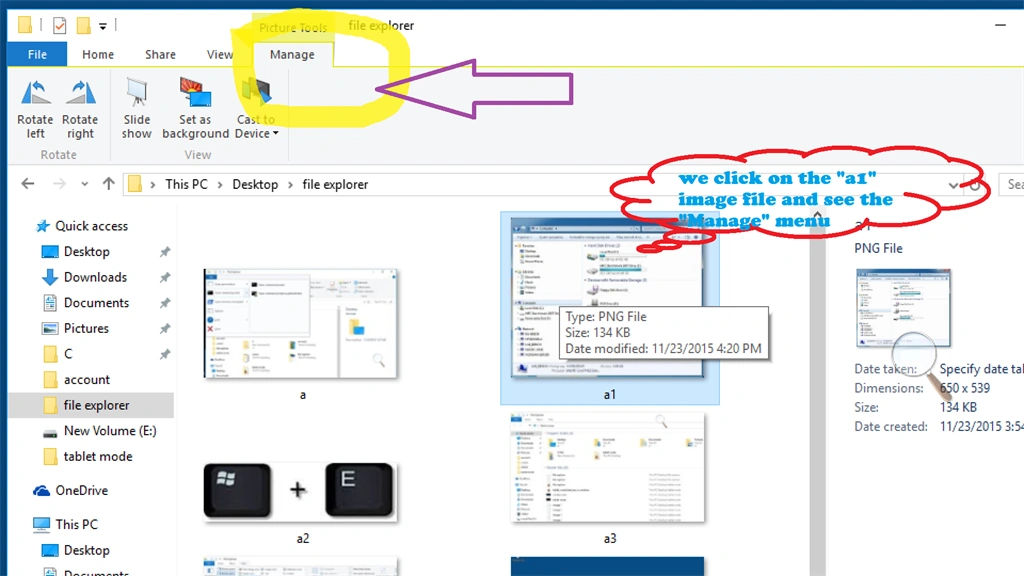
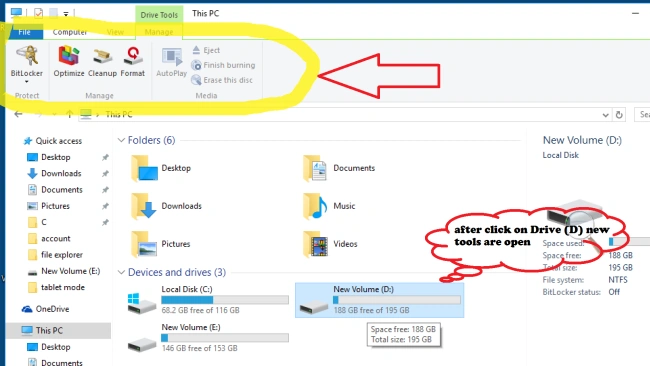
Hidden Menu / Manage Menu
Santhakumar MunuswamyPosted Nov 29, 2015, 11:52 PM
Good one
Mukesh KumarPosted Nov 26, 2015, 12:20 AM
Good One...