
Introduction
Hi guys. Let's see how to create your first ASP.Net MVC 5.0 application from scratch step-by-step.
If you want to learn more about ASP.Net MVC read my previous article.
Getting Started With ASP.Net MVC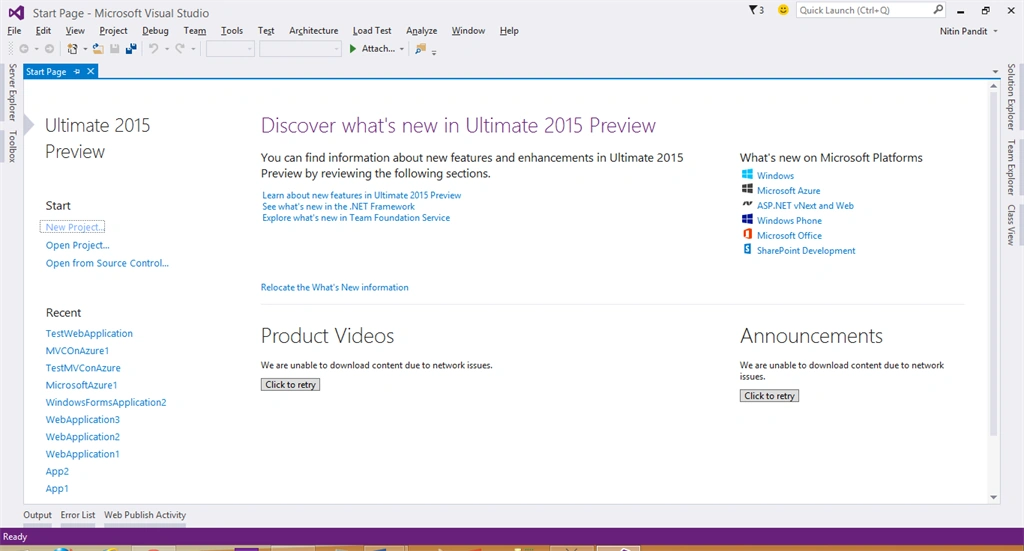
First step: open Visual Studio then select "File" -> "New" -> "Project...".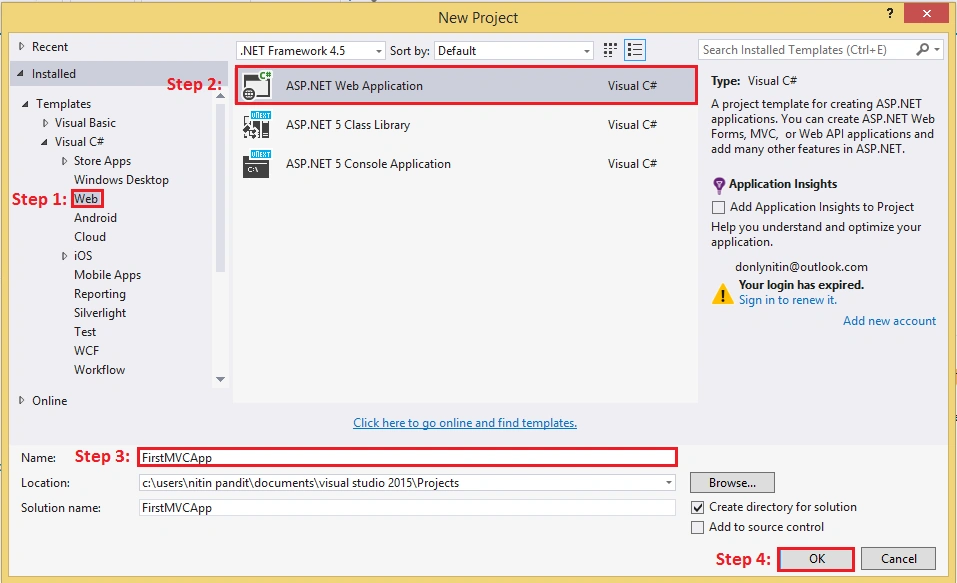
Select the options from the new open window as in the following: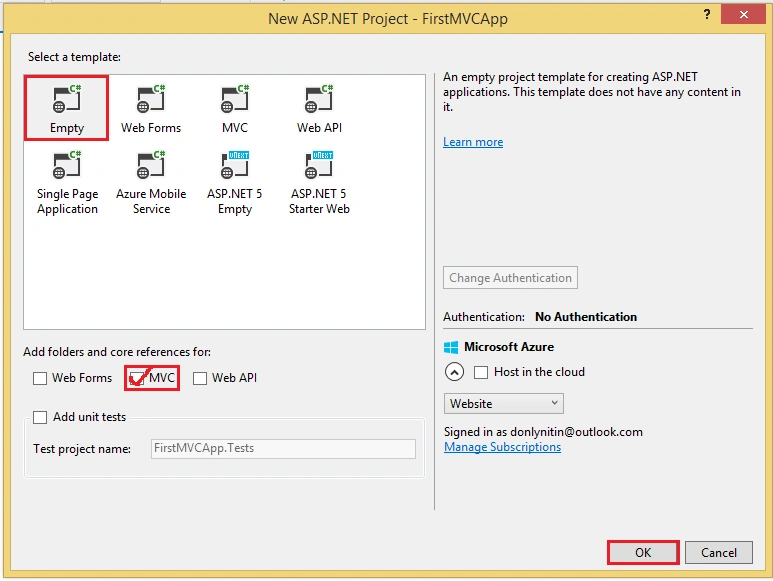
When you click on the OK button it'll create a project. Now open your solution to see the ASP.Net project where you will see three empty folders for Controllers, Model and Views for specific locations of Controller Classes and model class and also for View Pages. 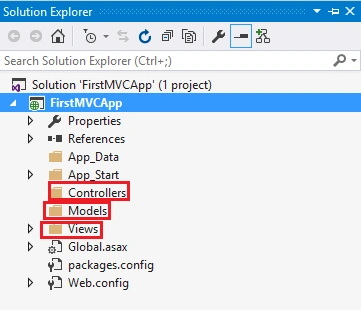
And we Also Have a folder App_Start that contain some files like RouteConfig.cs where we need to write the default route path for MVC application. 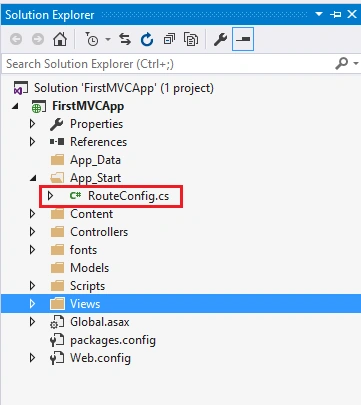
Open that file and see the code.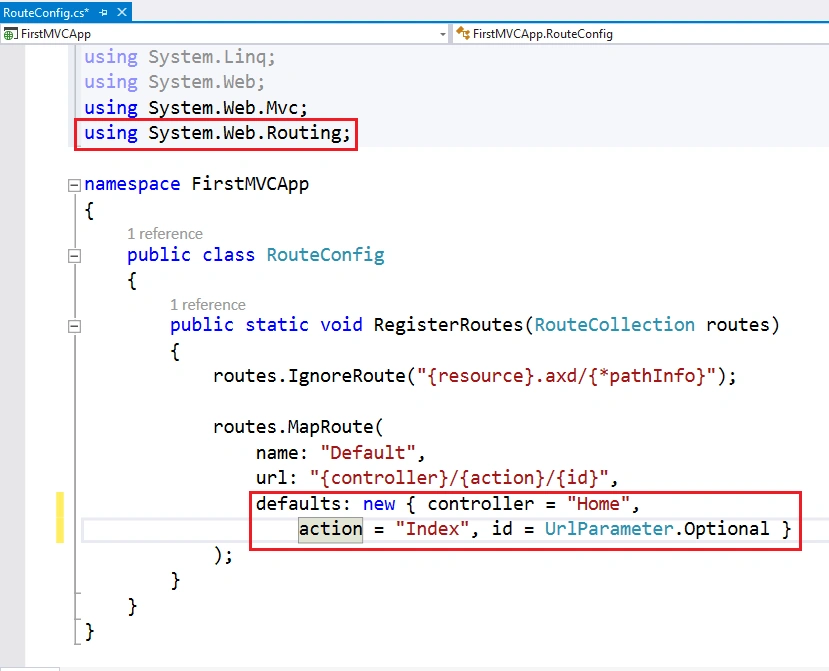
This is the default route for every ASP.Net MVC application. You can edit it as needed. Now add a controller first to the application so right-click on Controllers and click on Add.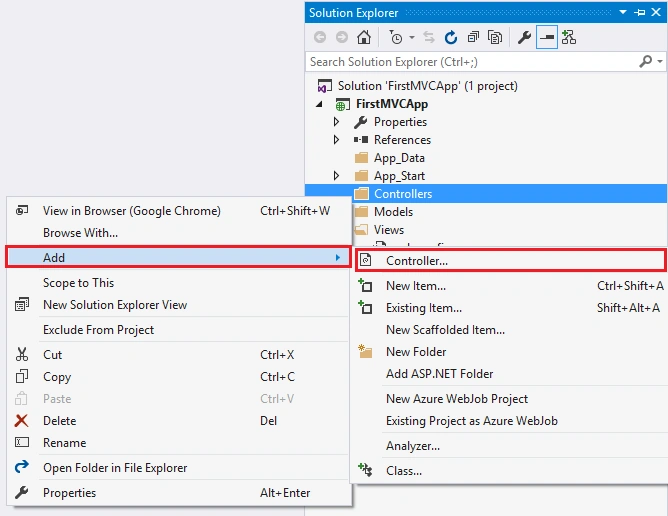
Select MVC 5 Controller. There is also some more controller templates also known as Scaffolder Templates that can bind directly with the Entity Framework and create all Action Methods to use CRUD operations. I am selecting Empty Controller from the template lists to write some basic action to test the first ASP.Net MVC application. 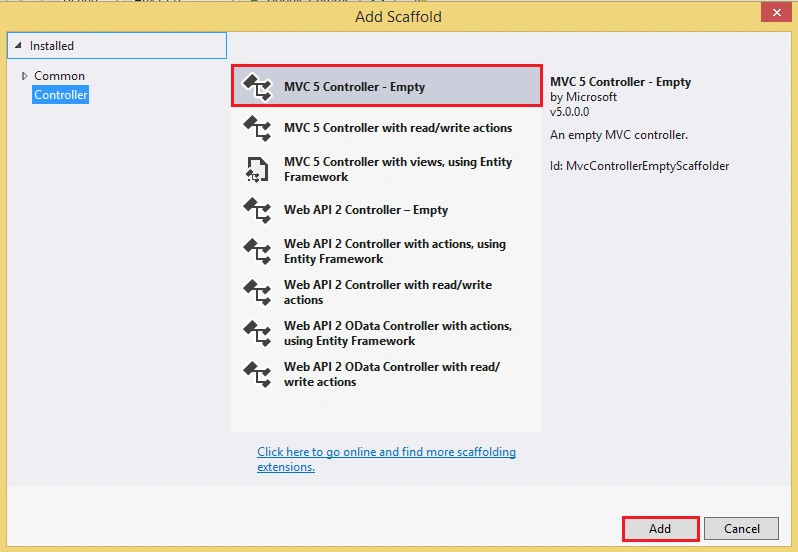
Write a Controller Name in the form but never remove Controller after the Controller name because it is recommended that with every class behave as a controller. 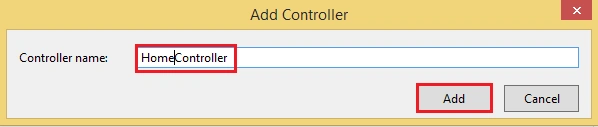
Now Click on Add and see the code of that file. See the First namespace that is very necessary for an ASP.Net MVC Applications
Using System.Web.MVC
Every class inherits from the Controller Class in that namespace and that class has an Action method Index by default.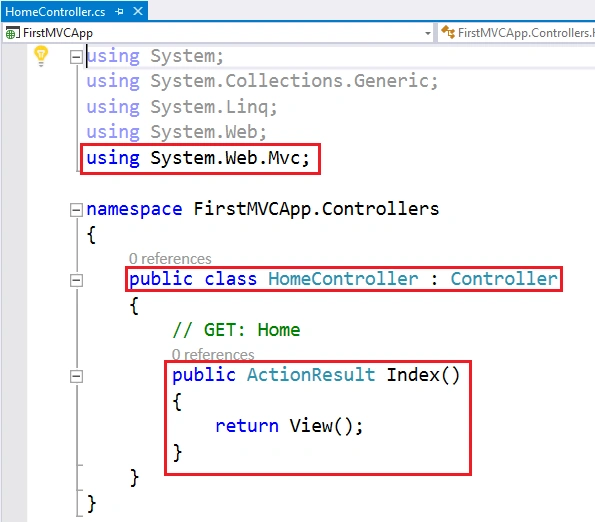
That action returns ActionResult by default so we need a view so now add a view.
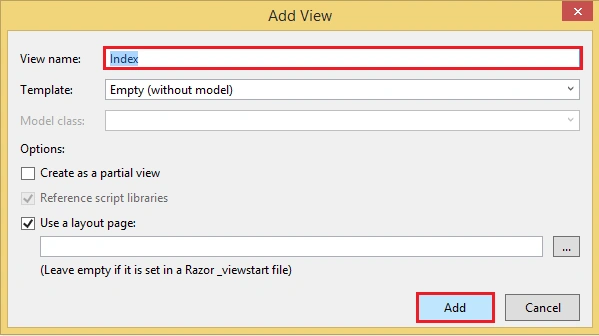
A View can be the same name as the Action Name or may be the different name but should be in a folder with the same name as the Controller name in the View Folder. If we have the same name for a view as the action name then there is no need to define the view name when returning a view from the action but the name is different so pass the name of the action in string format when you return a View(“View Name”).
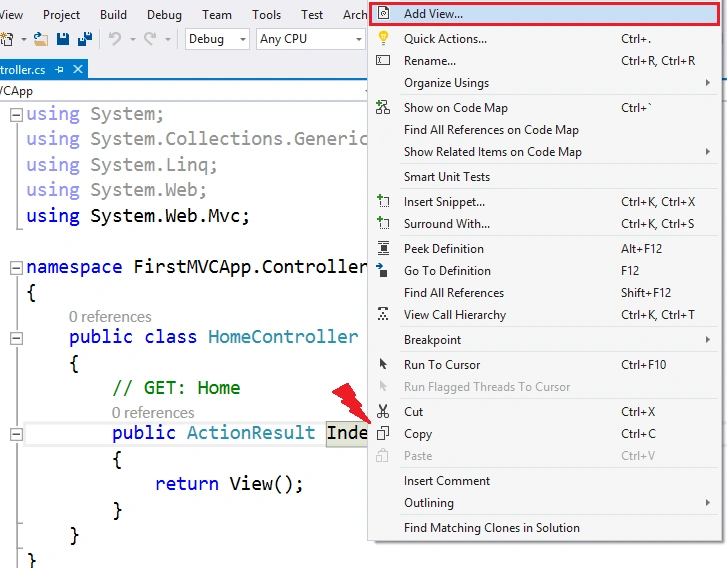
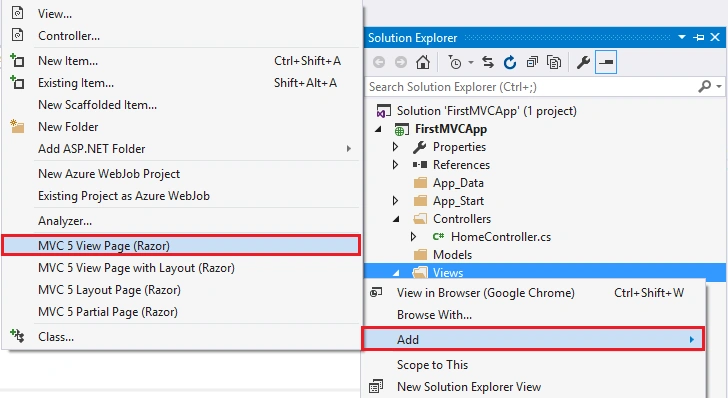
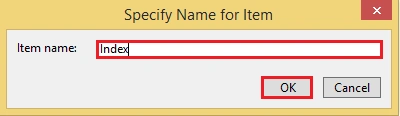
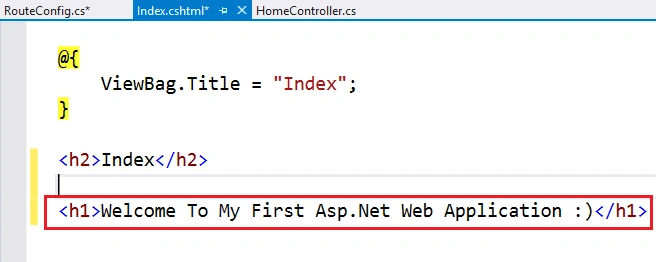
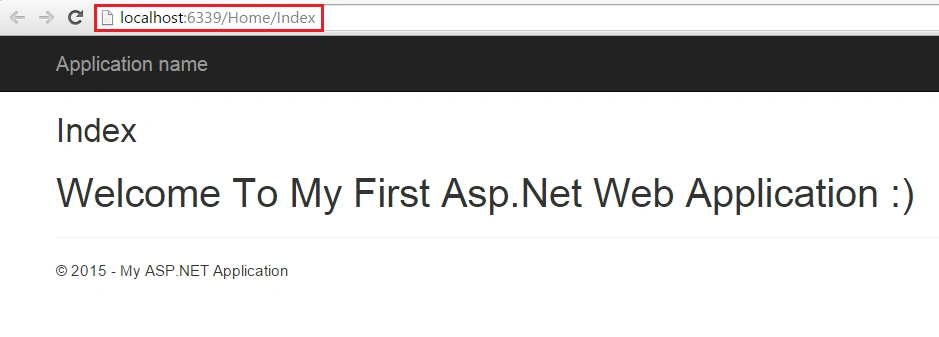
Now add a view; there are two ways to add a view.

First ASP.Net MVC 5.0 Application
Join the conversation! Your thoughts help the community grow.
Sign in to leave a comment
It is the same account you read, post and publish with — and you will come straight back to this page.
Viknaraj ManogararajahPosted Jul 21, 2018, 9:58 AM
nice article, thank you for sharing
Rohan RaoPosted May 21, 2018, 5:18 AM
Thanks for sharing this. Nice explanation :)
Pradeep SahooPosted May 18, 2016, 12:55 PM
Good share..........
Debasis SahaPosted Mar 12, 2016, 1:00 AM
Good one
Humayun Kabir MamunPosted Mar 5, 2016, 11:11 PM
Nice...
Amit Kumar SinghPosted Feb 20, 2016, 6:57 AM
Nice one
Upendra Pratap ShahiPosted Jan 28, 2016, 12:53 PM
thanks sir, this is very useful....
Khargesh RajputPosted Jun 13, 2015, 5:02 AM
thanks for sharing this sir, it was helpful in your 2nd session of c sharp corner
Karthik Muthu KaruppanPosted Apr 23, 2015, 11:13 AM
good one
Rahul Kumar SaxenaPosted Apr 23, 2015, 12:09 AM
Good Show bro...
Santhakumar MunuswamyPosted Apr 23, 2015, 12:07 AM
Thanks for nice article
Manoj KulkarniPosted Apr 22, 2015, 11:21 PM
Thank you for sharing the information