

Today while testing we encountered a strange scenario in our Silverlight Web App. We were getting a System Win 32 error when running the deployed application. unfortunately the error was not reproducible when running the app in debug (F5) mode.
Here is a snapshot of the exception message. 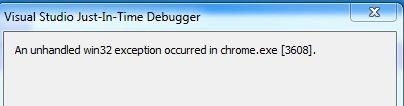
When starting a new instance of Visual Studio to debug this JIT issue all we got was that there was a Stack Overflow causing this issue. But that's all; no source code or stack trace to pinpoint the exact code that was causing the trouble. Duh!!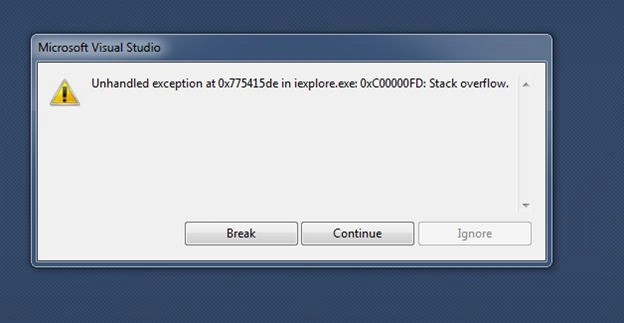
How often do you get in a scenario where you can see a bug in deployed or published code but not in debug mode giving you no option to pinpoint the exact code causing the trouble? Believe me, it happens to me all the time.
And, my best tool to fight this situation is TaDa! Trial & Error :D
How? I pop-in many Message Boxes in the methods that I feel could be erroneous & keep deleting them when I am sure that the method is not the one I am looking for.
Returnng to the issue today, I have a record in my Silverlight Grid, which when double-clicked should open a child window having the details & this part of the code was the culprit. Feels great to zero-in & find the guilty.
So the problem is in the child window looking forward tells me it's a TextBox that has the ValidatesOnDataErrors property set to true.
Here was how it was layed out on the screen:
<TextBox Text="{Binding ProfileName,ElementName=RadWinEditMenuProfile, Mode=TwoWay, NotifyOnValidationError=True, ValidatesOnExceptions=True,ValidatesOnDataErrors=True, TargetNullValue=''}"
x:Name="txtBoxProfile" MaxLength="50" />
Notice the ValidatesOnDataErrors=True property.
So next step was to remove it & Voila! It worked. No error this time.
But wait, we have that property set for a reason. We want to force the TextBox to show an error on all data validation errors. Having that figured out I knew the next thing we need to look into was the code that was doing the data validation.
Here is the code used for it:
Public ReadOnly Property [Error] As String Implements System.ComponentModel.IDataErrorInfo.Error
Get
Return _Errors
End Get
End Property
Default Public ReadOnly Property Item(propertyName As String) As String Implements System.ComponentModel.IDataErrorInfo.Item
Get
Select Case propertyName
Case "ProfileName"
If String.IsNullOrWhiteSpace(ProfileName) = False Then
Join the conversation! Your thoughts help the community grow.