

Introduction
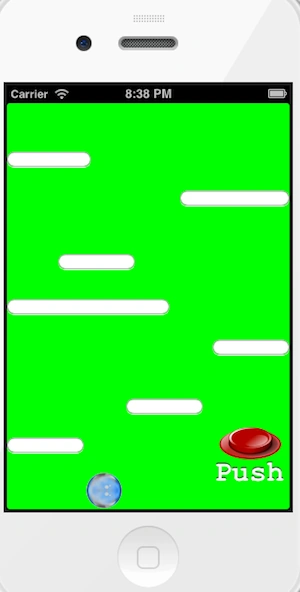
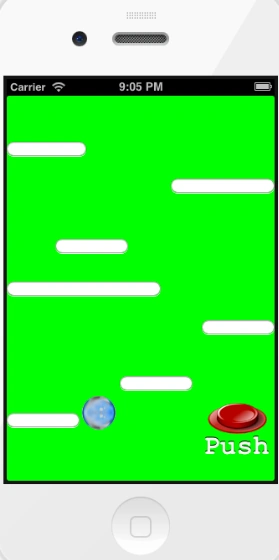
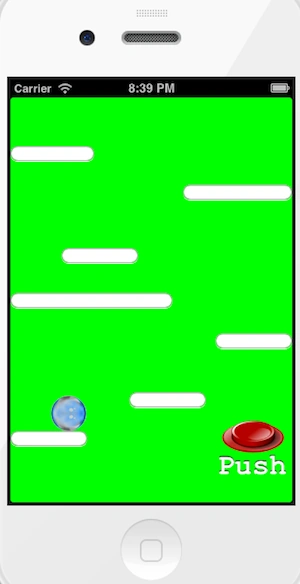
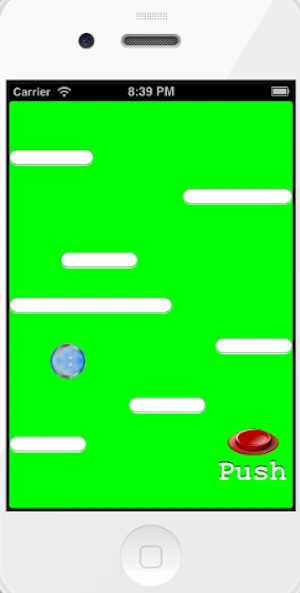
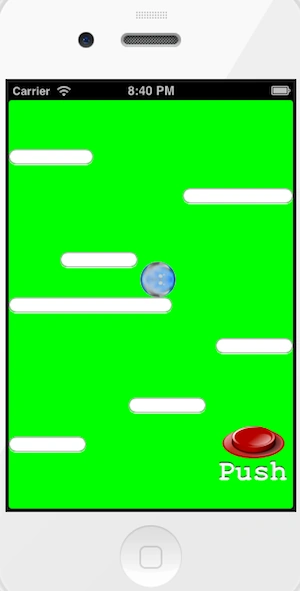
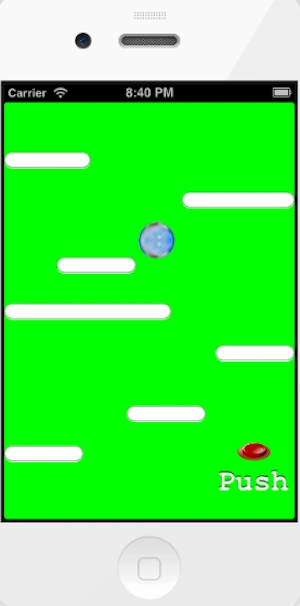
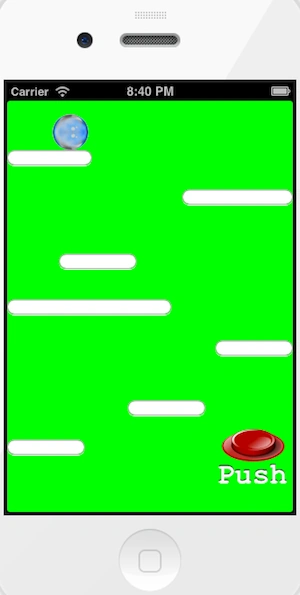
This is another very simple article in the gaming app field; here I will use one more new concept of iPhone, the "accelerometer". Using it, we control the iPhone screen without events. Here I will use the touch event of animation to describe the functionality of the app. In this article I will use one custom button "Push" button which is used to bounce a ball and one image view which is used in the code. Here I will make a very simple or interesting game "Bouncing Ball". Here we add one more functionality of the iPhone game accelerometer. Here when we click on the push button, the ball will be bounce for a specified event but the ball will be controlled depending on the coordinates used in the acceleration delegate. Here we add two Objective-C classes of uiview type for adding the functionality of the accelerometer.
The Accelerometer functionality cannot be tested by the simulator. So to test this app we must run this app on a real iOS device. Here I will add animation functionality of the touch event to describe the functionality of the app.
For more detail use the following.
Step 1
Open Xcode by double-clicking on it.
Step 2
Create a New XCode Project by clicking on it.
Step 3
Now select Single View Application and click on Next.
Step 4
Now provide your Product Name and Company Identifier then click on Next.
Step 5
Select the location where you want to save your project and click on Create.
Step 6
The follpwing is the code:
AppDelegate.h
#import <UIKit/UIKit.h>
@class BallViewController;
@interface BallAppDelegate : UIResponder <UIApplicationDelegate>
@property (strong, nonatomic) UIWindow *window;
@property (strong, nonatomic) BallViewController *viewController;
@end
AppDelegate.m
#import "BallAppDelegate.h"
#import "BallViewController.h"
@implementation BallAppDelegate
- (void)dealloc
{
[_window release];
[_viewController release];
[super dealloc];
}
- (BOOL)application:(UIApplication *)application didFinishLaunchingWithOptions:(NSDictionary *)launchOptions
{
sleep(5);
self.window = [[[UIWindow alloc] initWithFrame:[[UIScreen mainScreen] bounds]] autorelease];
// Override point for customization after application launch.
self.viewController = [[[BallViewController alloc] initWithNibName:@"BallViewController" bundle:nil] autorelease];
self.window.rootViewController = self.viewController;
[self.window makeKeyAndVisible];
return YES;
}
- (void)applicationWillResignActive:(UIApplication *)application{
// Sent when the application is about to move from active to inactive state. This can occur for certain types of temporary interruptions (such as an incoming phone call or SMS message) or when the user quits the application and it begins the transition to the background state.
// Use this method to pause ongoing tasks, disable timers, and throttle down OpenGL ES frame rates. Games should use this method to pause the game.
}
- (void)applicationDidEnterBackground:(UIApplication *)application
{
exit(0);// Use this method to release shared resources, save user data, invalidate timers, and store enough application state information to restore your application to its current state in case it is terminated later.
// If your application supports background execution, this method is called instead of applicationWillTerminate: when the user quits.
}
- (void)applicationWillEnterForeground:(UIApplication *)application
{
// Called as part of the transition from the background to the inactive state; here you can undo many of the changes made on entering the background.
}
- (void)applicationDidBecomeActive:(UIApplication *)application
{
// Restart any tasks that were paused (or not yet started) while the application was inactive. If the application was previously in the background, optionally refresh the user interface.
}
- (void)applicationWillTerminate:(UIApplication *)application
{
// Called when the application is about to terminate. Save data if appropriate. See also applicationDidEnterBackground:.
}
@end
ViewController.h
#define degreesToRadians(x) (M_PI * x / 180.0)
#define kUpdateInterval (1.0f/60.0f)
#import <UIKit/UIKit.h>
@interface BallViewController : UIViewController <UIAccelerometerDelegate>
{ IBOutlet UIButton *pushButton;
UIImageView *beachBall;
CGPoint touch1;
CGPoint touch2;
}
@property(nonatomic,strong)UIImageView *beachBall;
@property(nonatomic,strong)IBOutlet UIButton *pushButton;
-(IBAction)pushToStart:(id)sender;
- (void)showjumpingView;
@end
ViewController.m
#import "BallViewController.h"
#import "BallView.h"
@interface BallViewController ()
@end
@implementation BallViewController
@synthesize beachBall;
@synthesize pushButton;
- (void)showjumpingView
{
[UIView beginAnimations:nil context:NULL];
[UIView setAnimationDuration:0.3];
[UIView setAnimationCurve: UIViewAnimationCurveEaseOut];
[UIView setAnimationBeginsFromCurrentState:YES];
// execute fall after the animation ended
[UIView setAnimationDelegate:self];
[UIView setAnimationDidStopSelector:@selector(fall:finished:context:)];
beachBall.transform = CGAffineTransformMakeTranslation(0, -100);
[UIView commitAnimations];
[UIView beginAnimations:nil context:nil];
// [UIView setAnimationDuration:0.5];
// [UIView setAnimationBeginsFromCurrentState:YES];
// [UIView setAnimationRepeatCount:1];
// [UIView setAnimationRepeatAutoreverses:YES];
// CGAffineTransform transform2 = CGAffineTransformMakeTranslation(0.0, -100.0);
// [beachBall setTransform:transform2];
// [UIView commitAnimations];
}
- (void)normalStance {
[self.beachBall setImage:[UIImage imageNamed:@"Ball.png"]];
}
- (void)cleanStance {
[self.beachBall setImage:nil];
self.beachBall.animationImages = nil;
}
-(void)fall:(NSString *)animationID finished:(NSNumber *)finished context:(void *)context {
[self cleanStance];
[self normalStance];
[UIView beginAnimations:nil context:NULL];
[UIView setAnimationCurve: UIViewAnimationCurveEaseOut];
[UIView setAnimationBeginsFromCurrentState:YES];
[UIView setAnimationDuration:0.2];
self.beachBall.transform = CGAffineTransformMakeTranslation(0, 0);
[UIView commitAnimations];
}
-(IBAction)pushToStart:(id)sender{
[self showjumpingView];
}
- (void)viewDidLoad
{
[super viewDidLoad];
[self.view setMultipleTouchEnabled:YES];
self.view.backgroundColor = [UIColor greenColor];
self.beachBall = [[UIImageView alloc] initWithFrame:
CGRectMake(90, 419, 40.0, 40.0)];
// explicitly opaque for performance
self.beachBall.opaque = YES;
[self.view addSubview:self.beachBall];
[self.beachBall setImage:[UIImage imageNamed:@"Ball.png"]];
[self.view addSubview:beachBall];
UIAccelerometer *accelerometer = [UIAccelerometer sharedAccelerometer];
accelerometer.delegate = self;
accelerometer.updateInterval = kUpdateInterval;
[super viewDidLoad];}
- (void) touchesBegan:(NSSet*)touches withEvent:(UIEvent*)event {
[super touchesBegan:touches withEvent:event];
NSArray *allTouches = [touches allObjects];
UITouch *touch = [touches anyObject];
int count = [allTouches count];
if (count == 1) {
if ([touch tapCount] < 2) {
if (CGRectContainsPoint([beachBall frame], [[allTouches objectAtIndex:0] locationInView:self.view])) {
[UIView beginAnimations:@"TouchDownAnimation" context:NULL];
[UIView setAnimationBeginsFromCurrentState:YES];
[UIView setAnimationDelegate:self];
[UIView setAnimationDidStopSelector:@selector(finishedTouchDownAnimation:finished:context:)];
[UIView setAnimationCurve:UIViewAnimationCurveLinear];
[UIView setAnimationDuration:0.25];
CGAffineTransform transform = CGAffineTransformMakeScale(1.1, 1.1);
beachBall.transform = transform;
beachBall.alpha = 0.85;
[UIView commitAnimations];
}
}
}
if (count > 1) {
Join the conversation! Your thoughts help the community grow.