Introduction
In this article, we will explore how to generate PDF files in a .NET Core 6 Web API using the PDFSharp library. We will focus on converting HTML content to PDF format, allowing for easy integration of HTML templates or dynamically generated HTML into PDF documents. PDFSharp is a powerful and widely used library that provides extensive functionality for creating and manipulating PDF files in .NET Core applications.
Prerequisites
Before proceeding, make sure you have a basic understanding of .NET Core and Web API development. Additionally, ensure that you have installed the necessary software, including Visual Studio 2022 or later, and have a working knowledge of HTML and C#.
Creating a New Project in Visual Studio 2022
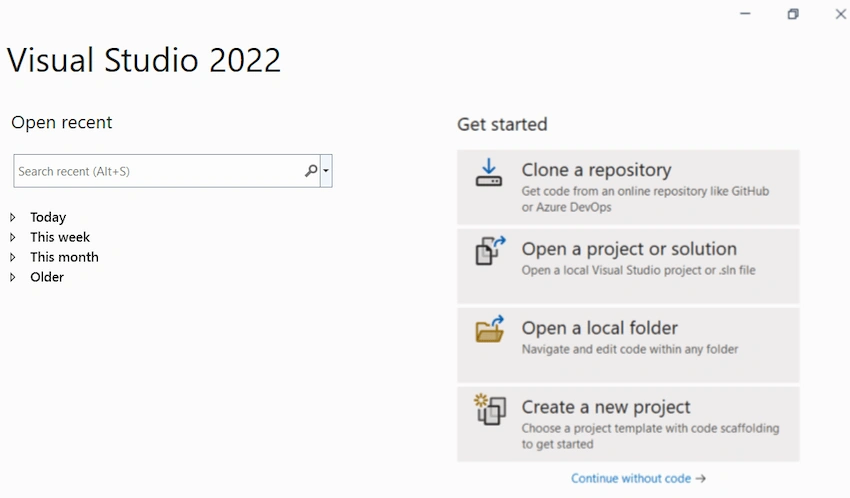
Creating a New Project in Visual Studio 2022 Start the Visual Studio software and select "Create a new project."
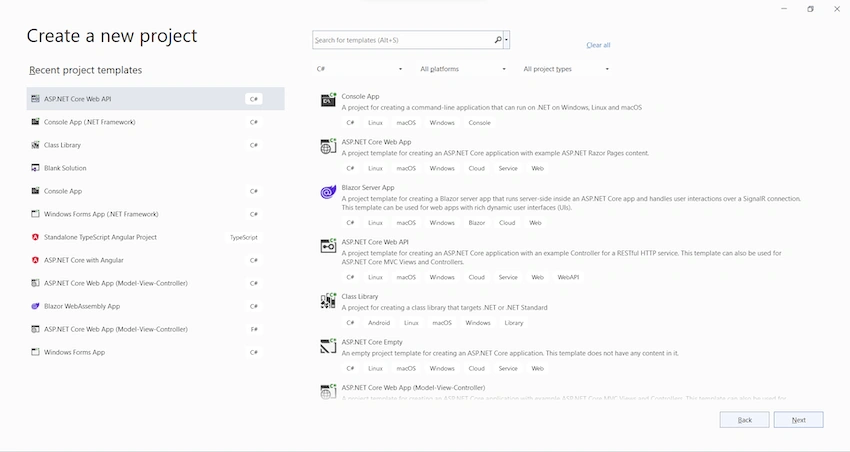
In the "Create a new project" dialog, select "ASP.NET Core Web API."
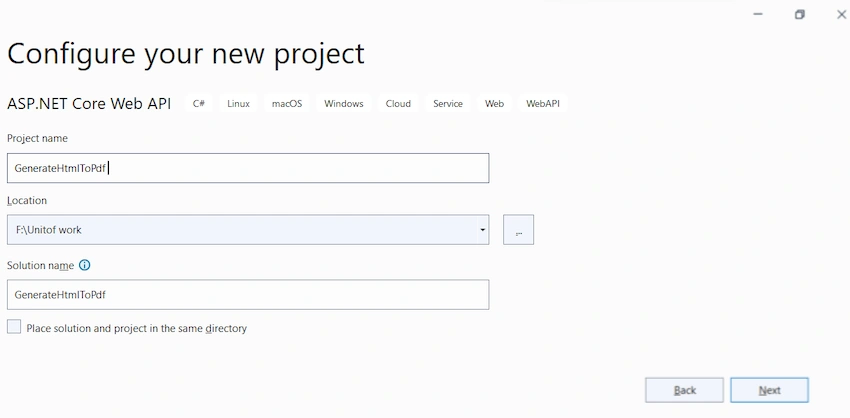
In the "Configure your new project" dialog, enter "GenerateHtmlToPdf" for the project name. It's important to name the project "GenerateHtmlToPdf" with the same capitalization to match each namespace when the code is copied. Select "Next."
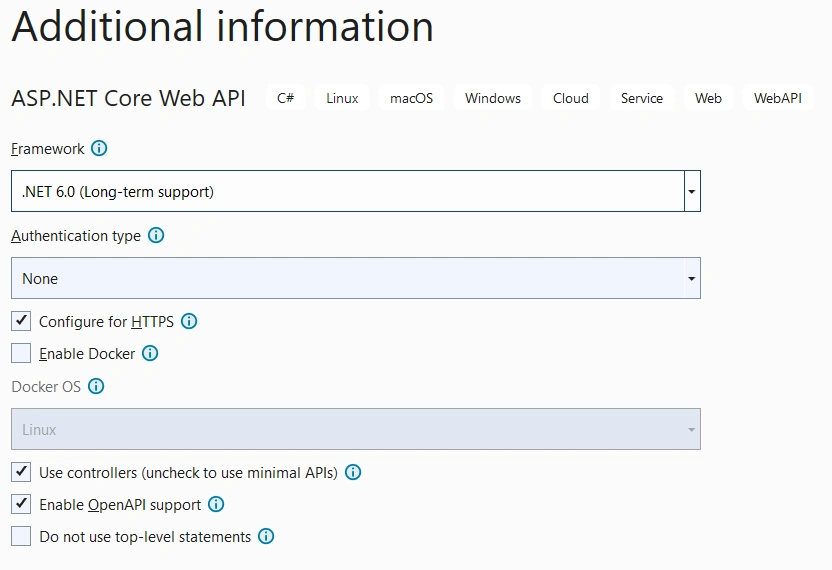
In the "Additional information" dialog, select ".NET 6.0 (Long-term support)" and select "Create."
Visual Studio 2022 will generate the project structure for the selected application. In this example, we are using ASP.Net Core Web API, so we can create a controller to write the code or use the existing controller. There, you can enter the code and build/run the application.
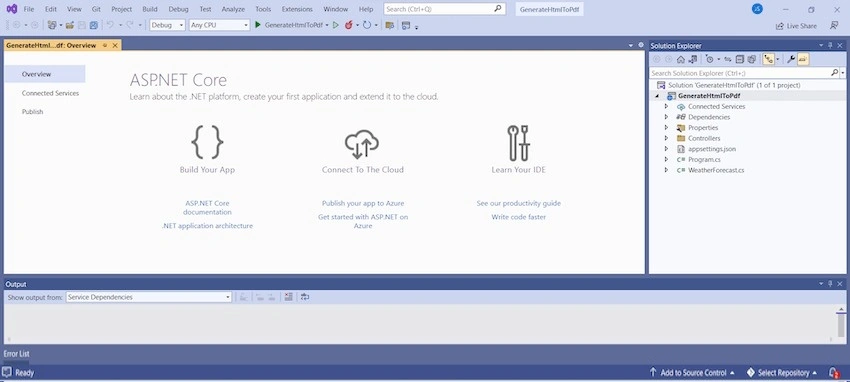
Next, we can add the PDFSharp library to test the code.
Install PdfSharp Library through NuGet Package Manager
The Visual Studio software provides the NuGet Package Manager option to install the package directly to the solution.
In Visual Studio, Select Tools > NuGet Package Manager > Manage NuGet Packages for the solution. The below screenshot shows how to open the Nuget Package Manager.
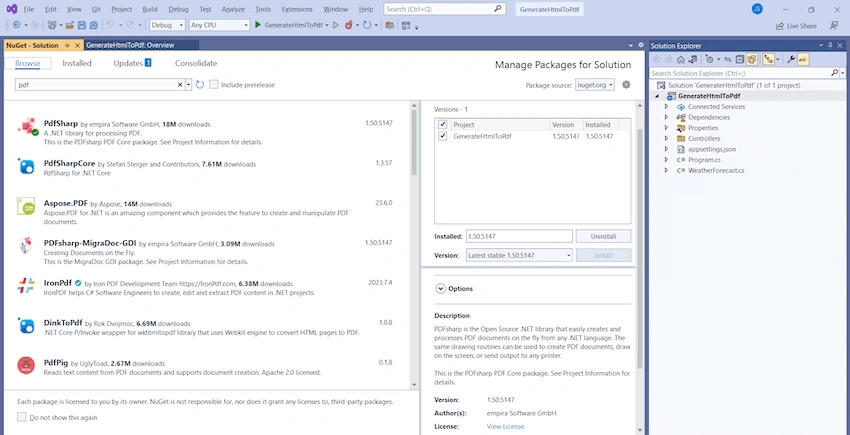
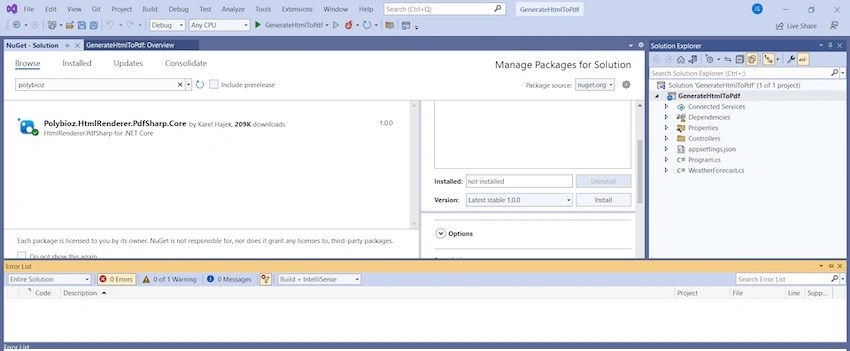
To get started, install the PDFSharp library by adding the NuGet package to your .NET Core 6 Web API project. Open your project in Visual Studio, right-click on the project in the Solution Explorer, and select "Manage NuGet Packages." Search for "PDFSharp" and install the package into your project.
To Create a Request Class File
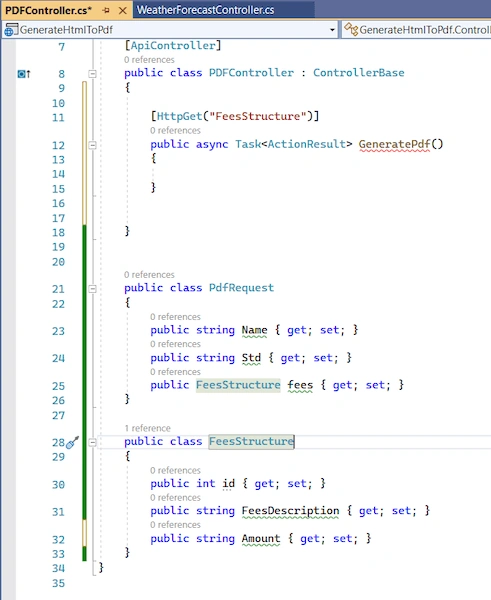
In the PdfRequest class, you have properties Name, Std, and Fees. The Fees property is of type FeesStructure, allowing you to encapsulate the fees-related information within the FeesStructure class.
The FeesStructure class contains properties such as Id, FeesDescription, and Amount, representing the individual elements of the fee structure.
Remember to use proper naming conventions, such as starting property names with uppercase letters (e.g., Fees instead of fees, and using consistent casing throughout your code.
With these classes, you can create instances of PdfRequest and set the values for the properties accordingly when processing or transferring data related to PDF requests.
public class PdfRequest
{
    public string Name { get; set; }
    public string Std { get; set; }
    public FeesStructure fees { get; set; }
}

public class FeesStructure
{
    public int id { get; set; }
    public string FeesDescription { get; set; }
    public string Amount { get; set; }
}
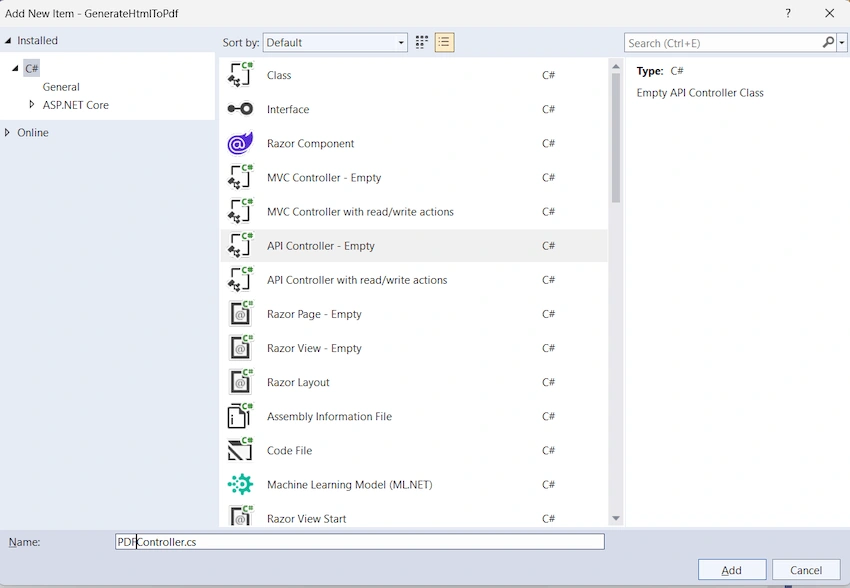
Again to create PdfController inside the PdfGenerate function
[Route("api/[controller]")]
[ApiController]
public class PDFController : ControllerBase
{
    [HttpGet("FeesStructure")]
    public async Task<ActionResult> GeneratePdf()
    {
    }
}
using Microsoft.AspNetCore.Mvc;
using PdfSharpCore;
using PdfSharpCore.Pdf;
using TheArtOfDev.HtmlRenderer.PdfSharp;

namespace GenerateHtmlToPdf.Controllers
{
    [Route("api/[controller]")]
    [ApiController]
    public class PDFController : ControllerBase
    {
        [HttpPost("FeesStructure")]
        public async Task<ActionResult> GeneratePdf(PdfRequest req)
        {
            var data = new PdfDocument();
            string htmlContent = "<div style='margin: 20px auto; max-width: 600px; padding: 20px; border: 1px solid #ccc; background-color: #FFFFFF; font-family: Arial, sans-serif;'>";
            htmlContent += "<div style='margin-bottom: 20px; text-align: center;'>";
            htmlContent += "<img src='https://encrypted-tbn0.gstatic.com/images?q=tbn:ANd9GcROnYPD5QO8ZJvPQt8ClnJNPXduCeX89dSOxA&usqp=CAU' alt='School Logo' style='max-width: 100px; margin-bottom: 10px;' >";
            htmlContent += "</div>";
            htmlContent += "<p style='margin: 0;'>Jobin School Management</p>";
            htmlContent += "<p style='margin: 0;'>123 School Street, Sample Street</p>";
            htmlContent += "<p style='margin: 0;'>Phone: 123-456-7890</p>";
            htmlContent += "<p style='margin: 0;'>Tamilnadu</p>";
            htmlContent += "<div style='text-align: center; margin-bottom: 20px;'>";
            htmlContent += "<h1>Fees Structure</h1>";
            htmlContent += "</div>";
            htmlContent += "<h3>StudentDetails:</h3>";
            htmlContent += "<p>Name:</p>";
            htmlContent += "<p>STD:</p>";
            htmlContent += "<table style='width: 100%; border-collapse: collapse;'>";
            htmlContent += "<thead>";
            htmlContent += "<tr>";
            htmlContent += "<th style='padding: 8px; text-align: left; border-bottom: 1px solid #ddd;'>Fee Description</th>";
            htmlContent += "<th style='padding: 8px; text-align: left; border-bottom: 1px solid #ddd;'>Amount(INR)</th>";
            htmlContent += "</tr><hr/>";
            htmlContent += "</thead>";
            htmlContent += "<tbody>";
            htmlContent += "<tr>";
            htmlContent += "<td style='padding: 8px; text-align: left; border-bottom: 1px solid #ddd;'>Tuition Fee</td>";
            htmlContent += "<td style='padding: 8px; text-align: left; border-bottom: 1px solid #ddd;'>RS500/-</td>";
            htmlContent += "</tr>";
            htmlContent += "<tr>";
            htmlContent += "<td style='padding: 8px; text-align: left; border-bottom: 1px solid #ddd;'>Transportation Fee</td>";
            htmlContent += "<td style='padding: 8px; text-align: left; border-bottom: 1px solid #ddd;'>RS100/-</td>";
            htmlContent += "</tr>";
            htmlContent += "<tr>";
            htmlContent += "<td style='padding: 8px; text-align: left; border-bottom: 1px solid #ddd;'>Books and Supplies</td>";
            htmlContent += "<td style='padding: 8px; text-align: left; border-bottom: 1px solid #ddd;'>RS50/-</td>";
            htmlContent += "</tr>";
            htmlContent += "</tbody>";
            htmlContent += "<tfoot>";
            htmlContent += "<tr>";
            htmlContent += "<td style='padding: 8px; text-align: right; font-weight: bold;'>Total:</td>";
            htmlContent += "<td style='padding: 8px; text-align: left; border-top: 1px solid #ddd;'>$650</td>";
            htmlContent += "</tr>";
            htmlContent += "</tfoot>";
            htmlContent += "</table>";
            htmlContent += "</div>";

            PdfGenerator.AddPdfPages(data, htmlContent, PageSize.A4);
            byte[]? response = null;
            using (MemoryStream ms = new MemoryStream())
            {
                data.Save(ms);
                response = ms.ToArray();
            }
            string fileName = "FeesStructure" + req.date + ".pdf";
            return File(response, "application/pdf", fileName);
        }
    }
}
var data = new PdfDocument();
string htmlContent = "<div style = 'margin: 20px auto; heigth:1000px; max-width: 600px; padding: 20px; border: 1px solid #ccc; background-color: #FFFFFF; font-family: Arial, sans-serif;' >";
htmlContent += "<div style = 'margin-bottom: 20px; text-align: center;'>";
htmlContent += "<img src = 'https://encrypted-tbn0.gstatic.com/images?q=tbn:ANd9GcROnYPD5QO8ZJvPQt8ClnJNPXduCeX89dSOxA&usqp=CAU' alt = 'School Logo' style = 'max-width: 100px; margin-bottom: 10px;' >";
htmlContent += "</div>";
htmlContent += "<p style = 'margin: 0;' >Jobin School Management</p>";
htmlContent += "<p style = 'margin: 0;' > 123 School Street, Sample Street</p>";
htmlContent += "<p style = 'margin: 0;' > Phone: 123 - 456 - 7890 </p>";
htmlContent += "<p style = 'margin: 0;' > Tamilnadu </p>";
htmlContent += "<div style = 'text-align: center; margin-bottom: 20px;'>";
htmlContent += "<h1> Fees Structure </h1>";
htmlContent += "</div>";
htmlContent += "<h3> StudentDetails:</h3>";
htmlContent += "<p> Name:"+req.Name+"</p>";
htmlContent += "<p> STD:"+req.Std+"</p>";
htmlContent += "<table style = 'width: 100%; border-collapse: collapse;'>";
htmlContent += "<thead>";
htmlContent += "<tr>";
htmlContent += "<th style = 'padding: 8px; text-align: left; border-bottom: 1px solid #ddd;' > Fee Description </th>";
htmlContent += "<th style = 'padding: 8px; text-align: left; border-bottom: 1px solid #ddd;' > Amount(INR) </th>";
htmlContent += "</tr><hr/>";
htmlContent += "</thead>";
htmlContent += "<tbody>";
decimal totalAmount = 0;
if (req.fees != null && req.fees.Count >0)
{
    req.fees.ForEach(x =>
    {
        htmlContent += "<tr>";
        htmlContent += "<td style = 'padding: 8px; text-align: left; border-bottom: 1px solid #ddd;' >" + x.FeesDescription + " </td>";
        htmlContent += "<td style = 'padding: 8px; text-align: left; border-bottom: 1px solid #ddd;' >Rs " + x.Amount + "/- </td>";
        htmlContent += "</tr>";
        if (decimal.TryParse(x.Amount, out decimal feeAmount))
        {
            totalAmount += feeAmount;
        }
    });
    htmlContent += "</tbody>";
    htmlContent += "<tfoot>";
    htmlContent += "<tr>";
    htmlContent += "<td style = 'padding: 8px; text-align: right; font-weight: bold;'> Total:</td>";
    htmlContent += "<td style = 'padding: 8px; text-align: left; border-top: 1px solid #ddd;' >Rs"  + totalAmount + "/- </td>";
    htmlContent += "</tr>";
    htmlContent += "</tfoot>";
}
htmlContent += "</table>";
htmlContent += "</div>";
PdfGenerator.AddPdfPages(data, htmlContent, PageSize.A4);
byte[]? response = null;
using (MemoryStream ms = new MemoryStream())
{
    data.Save(ms);
    response = ms.ToArray();
}
string fileName = "FeesStructure" + req.date + ".pdf";
return File(response, "application/pdf", fileName);
Once all coding functionalities are completed, build the application and run it.
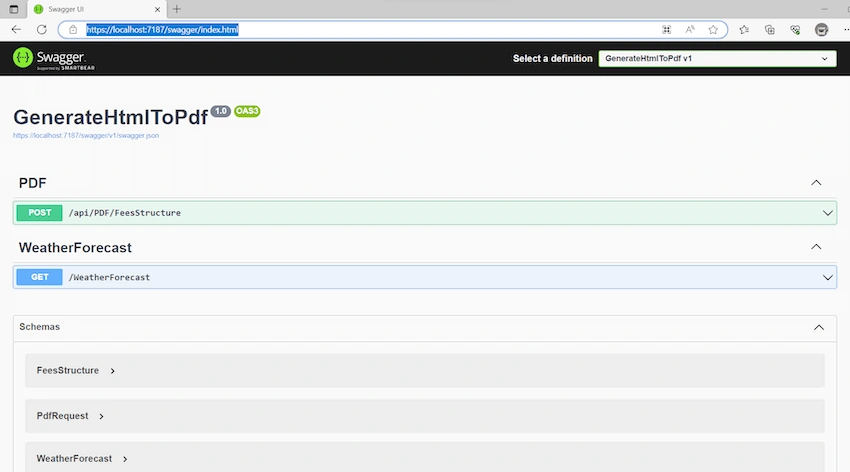
In PDF/FeesStructure API Sample Request to Send in below Object.
{
  "name": "Jobin S",
  "std": "12th",
  "date": "2023-07-08T03:29:52.467Z",
  "fees": [
    {
      "id": 1,
      "feesDescription": "Tuition Fee",
      "amount": "500"
    },
{
      "id": 2,
      "feesDescription": "Transportation Fee",
      "amount": "200"
    },
{
      "id": 2,
      "feesDescription": "Books and Supplies",
      "amount": "20"
    }
  ]
}
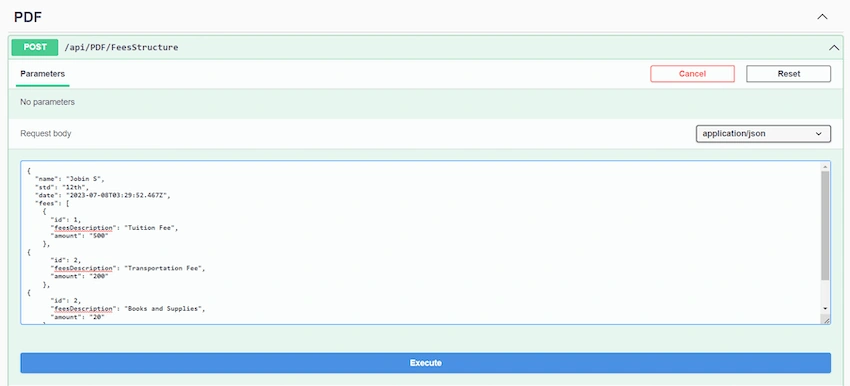
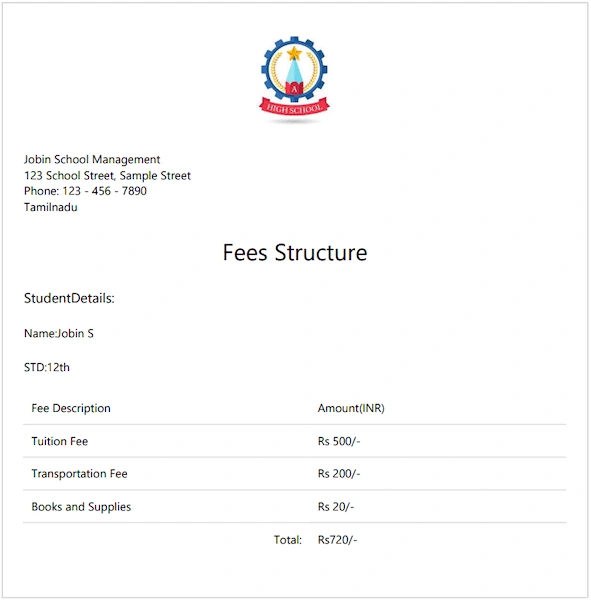
Click the Execute Button. Generate One Pdf LinOnece click to download file Llnk to Download Pdf File.
Conclusion
Generating PDF files in .NET Core 6 Web API using PDFSharp is a straightforward process. By following the steps outlined above, you can convert HTML to PDF with an invoice model or create PDF documents with custom content.
Once implemented, you'll be able to generate PDF files in your .NET Core 6 Web API, providing a versatile and convenient way to create printable documents for various purposes, including invoices, reports, or other PDF-based outputs.


Ryan RiveraPosted Jun 16, 2024, 11:14 AM
You might want to try ZetPDF.com for generating PDF files in C#. It has worked well for me.
gaurav rawatPosted Mar 6, 2024, 8:36 AM
How do make req.Name font bold. i try <b> , <strong>, css font-weight:bold but its not working
Brian HerbertPosted Sep 27, 2023, 11:49 AM
In the nuget package (https://www.nuget.org/packages/Polybioz.HtmlRenderer.PdfSharp.Core) it says that "HtmlRenderer.PdfSharp.Core is a partial port of HtmlRenderer.PdfSharp for .NET Core". Does is support custom fonts?
Chekwube EzePosted Jul 18, 2023, 3:17 PM
Good Job. However I found out that PdfGenerator does not have a method for AddPdfPages.