


Introduction
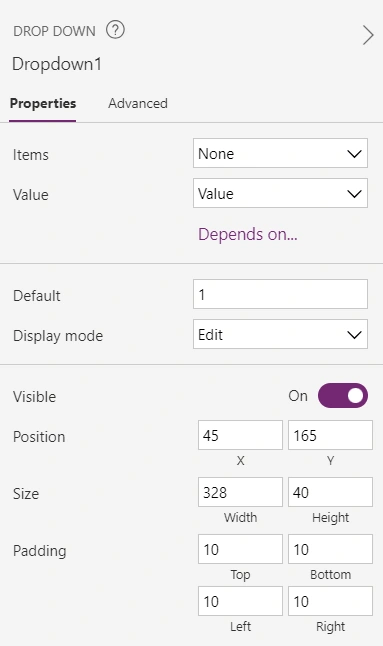
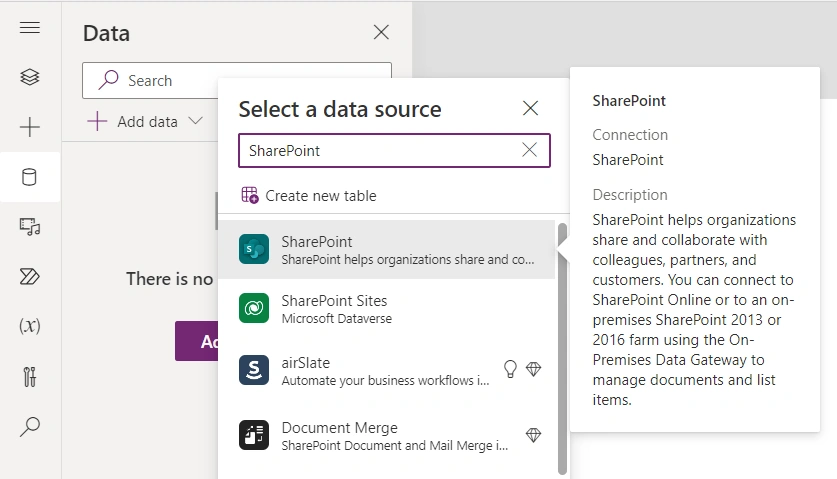
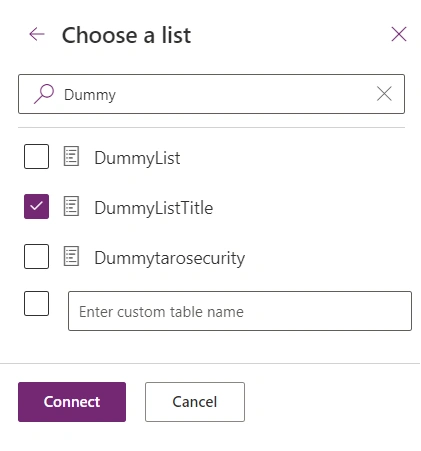
Power Apps empowers users to create custom applications without the need for extensive coding knowledge. One common requirement is dynamically populating dropdown options based on data from external sources like SharePoint lists. In this article, we'll explore the benefits, features, limitations, and provide a step-by-step guide to achieve this task efficiently.
Benefits
- Efficiency: Dynamic dropdowns save time by eliminating the need to manually update options.
- Data Consistency: Dropdowns populated from SharePoint lists ensure consistency across applications.
- Scalability: Easily scale your app by updating the SharePoint list without modifying the app.
Features
- Dynamic Data Binding: Dropdown options are bound to SharePoint list columns, ensuring real-time updates.
- Customization: Customize dropdown appearance and behavior to fit specific app requirements.
- Automation: Automate data retrieval and refresh processes for seamless user experience.
Limitations
- Connectivity Requirements: Reliance on internet connectivity for accessing SharePoint data.
- Performance: Large SharePoint lists may impact app performance.
- Security: Ensure proper permissions are set for accessing SharePoint data within Power Apps.





Join the conversation! Your thoughts help the community grow.