

Introduction
This article helps to retrieve all the users following the current user using REST in SharePoint 2013. This is developed using the NAPA development tool.
Step 1
On your Developer Site, open the "Napa" Office 365 Development Tools and then choose Add New Project.
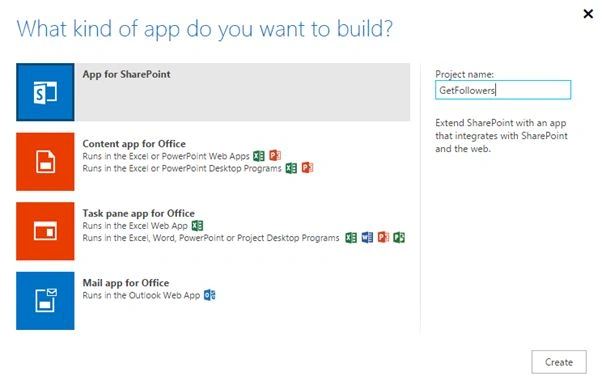
- Choose the App for SharePoint template, name the project and then click the Create button.
- Replace Default.aspx with the following code.
- Replace APP.js with the following source code.
- Publish Your App.
Step 2
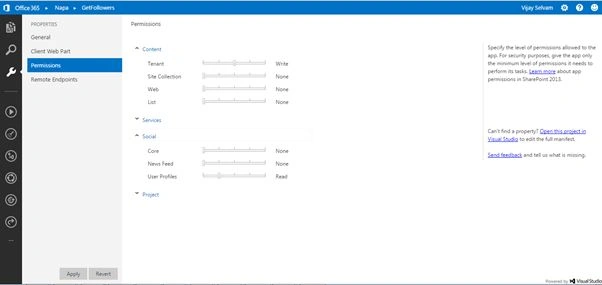
Change the permission:
- Tenant = Write
- User Profiles = Read
Step 3
Update the Default.aspx and App.js files
Default ASPX

App.js
- 'use strict';
- var hostweburl;
- var appweburl;
- var myFollowerEndpoint;
- var followers;
- $(document).ready(function(){
- hostweburl = decodeURIComponent(getQueryStringParameter("SPHostUrl"));
- appweburl = decodeURIComponent(getQueryStringParameter("SPAppWebUrl"))
- myFollowerEndpoint = decodeURIComponent(appweburl) + "/_api/social.following";
- getMyFollowers();
- });
- function getQueryStringParameter(paramToRetrieve)
- {
- var params = document.URL.split("?")[1].split("&");
- for (var i=0; i<params.length; i= i + 1)
- {
- var singleParam = params[i].split("=");
- if(singleParam[0] == paramToRetrieve) return singleParam[1];
- }
- }
- function getMyFollowers() {
- $.ajax( {
- url: myFollowerEndpoint + "/my/followers",
- headers: {
- "accept": "application/json;odata=verbose"
- },
- success: myFollowersSuccessHandler,
- error: myFollowersErrorHandler
- });
- }
- function myFollowersSuccessHandler(data)
- {
- var stringData = JSON.stringify(data);
- var jsonObject = JSON.parse(stringData);
- var folResult = jsonObject.d.Followers.results;
- followers = "<p>The Person who follows you are:</p>";
- for (var i=0; i<folResult.length; i++)
- {
- followers+= "<P>"+folResult[i].Name+"</p>";
- }
- document.getElementById("myFollowersResult").innerHTML = followers;
- }
- function myFollowersErrorHandler(data,errorcode,errormessage)
- {
- alert("Couldn't get the followers " + errormessage);
- }
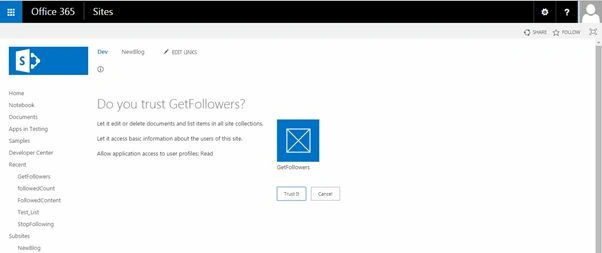
Publish the solution and click the Trust It Button.
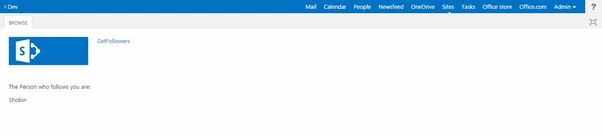
Output
NitinPosted Apr 4, 2015, 10:31 AM
nice
Vijay SPosted Apr 4, 2015, 9:44 AM
Thanks for the encouragement Santhakumar Munuswamy
Santhakumar MunuswamyPosted Apr 4, 2015, 12:42 AM
Thanks for nice article