

Introduction
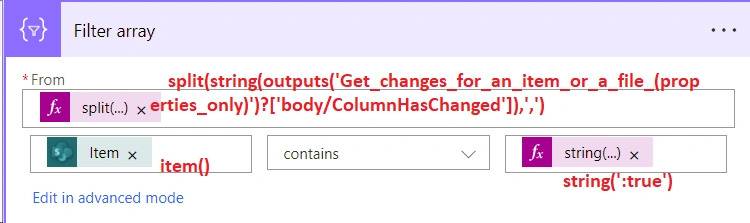
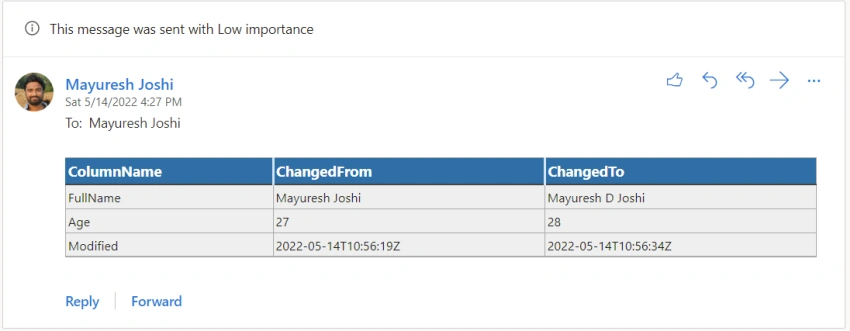
In this article, let's learn about how to find which columns have been updated in the SharePoint list item. We will make use of Power Automate to get these details. We will generate a table of columns which have been changed and send a notification to the user.
Implementation
Step 1 - SharePoint List
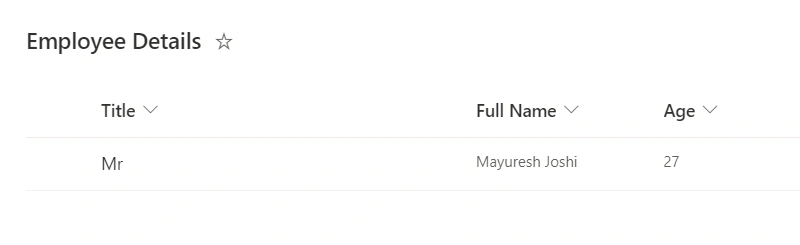
Let's create a SharePoint list named "Employee Details" having three columns: Title, Full Name, and Age
Step 2 - Power Automate Trigger
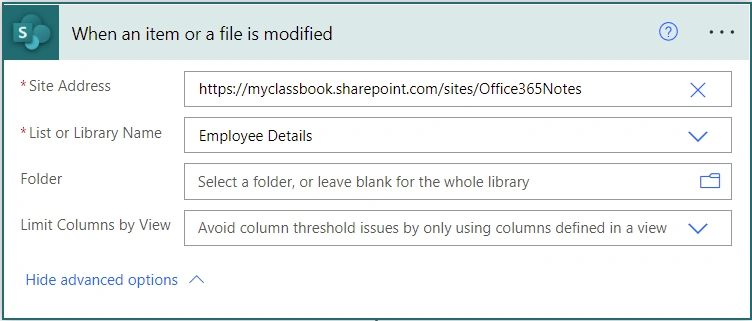
Let's use the trigger as When an item or a file is modified because we need to get the details only when the item is modified
Step 3 - Get Item Changes
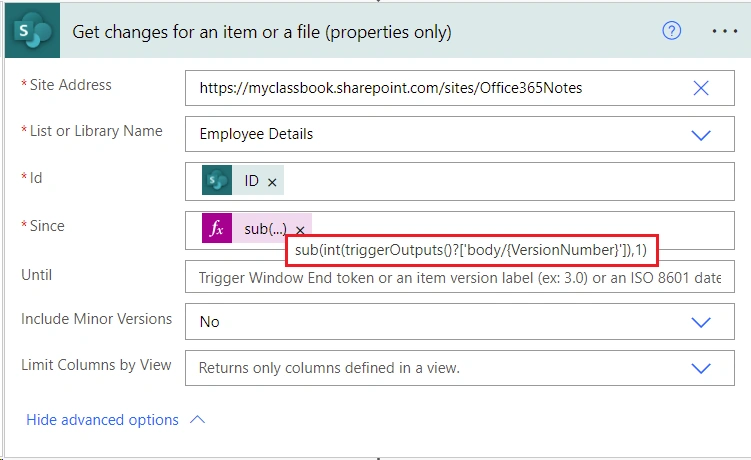
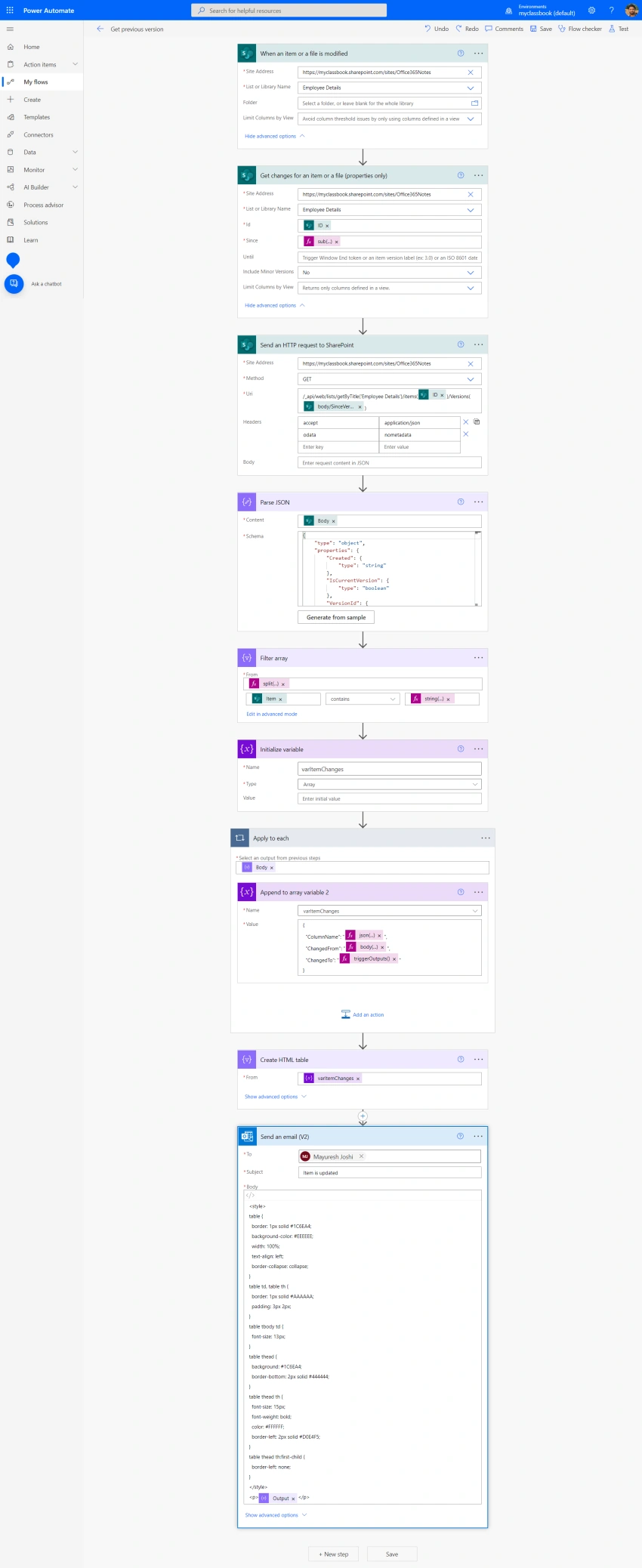
We need to find out which columns have been updated. To find that, we will first get the changes made by the user. Use the action Get changes for an item or a file and use the below values:
- Id: ID of an item that is updated. So this will be triggerOutputs()?['body/ID']
- Since: Here we need to provide the version number from which we need the item changes. For example, if you have updated the item from version 9 to 10, you need to enter 9 in this field. To make it dynamic use below formula to get the previous version of the item.
sub(int(triggerOutputs()?['body/{VersionNumber}']),1)
Step 4 - Get Previous Version Details
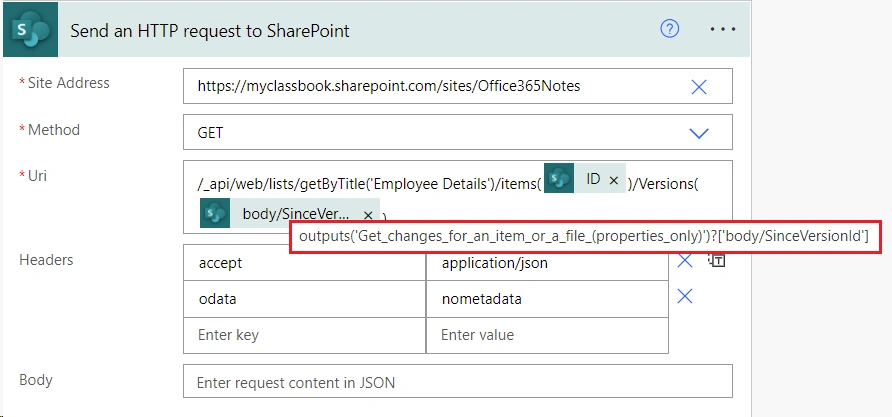
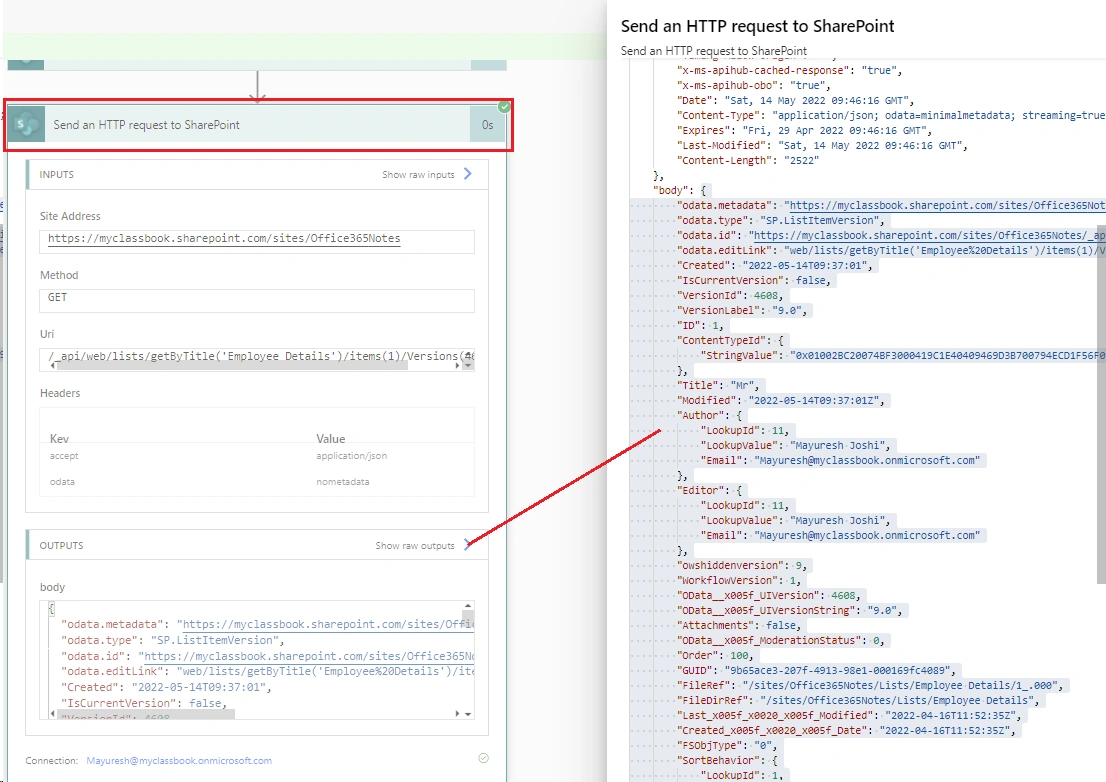
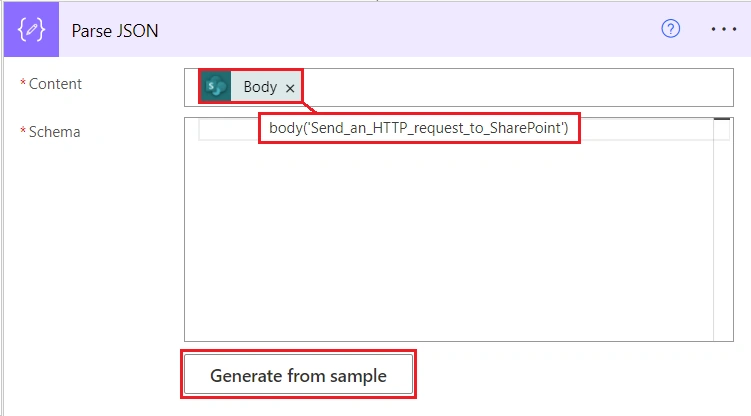
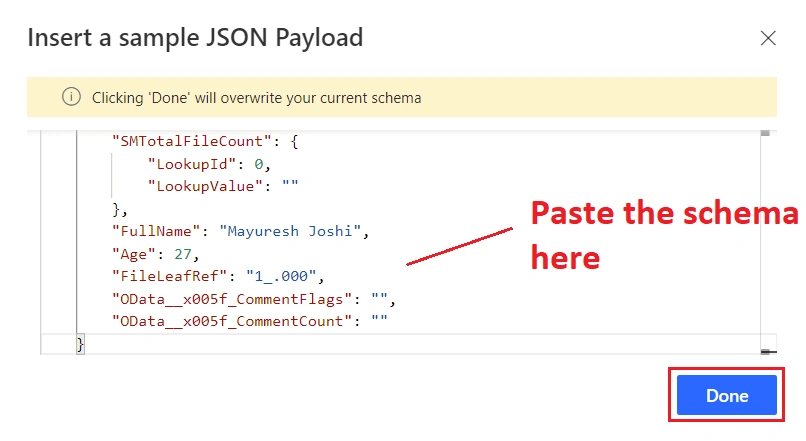
We are going to generate a table with old and new values of the column. To do that, we will need previous version item details (column values). To get the previous version details, we do not have a direct action available in power automate. We will make use of HTTP request method to make a REST api call as shown below:
- Method: GET
- Uri: /_api/web/lists/getByTitle('Employee Details')/items(<ID>)/Versions(<PREVIOUS VERSION>)
- <ID> = triggerOutputs()?['body/ID']
- <PREVIOUS VERSION> = outputs('Get_changes_for_an_item_or_a_file_(properties_only)')?['body/SinceVersionId']
- Headers:
- accept = application/json
- odata = nometadata
Steve HPosted Jun 10, 2025, 3:52 PM
Got it working but as someone else has commented the ChangedFrom is blank in the e-mail, has anyone worked out the cause and has a solution please?
Deepak BishtPosted Apr 26, 2023, 11:06 AM
Hi Thanks for this amazing post but I want to show display name not internal name.
venkat varunpatilPosted Jan 9, 2023, 3:13 PM
Hi Kha pham, I am also getting same issue
Kha PhamPosted Sep 7, 2022, 7:48 AM
I'm stuck at HTML Table, I have a choice list rather than single line of text and it show {"@odata.type":"#Microsoft.Azure.Connectors.SharePoint.SPListExpandedReference","Id":-1,"Value":"In Stock - Available"} rather than value. Could you possibly help
Shailendra KumarPosted Aug 31, 2022, 7:57 AM
Changedfrom is blank after flow execution. I have used same Parse_JSON(body('Parse_JSON')?[json(item())])
Vinay AyinapurapuPosted May 17, 2022, 3:14 PM
Nice one Mayuresh.