

Introduction
Since the HTTP protocol used by web applications is a stateless protocol - which means that their data is not stored anywhere, and for every web request, a new HTTP connection is opened by the browser - the ASP.NET Core provides sessions for storing user data. This data store is maintained by the ASP.NET Core application itself on the same server as the application. Although ASP.NET Core provides an in-memory session provider that stores sessions, sometimes the load needs to be balanced. In such scenarios, session storage strategies like sticky sessions can be used. We need some distributed Cache Mechanism to overcome this issue.
Sticky Sessions
ASP.NET Core application uses the sticky session to tie each session to the specific app instance on an individual server through Application Request Routing module. The sticky sessions can affect the scalability due to improper distribution of load in server. When the requests to the application increase, the server load will increase as well, in such case we need to scale up the server which is very complicated by using sticky session.
The better approach is to use the SQL Server or distributed cache for session storage to overcome the issue in sticky session. However, when it comes to scalable ASP.NET core application, the SQL databases become a performance bottleneck because in SQL the sessions are saved as BLOBs.
On basis of scalability the best approach is using the distributed cache for session storage.
Storing ASP.NET Core Sessions in Distributed Cache
Distributed cache is a cache shared by multiple servers. It is typically maintained as an external service for keeping and accessing data. The distributed cache improves the scalability and performance of an ASP.NET Core Application. Multiple servers can be added to the distributed cache cluster, making it linearly scalable. Users communicate with the ASP.NET Core web farm through a load balancer. The web farm further uses a distributed cache for storing sessions session services provider.
Advantage of using distributed cache
- Doesn’t use local memory
- No single point failure, because of session replication across the servers
- Survives server restart and app deployment.
Distributed cache configuration is implementation specific. In this article I’m going to explain how to configure NCache distributed cache.
What is NCache?
NCache is an Open Source in-memory distributed cache for .NET, Java, and Node.js. NCache is extremely fast and linearly scalable, and caches application data to reduce expensive database trips. Use NCache to remove performance bottlenecks related to your data storage and databases and scale your .NET, Java, and Node.js applications to extreme transaction processing (XTP).
NCache provides a powerful and feature-rich ASP.NET Core Session Service that you can use.
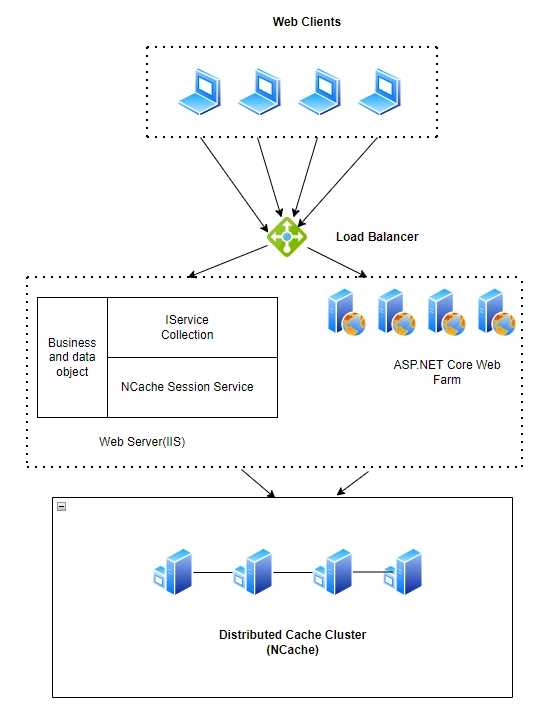
Storage session in distributed cache
Install NCache
Download NCache from NCache Download Center (alachisoft.com). I highly recommend you install the Enterprises edition so that you can explore all its features. Before the installation, make sure .NET 6 has been installed on your machine.
After completing the download and installation process, you can run the NCache Web Manger in the browser from the localhost 8251 port, as shown in the figure below.
We can create clustered and local caches from the NCache web application.
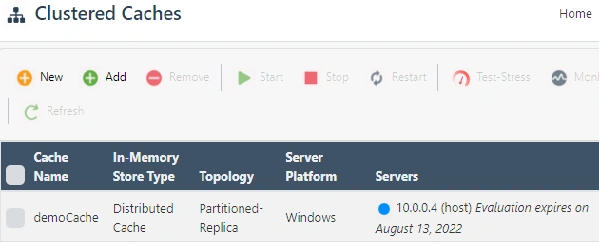
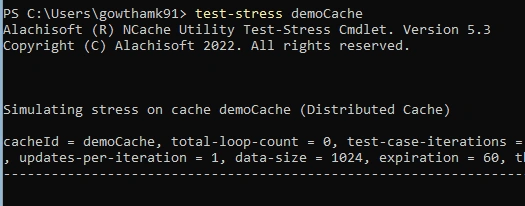
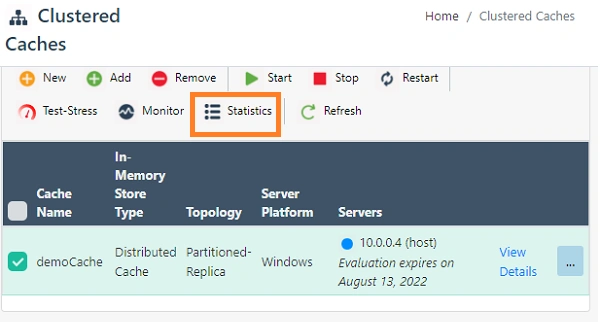
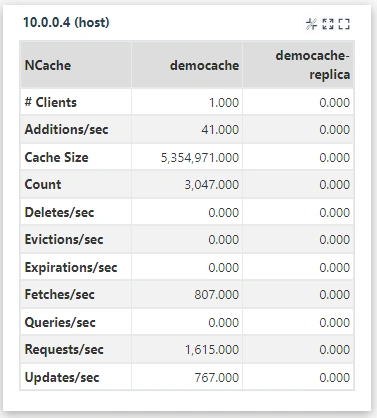
For this demo, I'm using Clustered Cache named as "demoCache", as shown in the below figure.
Join the conversation! Your thoughts help the community grow.