

Introduction
This article explains the association of a Backbone Template with the ASP.NET MVC Web Application. If you want to get the rapid access and build the client-side web apps then you should use this Backbone.js SPA template. This template uses the Backbone.js.
There are many templates available as in the following:
- Backbone Template
- Breeze/Angular Template
- Breeze/Knockout Template
- DurandalJs Template
- EmberJS Template
- Hot Towel Template
We'll explain today the Backbone Template. This template equips the structure to the Bacckbone.js application with the ASP.NET MVC. You can also see the My Account, Forgot Password and Email functionality in this template.
So, let's create an ASP.NET Web MVC Application with the Backbone Template.
Prerequisites
Creating Application with Backbone Template
Before creating the application, you need to install the Backbone template. Install the template as I provided the download link above. If your Visual Studio is open then restart Visual Studio to see the changes.
In this section we'll create an ASP.NET MVC 4 Application with the Backbone Spa Template. Use the following procedure to create the sample.
Step 1: Open Visual Studio
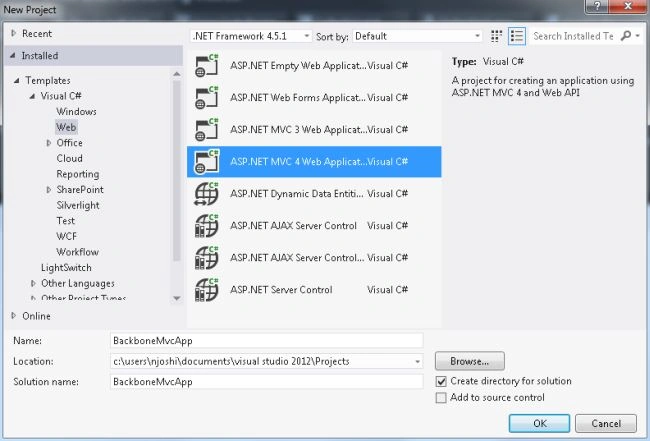
Step 2: Select the Web Tab and create an ASP.NET MVC 4 Web Application and enter the application name as in the following:
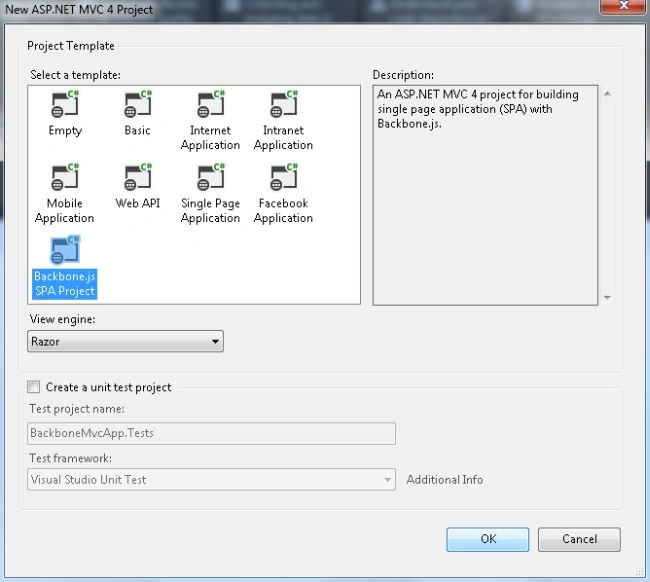
Step 3: In the next wizard, choose the Backbone.js SPA Project.
Visual Studio wi; automatically create the project.
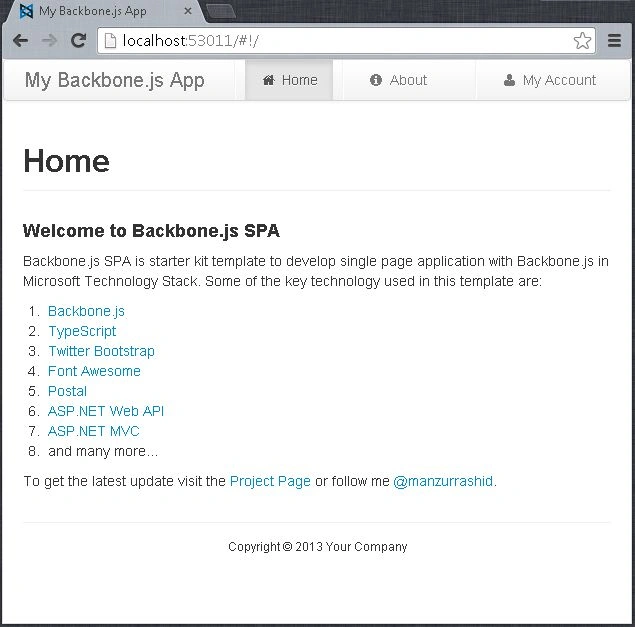
Step 4: Run the application by pressing Ctrl+F5.
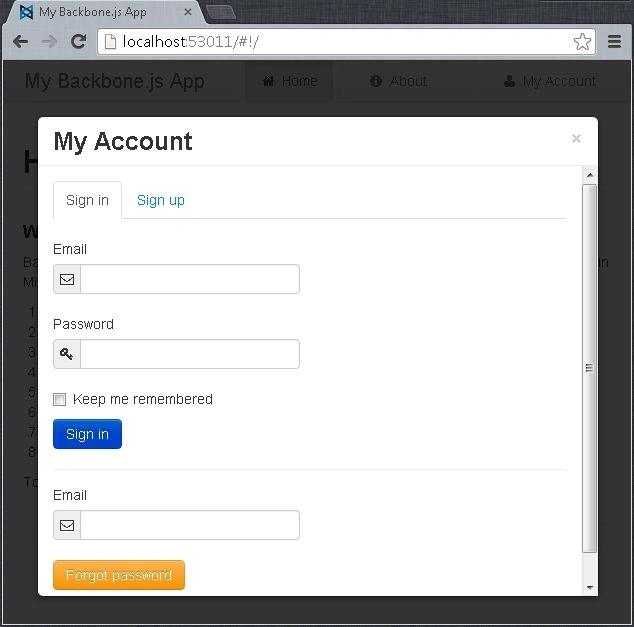
Step 5: You can also click on "My Account" to see the My Account page.
Application Client Code
The application client code is written in the TypeScript language. You can easily find the client code in the Solution Explorer as shown below:
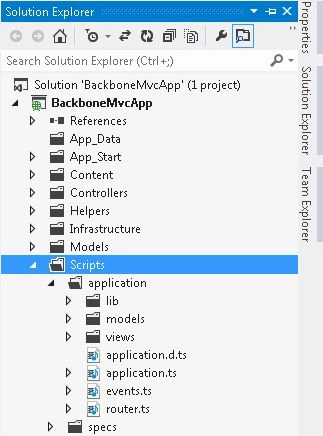
Application
The application.ts file defines the application. It is the root directory. It maintains the configuration and state information that is shared in the entire application.
Events
Events are used to develop the loosely coupled components. There are built-in components like Model Collection and View provided by Backbone. The events object is a singleton.
Router
Routing is used to connect the client-side pages with the regarding actions and events. There is a single router defined in the Router.ts. The project has by default two views named Home and About.
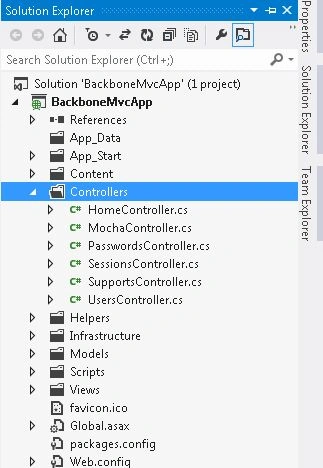
Application Server Code
Mahesh ChandPosted Nov 8, 2013, 7:49 PM
I think this article belongs to ASP.NET MVC