

Introduction
This article is meant for beginners who would like to know about Azure Form Recognizer Sample Labeling Tool and get their hands dirty with some hands on experience. Sample Labeling tool is a tool developed as an open source project that gives a simple user interface (UI), which you can use to manually label forms (documents) for the purpose of supervised learning.
Pre- Requisite
-
Azure Account for creating a Azure Storage Account(If not you can get a free account with ₹13,300 worth of credits from here. If you are a student you can verify student status to get it without entering credit card details else credit card details are mandatory)
-
An Azure Storage Account for storing the input the labeling tool data. If you don't know to create a Storage Account go to official documentation.
-
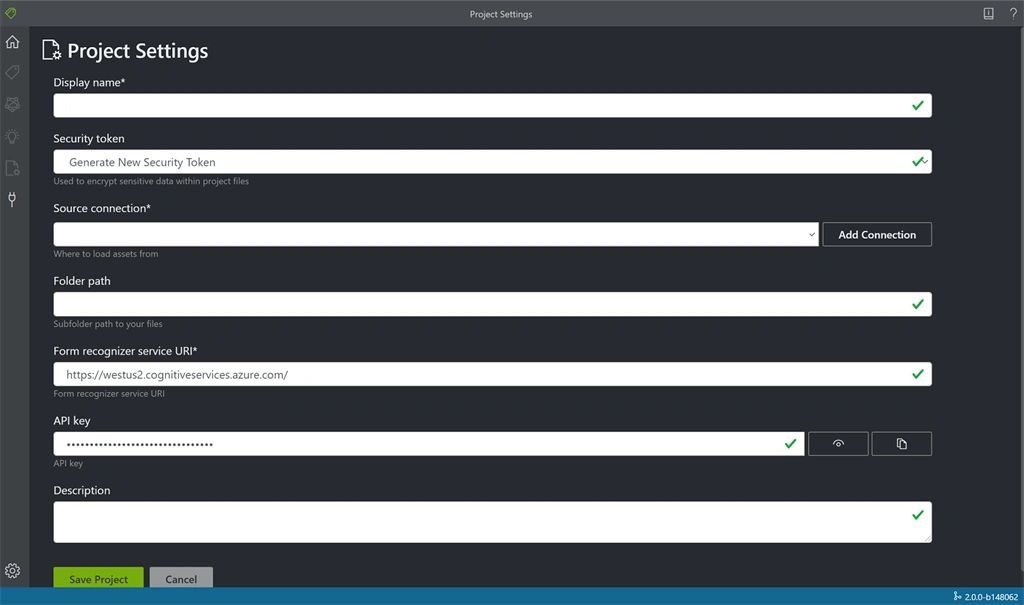
An Azure Form Recognizer Resource. for testing the tool. If you don't know to create a Storage Account go to official documentation. Get the form recognizer credentials ie; End Point and API Key.
Getting the ground ready
-
Get the files for labeling. Here I'm using the sample files which you can also download by clicking here. Extract the zip by WinRAR or similar un zipping tools.
-
Upload the files we need to test in the Azure Blob Storage. You can use different methods to do so. Here I would do Go to Azure Portal and navigate to storage account you have just created Select the "Storage Explorer" in left pane. Right Click on "Blob Containers" now you will get an option to "create a container" click on that. Now give a name (here test) and click create. Now a container is created click on the created container expanded under the "Blob Containers". Now we are uploading the files by clicking "Upload" button on top. Select the files (if you are using sample files upload the files in Train folder) and click "Upload". After successful upload you can see the files listed on the blob.
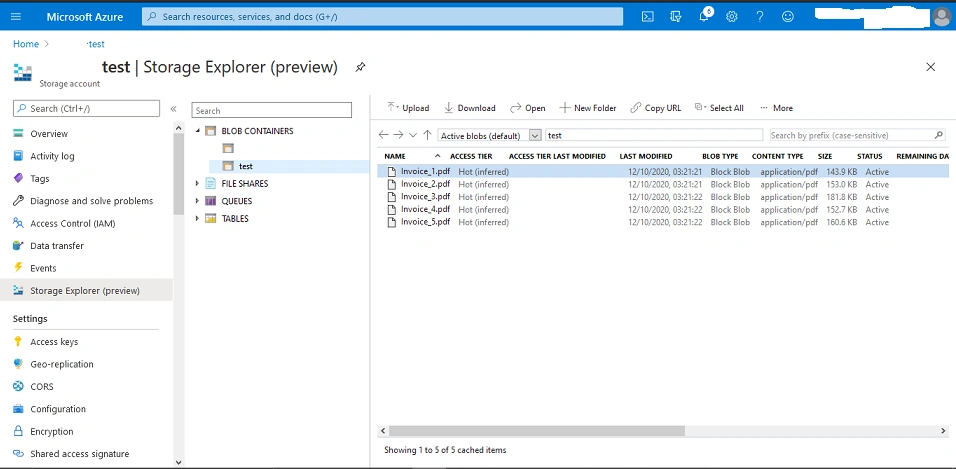
-
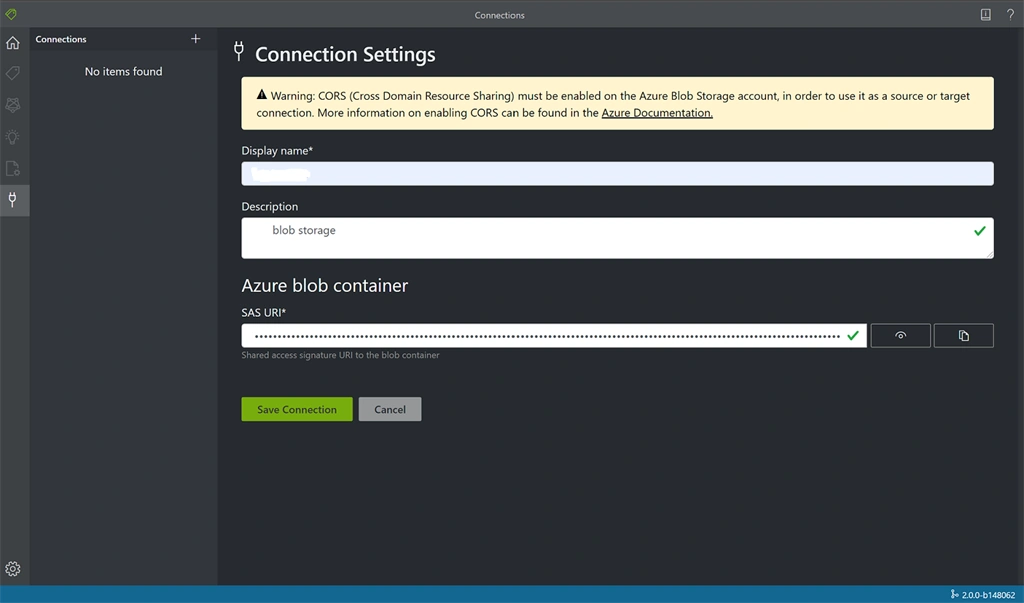
We need to get SAS URI for connecting this Blob with Sample Labeling Tool. For getting SAS URI right click the blob container we just created (here test) and click on "Get Shared Access Signature" a tab will be opened similar to the below one and give an "expiry time" (the time should be at least greater than current time) here I'm giving tomorrow's same time as expiry time. Also give Read, Write, Delete and List permissions. Now click on "Create". You will be shown a URI "Copy" it and keep it as we need it while we connect the Sample Labeling Tool with Blob.
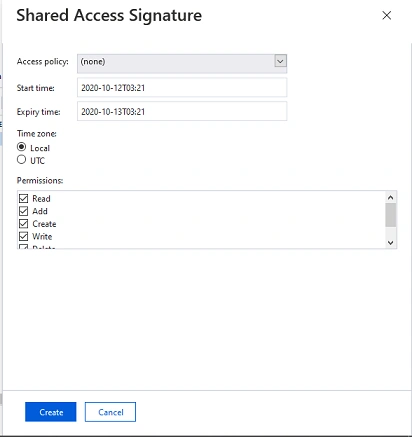
-
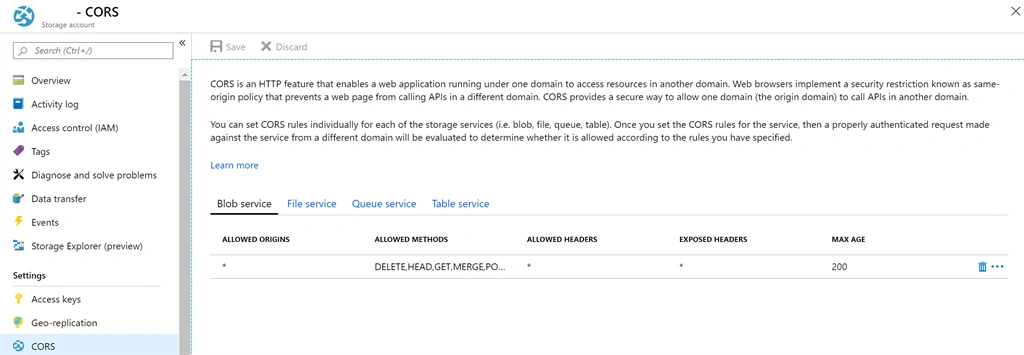
Now we need to Enable CORS on the storage account. For that navigate to CORS tab on the left pane. On the bottom line, fill in the following values. Then click Save at the top.
-
Allowed origins = *
-
Allowed methods = [select all]
-
Allowed headers = *
-
Exposed headers = *
-
Max age = 200Now the screen should be similar to that of below.
-
Now we are set to get to Sample Labeling Tool.
How to get Sample Labeling Tool ?
We can get access to sample labeling tool as a Desktop application or as a Web Application. The tool can be deployed in different ways; it depends on your organization's data policy. Go to official documentation to know the different ways of installation and usage.
Here we are using a ready to use web application which is perfectly okay for a learning, evaluation and testing scenarios. There are two versions available now, one is stable (version 2.0) and the other is in preview (version 2.1). If you want to know about the differences between these versions go to "What's new in Form Recognizer Sample Labelling Tool v2.1?" .
To go to Form Recognizer Sample Labelling Tool v2.0 click here and for Form Recognizer Sample Labelling Tool v2.1 click here.
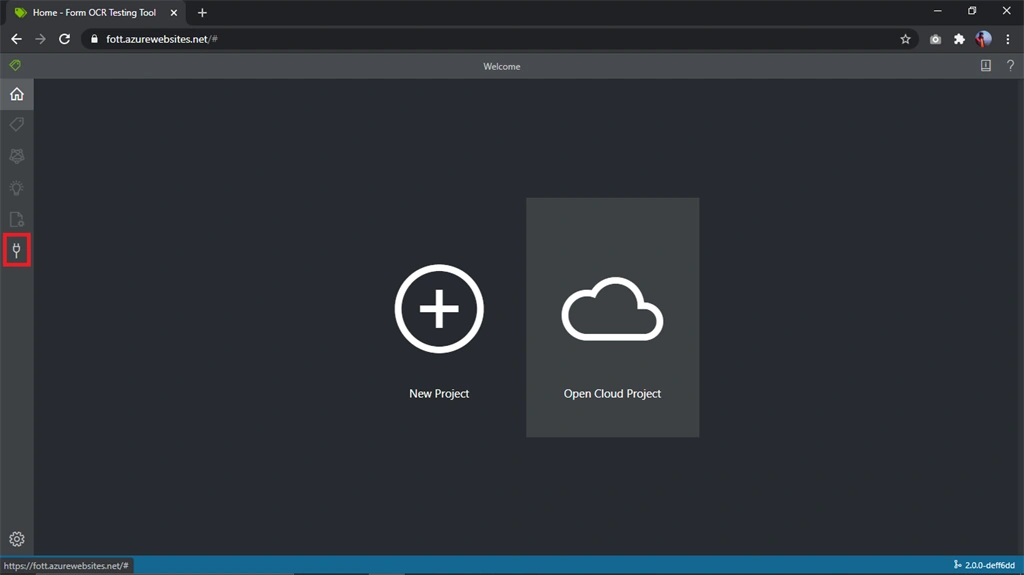
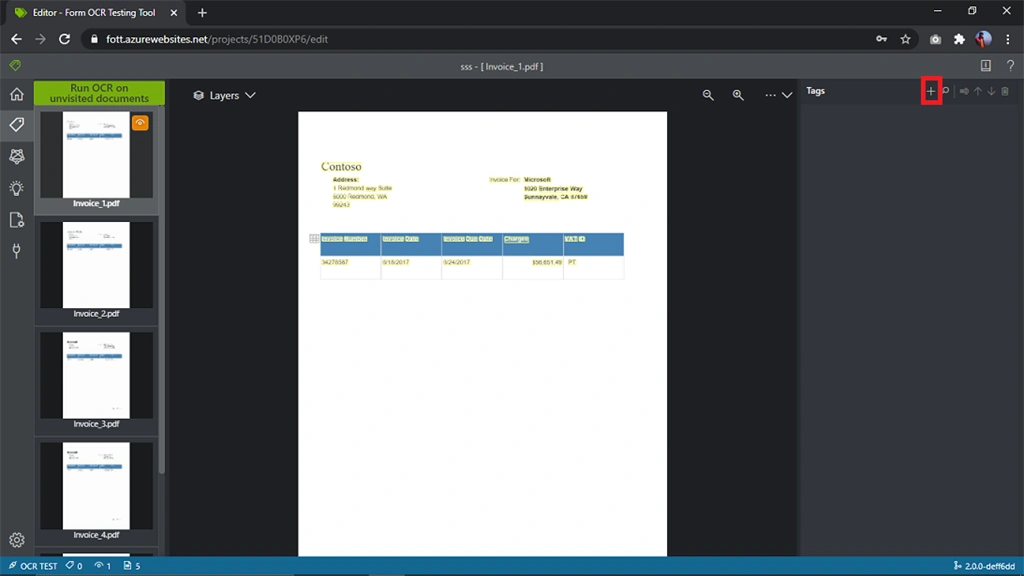
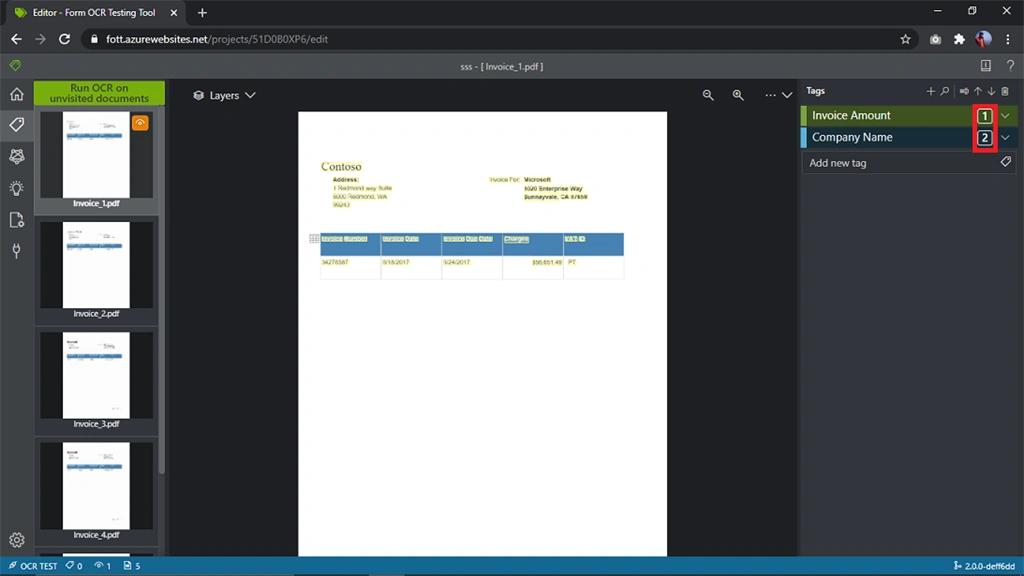
We are working on the stable version as of now ie; Form Recognizer Sample Labelling Tool v2.0 go to this web application. You will get a screen similar to that of below when you go to the tool. Preferred browser is Google Chrome as Mozilla Firefox does not support some features of this.
kavya vallalaPosted Jan 22, 2021, 7:33 AM
Can we get them from search service also ?
kavya vallalaPosted Jan 22, 2021, 7:10 AM
Can we fetch these analyze results using REST API also ?