

Microsoft Graph
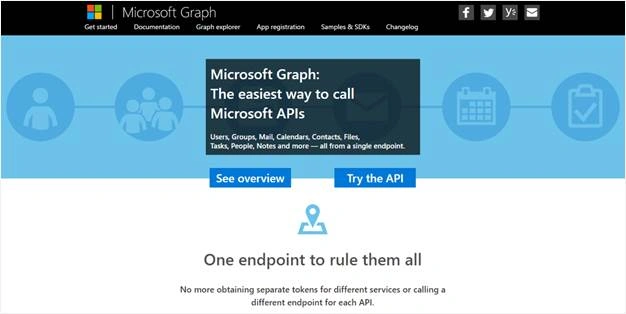
Microsoft Graph provides a Single REST API endpoint to access the multiple Microsoft cloud API services such as Office 365, Exchange Online, Azure Active Directory, SharePoint etc. So there is a single authentication to access all services with the help of one REST API endpoint.
The following steps would require you to get the information from Office 365,
- Find the appropriate endpoint related to the cloud service using Discovery service.
- Identify the URL of the services your Office 365 apps want to connect to.
- Then get the access token from the appropriate service and make the request to the server directly.
- To get the information from multiple services, we have to get the multiple access tokens for each service.
But by using Microsoft Graph API, we can perform the same complex operation via a single REST API endpoint. For this we not need to discover the endpoints for each service, no need to get the access token for each service for authentication.
Graph API Queries
I have listed below some of the sample queries of Microsoft Graph API, which are used against the Microsoft cloud services.
Operation | Service endpoint |
GET my profile | https://graph.microsoft.com/v1.0/me |
GET my files | https://graph.microsoft.com/v1.0/me/drive/root/children |
GET my photo | https://graph.microsoft.com/v1.0/me/photo/$value |
GET my mail | https://graph.microsoft.com/v1.0/me/messages |
GET my calendar | https://graph.microsoft.com/v1.0/me/calendar |
GET my manager | https://graph.microsoft.com/v1.0/me/manager |
GET last user to modify file foo.txt | https://graph.microsoft.com/v1.0/me/drive/root/children/foo.txt/lastModifiedByUser |
GET unified groups I’m member of | https://graph.microsoft.com/v1.0/me/memberOf/$/microsoft.graph.group?$filter=groupTypes/any(a:a%20eq%20'unified') |
GET users in my organization | https://graph.microsoft.com/v1.0/users |
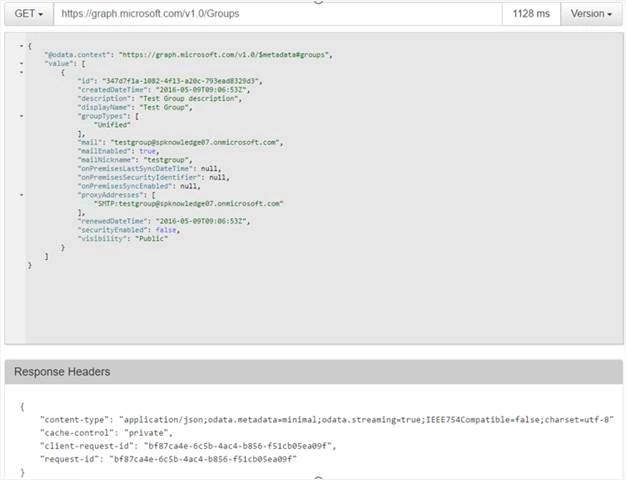
GET group conversations | https://graph.microsoft.com/v1.0/groups/<id>/conversations |
GET people related to me | https://graph.microsoft.com/beta/me/people |
GET my tasks | https://graph.microsoft.com/beta/me/tasks |
GET my notes | https://graph.microsoft.com/beta/me/notes/notebooks |
GET files trending around me | https://graph.microsoft.com/beta/me/trendingAround |
GET people I am working with | https://graph.microsoft.com/beta/me/workingWith |

Bharat Bhushan KvPosted Apr 29, 2020, 5:41 AM
Hi Shantha Kumar ji, I have some requirement: New Task in Planner is to be added as a New "Thread" in a Teams Channel. All changes to the Task are to be "Posted" as Replies to the Thread in the Teams Channel. Replies in Teams added a Comment into the Planner Task should also reflect onto my Teams Channel. How to integrate Planner & Teams to achieve above points using MS Graph API?? Plz send me steps in detail!
srinivas challaPosted Oct 4, 2018, 5:05 AM
How do I get access token for my email /not for application using Graph Api to send an email.
Aldo MartinezPosted Feb 9, 2018, 10:09 AM
I have a Questions, the APi have the URi but Doesn?t have example to obtain images from C# code. Regards
Kuppurasu NagarajPosted May 17, 2016, 11:03 AM
Nice sharing..
Sonu ChaudharyPosted May 16, 2016, 3:29 PM
good one...
Debasis SahaPosted May 16, 2016, 1:01 AM
Nice one..