Introduction
Web3 analytics doesn’t have to cost money. If you want to query Ethereum or Solana on-chain data without spinning up a node or adding a credit card to Google Cloud, the BigQuery Sandbox is your best friend.
Google Cloud hosts public crypto datasets (Ethereum, Solana, Bitcoin, Polygon, and more) that you can query directly in BigQuery — free of charge, with no billing account required. This article will show you how to:
Set up BigQuery Sandbox (no credit card needed)
Query Ethereum datasets with SQL
Save query results into your own tables
Visualize blockchain activity in Looker Studio dashboards
Use reusable SQL templates for wallet profiling, token transfers, DEX volume, NFT mints, and MEV patterns
Apply cost-control tips that work in the free sandbox and scale later in paid GCP
By the end, you’ll have a Google Cloud Web3 analytics workflow for $0.
Step 1. Set Up BigQuery Sandbox
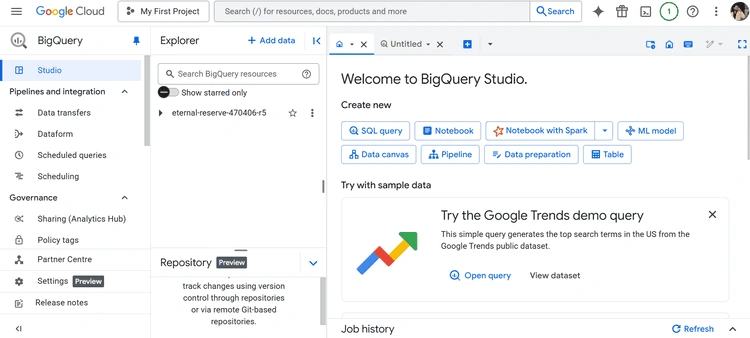
Go to BigQuery Sandbox.
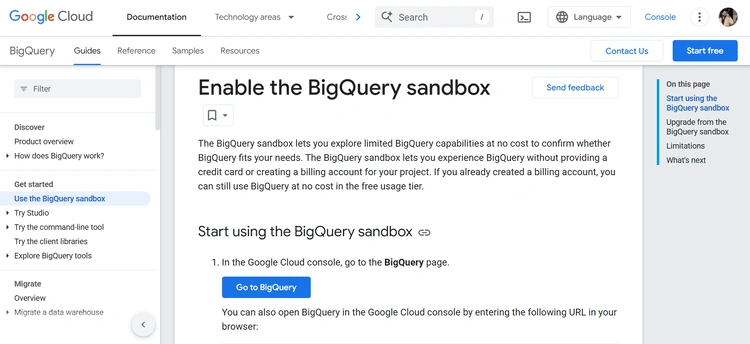
Click Start Free and sign in with a Google account.
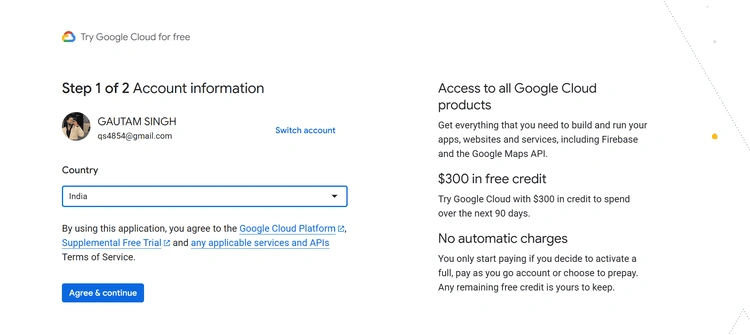
No credit card needed — the sandbox gives you:
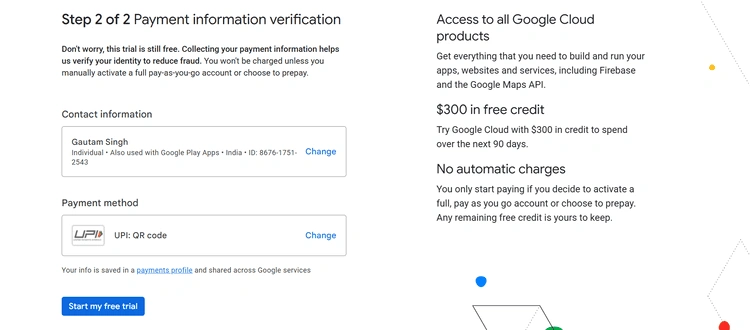
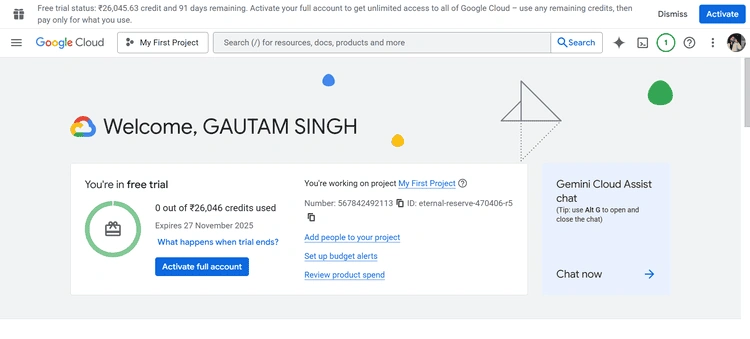
You’ll now see the BigQuery console inside Google Cloud.
Step 2. Access Ethereum & Solana Public Datasets
Google Cloud hosts crypto datasets as public BigQuery projects.
Inside each dataset you’ll find tables like:
transactions – all transactions on-chain
logs – decoded smart contract logs
traces – internal calls (Ethereum only)
tokens – ERC20/ERC721 metadata
Step 3: Run Queries on Ethereum
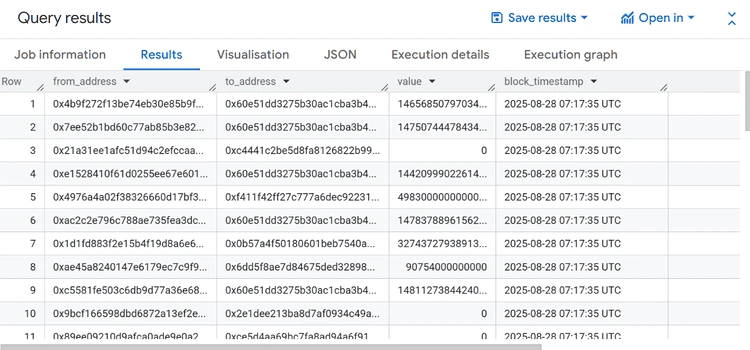
Example: ETH transfers in the last 24 hours
SELECT from_address, to_address, value, block_timestamp
FROM `bigquery-public-data.crypto_ethereum.transactions`
WHERE block_timestamp >= TIMESTAMP_SUB(CURRENT_TIMESTAMP(), INTERVAL 1 DAY)
ORDER BY block_timestamp DESC
LIMIT 100;
Query Result
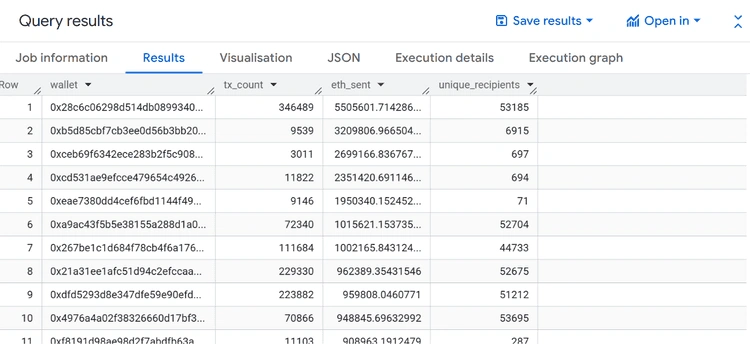
Wallet profiling (total sent, received, unique counterparties):
Wallet profiling helps identify the most active Ethereum addresses by showing how much ETH they’ve sent, how many transactions they’ve made, and how many unique counterparties they interacted with in the last 30 days.
SELECT
  from_address AS wallet,
  COUNT(*) AS tx_count,
  SUM(value) / 1e18 AS eth_sent,
  COUNT(DISTINCT to_address) AS unique_recipients
FROM `bigquery-public-data.crypto_ethereum.transactions`
WHERE block_timestamp >= TIMESTAMP_SUB(CURRENT_TIMESTAMP(), INTERVAL 30 DAY)
GROUP BY wallet
ORDER BY eth_sent DESC
LIMIT 50;
Query Result
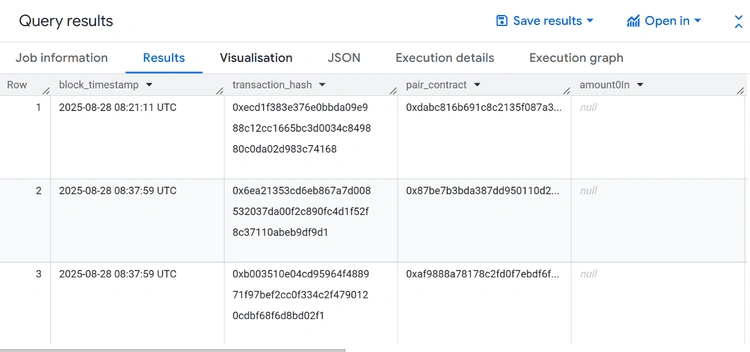
DEX volume (Uniswap V2)
This query captures daily Uniswap V2 swap events, letting you measure decentralized exchange (DEX) trading volume by extracting token amounts swapped in and out of liquidity pools.
SELECT
  logs.block_timestamp,
  logs.transaction_hash,
  logs.address AS pair_contract,
  JSON_VALUE(logs.data, '$[0]') AS amount0In,
  JSON_VALUE(logs.data, '$[1]') AS amount1In,
  JSON_VALUE(logs.data, '$[2]') AS amount0Out,
  JSON_VALUE(logs.data, '$[3]') AS amount1Out
FROM
  `bigquery-public-data.crypto_ethereum.logs` logs
WHERE logs.block_timestamp >= TIMESTAMP_SUB(CURRENT_TIMESTAMP(), INTERVAL 1 DAY)
  AND logs.topics[SAFE_OFFSET(0)] = "0xd78ad95fa46c994b6551d0da85fc275fe613ce37657fb8d5e3d130840159d822" -- Uniswap V2 Swap event
LIMIT 100;
Query Result
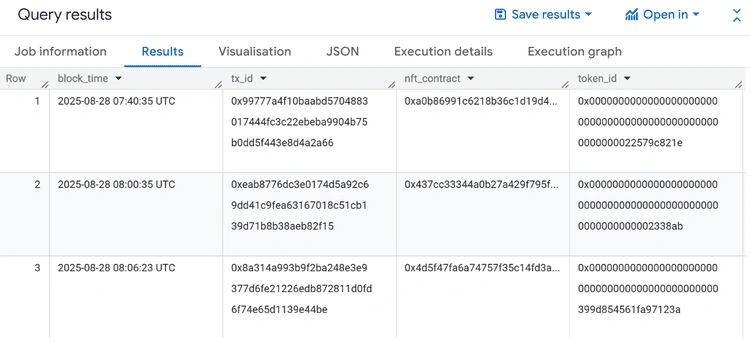
NFT Mints
NFT minting activity can be tracked by filtering transfer events where the sender is the zero address — this query surfaces new NFTs created on Ethereum in the past 7 days.
SELECT
  logs.block_timestamp AS block_time,
  logs.transaction_hash AS tx_id,
  logs.address AS nft_contract,
  logs.data AS token_id,
  logs.topics[SAFE_OFFSET(1)] AS from_address,
  logs.topics[SAFE_OFFSET(2)] AS to_address
FROM
  `bigquery-public-data.crypto_ethereum.logs` logs
WHERE logs.block_timestamp >= TIMESTAMP_SUB(CURRENT_TIMESTAMP(), INTERVAL 7 DAY)
  AND logs.topics[SAFE_OFFSET(0)] = "0xddf252ad1be2c89b69c2b068fc378daa952ba7f163c4a11628f55a4df523b3ef" -- ERC20/721 Transfer event
  AND logs.topics[SAFE_OFFSET(1)] = "0x0000000000000000000000000000000000000000000000000000000000000000" -- from = 0x0 (mint)
LIMIT 100;
Query Result
MEV-like detection
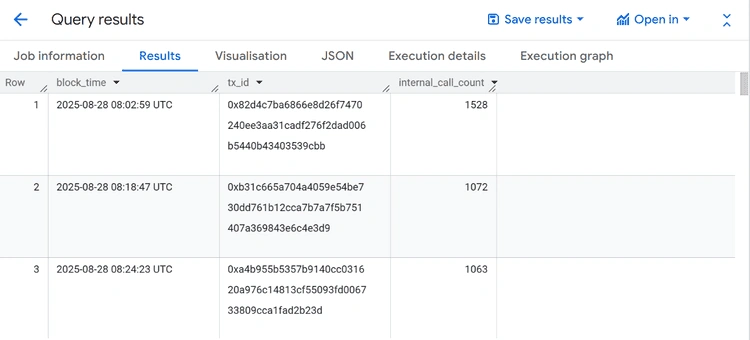
MEV bots usually perform arbitrage, liquidations, or sandwich attacks by chaining dozens of contract calls in a single transaction. This query surfaces the most complex recent transactions, which often reveal MEV strategies.
SELECT
  t.block_timestamp AS block_time,
  t.hash AS tx_id,
  COUNT(trace.trace_address) AS internal_call_count
FROM
  `bigquery-public-data.crypto_ethereum.transactions` t
JOIN
  `bigquery-public-data.crypto_ethereum.traces` trace
ON
  t.hash = trace.transaction_hash
WHERE t.block_timestamp >= TIMESTAMP_SUB(CURRENT_TIMESTAMP(), INTERVAL 1 HOUR)
GROUP BY t.block_timestamp, t.hash
ORDER BY internal_call_count DESC
LIMIT 50;
Query Result
Token transfers (ERC-20)
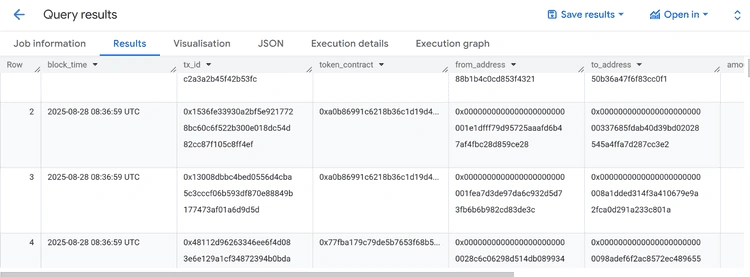
ERC-20 transfers are the backbone of Ethereum activity. This query extracts all token movements in the last 24 hours, including the token contract, sender, receiver, and amount.
SELECT
  logs.block_timestamp AS block_time,
  logs.transaction_hash AS tx_id,
  logs.address AS token_contract,
  logs.topics[SAFE_OFFSET(1)] AS from_address,
  logs.topics[SAFE_OFFSET(2)] AS to_address,
  SAFE_CAST(logs.data AS NUMERIC) / 1e18 AS amount
FROM
  `bigquery-public-data.crypto_ethereum.logs` logs
WHERE
  logs.block_timestamp >= TIMESTAMP_SUB(CURRENT_TIMESTAMP(), INTERVAL 1 DAY)
  AND logs.topics[SAFE_OFFSET(0)] = "0xddf252ad1be2c89b69c2b068fc378daa952ba7f163c4a11628f55a4df523b3ef" -- Transfer event
ORDER BY block_time DESC
LIMIT 100;
Query Result
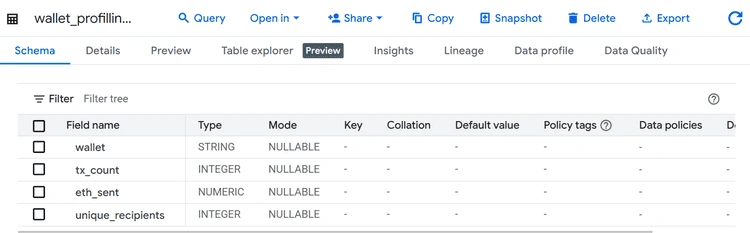
Step 5. Save Results Into Tables
After running a query → click Save > Save as Table.
Choose a dataset in your sandbox project.
Saved tables persist for 90 days (renew if needed).
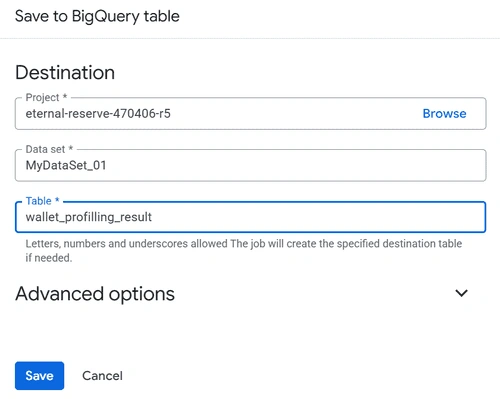
This makes it easier to visualize repeatedly without rerunning heavy queries.
Step 6. Visualize in Looker Studio
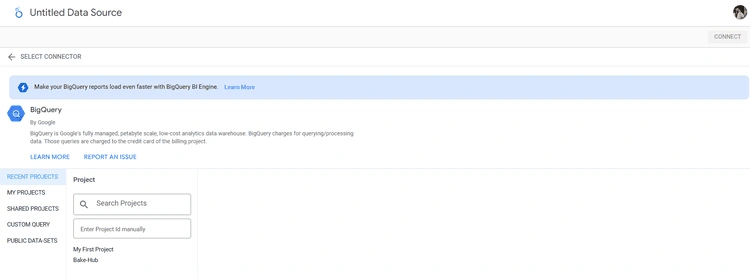
Go to Looker Studio.
Create a new report - select BigQuery as your data source.
Choose your saved tables.
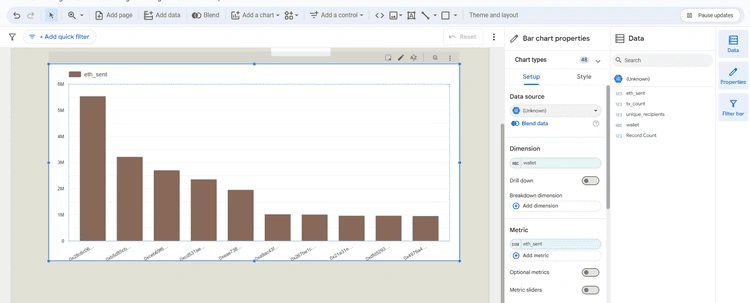
Build charts like:
Wallet leaderboard (ETH sent/received)
DEX daily volume (Uniswap swaps)
NFT minting trendline (Solana mints per day)
MEV detection heatmap (per block, per signer)
This turns raw SQL - interactive dashboards.
Cost-Control Tips
Even though the sandbox is free, you’ll later want to scale to production. These habits will save costs when moving to paid GCP:
Use filters & LIMIT: always restrict by block timestamp.
Partition-aware queries: Ethereum transactions are partitioned by date — filter block_date instead of a timestamp when possible.
Cache results: BigQuery caches queries for 24h, re-run cached queries for free.
Slot usage basics: sandbox gives 100 slots (parallel workers). The same logic applies in paid plans with autoscaling slots.
Materialize intermediate results: save to a table once, instead of re-scanning the chain repeatedly.
Conclusion
With BigQuery Sandbox + Google’s public crypto datasets, you can run real blockchain analytics without a node, without a credit card, and without paying a cent.
You now have reusable SQL templates for:
Wallet profiling
Token transfers
DEX volume analysis
NFT mint tracking
MEV pattern detection
And you’ve learned how to:
This is the Google Cloud Web3 free tier at its best: a no-cost way to start analyzing Ethereum and Solana right now.


Join the conversation! Your thoughts help the community grow.